
Purpose
This feature lets you prevent selected apps from being affected by battery-saving features like Android Doze mode. You can allowlist apps on personal or work profiles by entering their package names as a comma-separated list.
Prerequisites
This procedure will be performed on Knox-enabled Samsung devices.
Steps
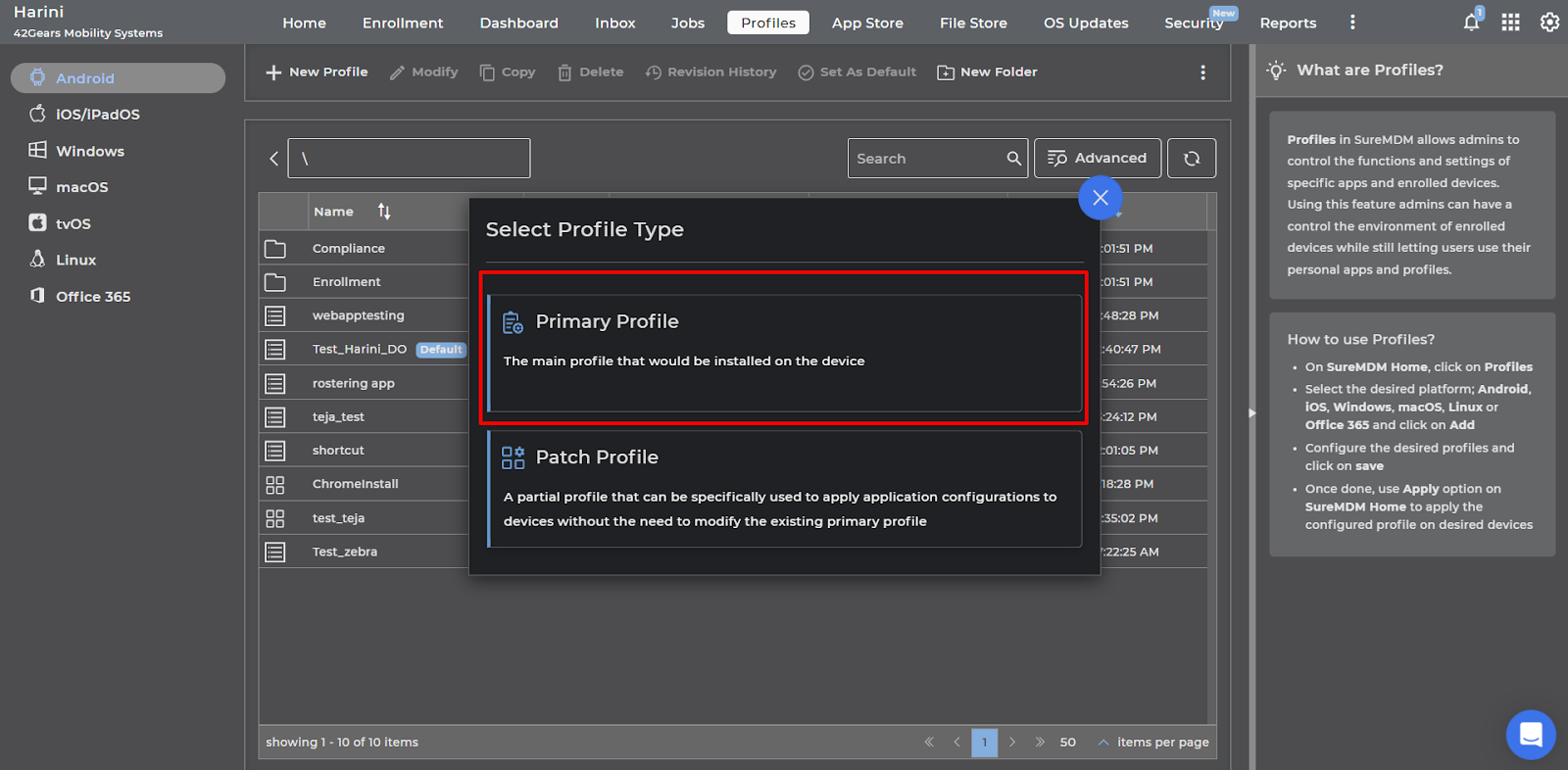
1. Login to the SureMDM console > Profiles > Android > New Profile > Select Profile Type as Primary Profile.
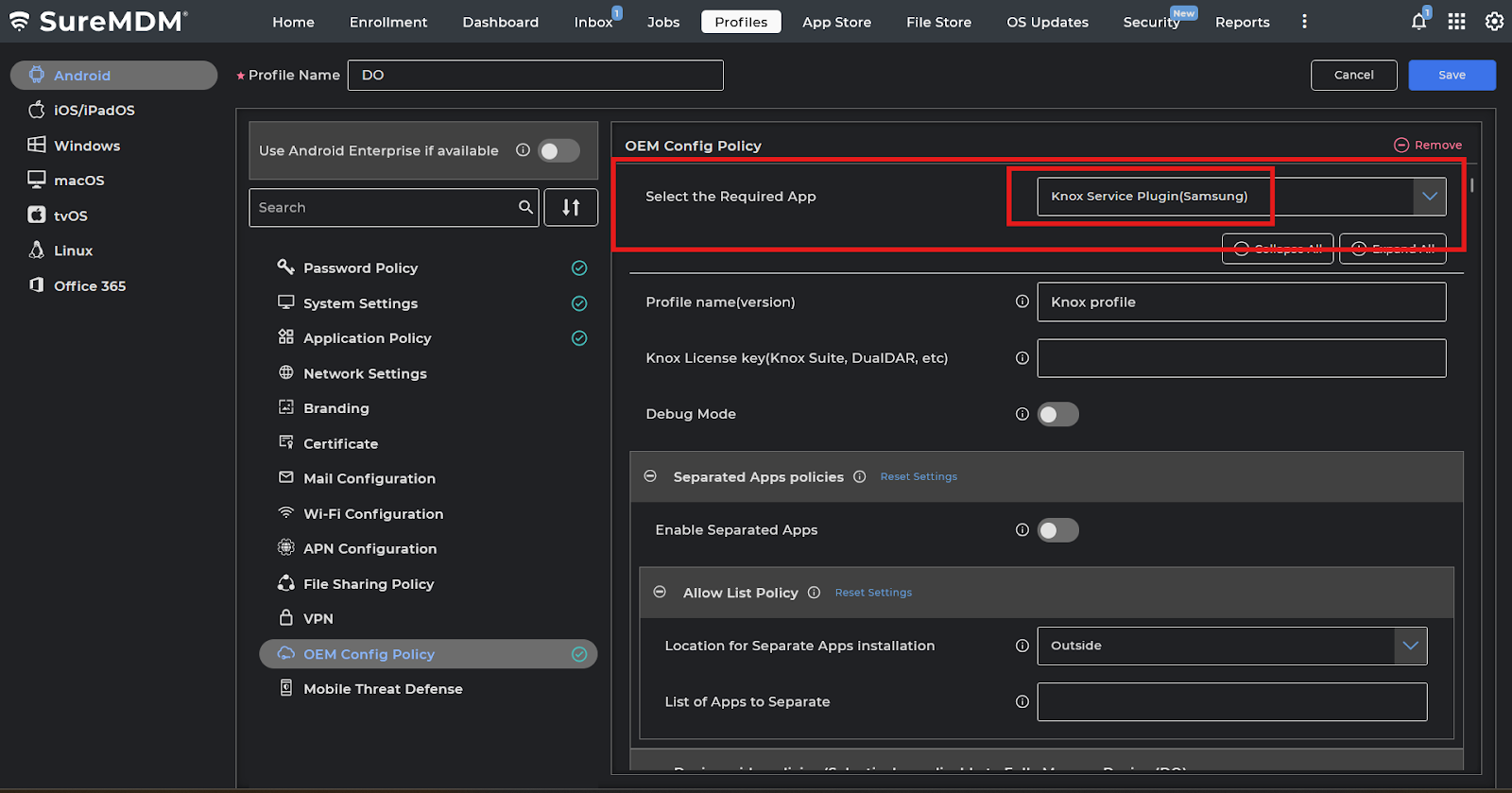
2: Search and select the OEM Config Policy and click on configure.
3: Click and select the Knox Service Plugin (Samsung).
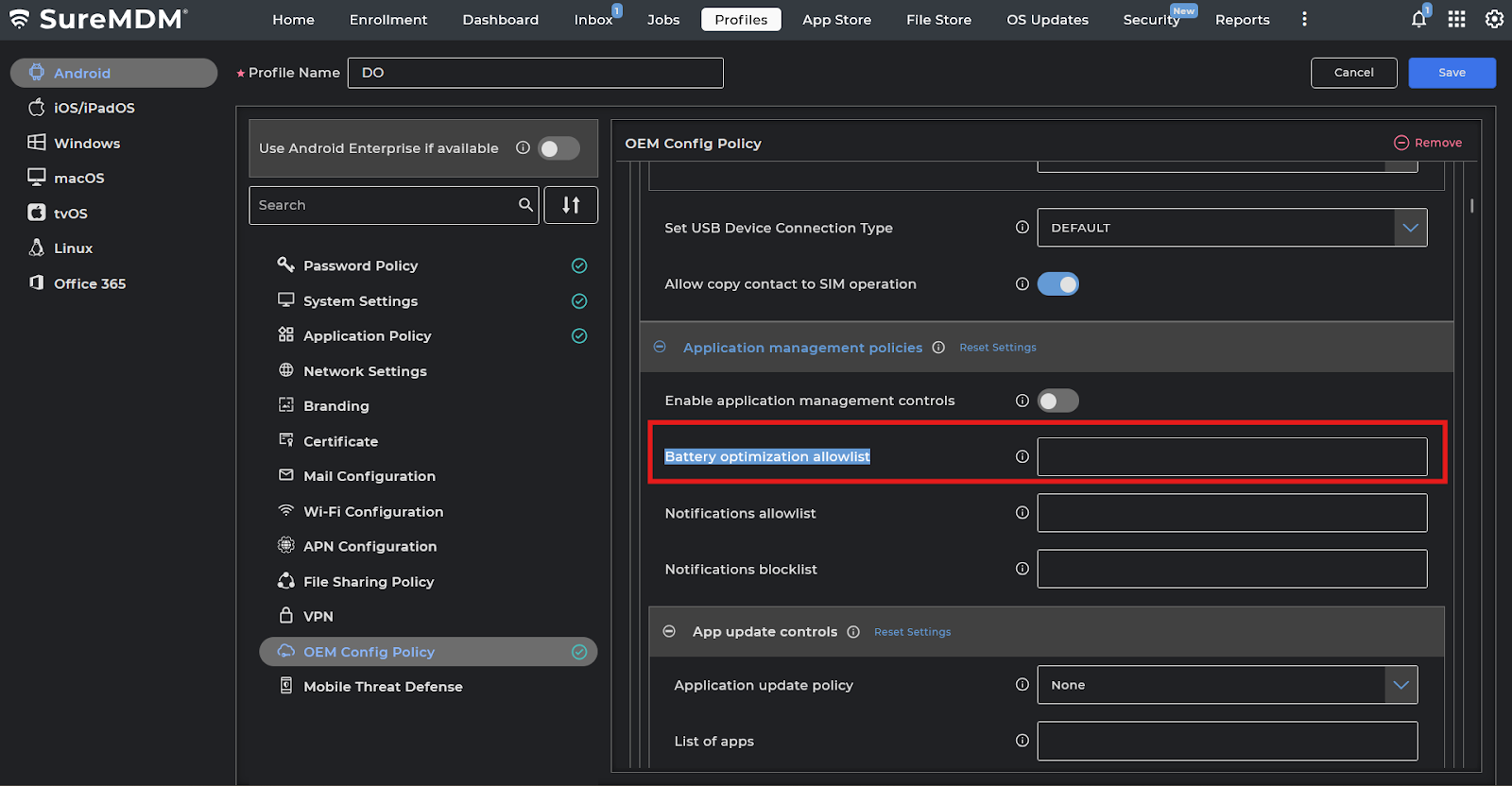
4: Click on expand and search for “Battery optimization allowlist” and configure the list. Enable the option “Enable application management controls”.
Save the profile and deploy it to the device. With this setting, only the apps you allowlist will be exempt from battery optimization, and all other apps will follow normal battery-saving rules.
Need help?
CONTACT US