
Purpose
It helps administrators control which websites can access clipboard operations in Google Chrome on Windows devices. It is useful for enforcing security policies, preventing unauthorized copy-paste actions, and maintaining compliance with internal data protection requirements. By configuring these permissions through SureMDM, organizations can ensure consistent and secure clipboard behavior across all managed devices.
Prerequisites
- Access to the SureMDM Console with appropriate administrative privileges to create and apply profiles.
- The supported version of google chrome is version 131.0.6778.205 and later
Steps
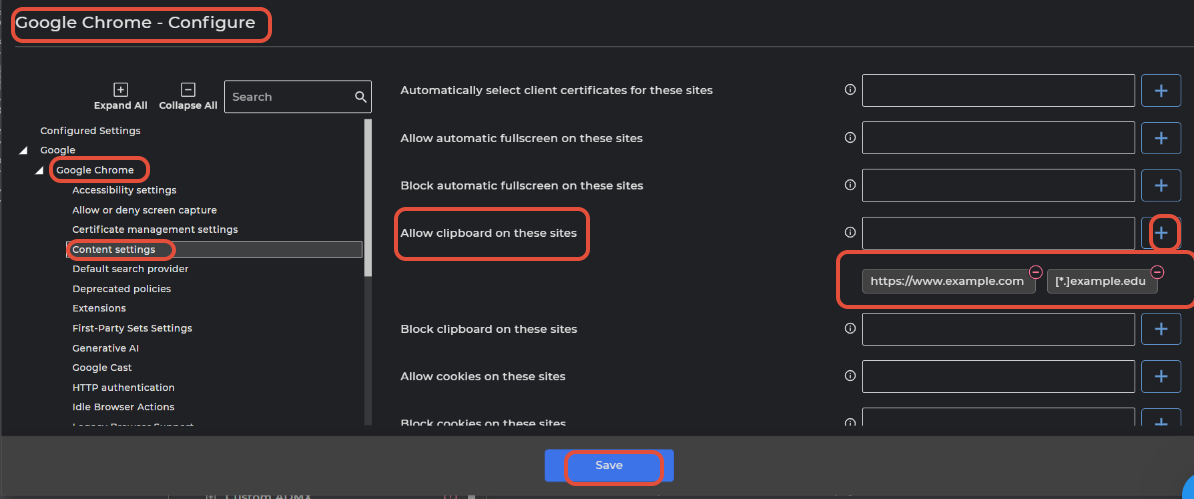
Allow clipboard on the sites:
- Login to SureMDM console.
- Navigate to Profiles →Windows →Browser Management → Google Chrome→ Configure.
- Under Google Chrome → Content Settings → Allow Clipboard on these sites
- Enter the complete URL of the website (Eg: https://www.example.com)
- Even the wildcard is supported (Eg: [*.]example.edu)
- Click on Add
- Click Save.
- Select the target device(s).
- Apply the profile
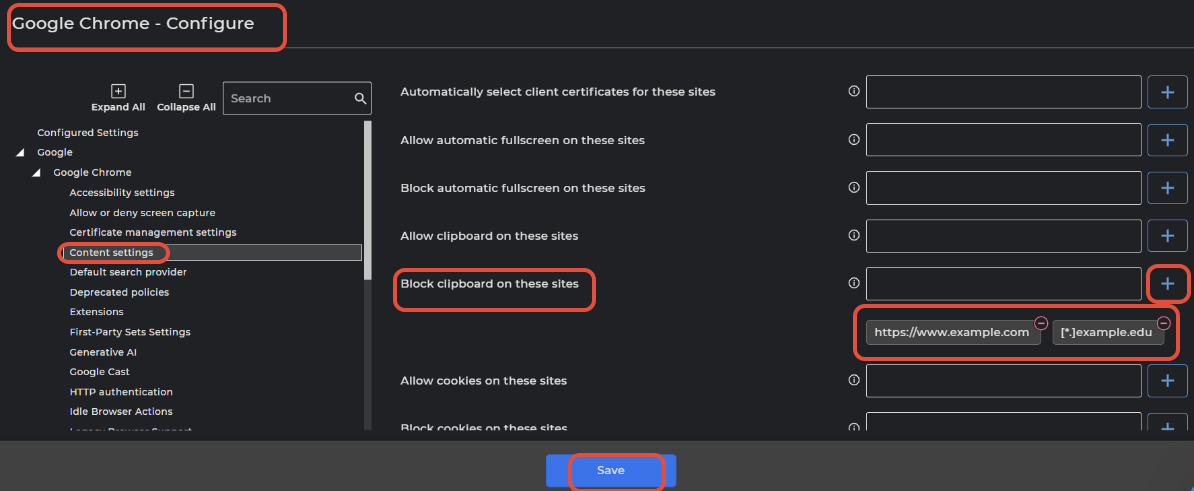
Block clipboard on these sites:
- Login to SureMDM console.
- Navigate to Profiles →Windows →Browser Management → Google Chrome→ Configure.
- Under Google Chrome → Content Settings → Block Clipboard on these sites
- Enter the complete URL of the website (Eg: https://www.example.com)
- Even the wildcard is supported (Eg: [*.]example.edu)
- Click on Add
- Click Save.
- Select the target device(s).
- Apply the profile
Note: URL patterns supported by Google chrome Click here
Need help?
CONTACT US
Was this helpful?
YesNo