
Purpose
This feature lets the user customize the Screen Orientation for individual websites in surelock which will allow the user to set different websites in different orientations.
Prerequisites
N/A
Steps
1. Navigate to SureLock admin settings and select Manage Websites.
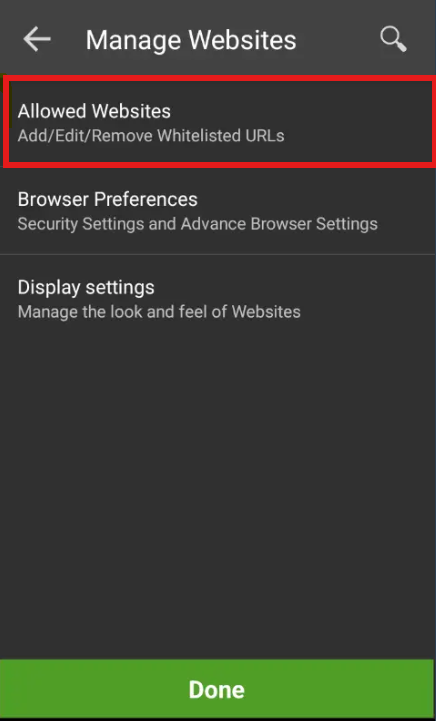
2: Select “Allowed websites”
3: And add the “URL”
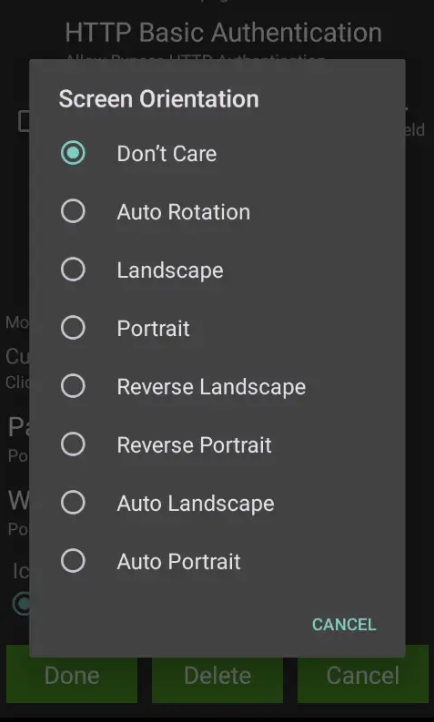
4:After configuring the URL please scroll down to Screen Orientation and you will find the different screen orientation to choose from.
After saving the settings the customer will be able to set the Screen Orientation for individual websites without depending on the main SureLock screen Orientation.
Need help?
CONTACT US
Was this helpful?
YesNo