
SureLock for Windows provides a rich set of APIs that allow administrators to remotely control and manage the SureLock environment on Windows devices. When combined with the Run Script capability in SureMDM, these APIs can be executed as static jobs to perform administrative actions on managed endpoints.
This article explains how SureLock Windows APIs can be leveraged through a Run Script job, enabling centralized execution of SureLock-specific commands directly from the SureMDM Console.
Purpose
The purpose of this article is to describe how to execute SureLock Windows API commands using a Run Script job in SureMDM.
By utilizing the Run Script job, administrators can trigger SureLock actions—such as exiting SureLock, refreshing the home screen, or launching settings—without requiring direct user interaction. This approach ensures consistent enforcement and remote management of SureLock behavior across Windows devices.
Prerequisites
Before proceeding, ensure the following requirements are met:
- The Windows device is enrolled in SureMDM
- SureLock for Windows is installed and configured on the device
- The SureMDM agent is active and online
- Administrator access to the SureMDM Console
Steps
Every SureLock API command must begin with:
!#suremdm
Failure to include this prefix will result in the command not being executed.
Example: Executing a SureLock API Using Run Script
Below is a generic example of how a SureLock API is structured when used in a Static Run Script job:
!#suremdm <SureLock_API_Command>
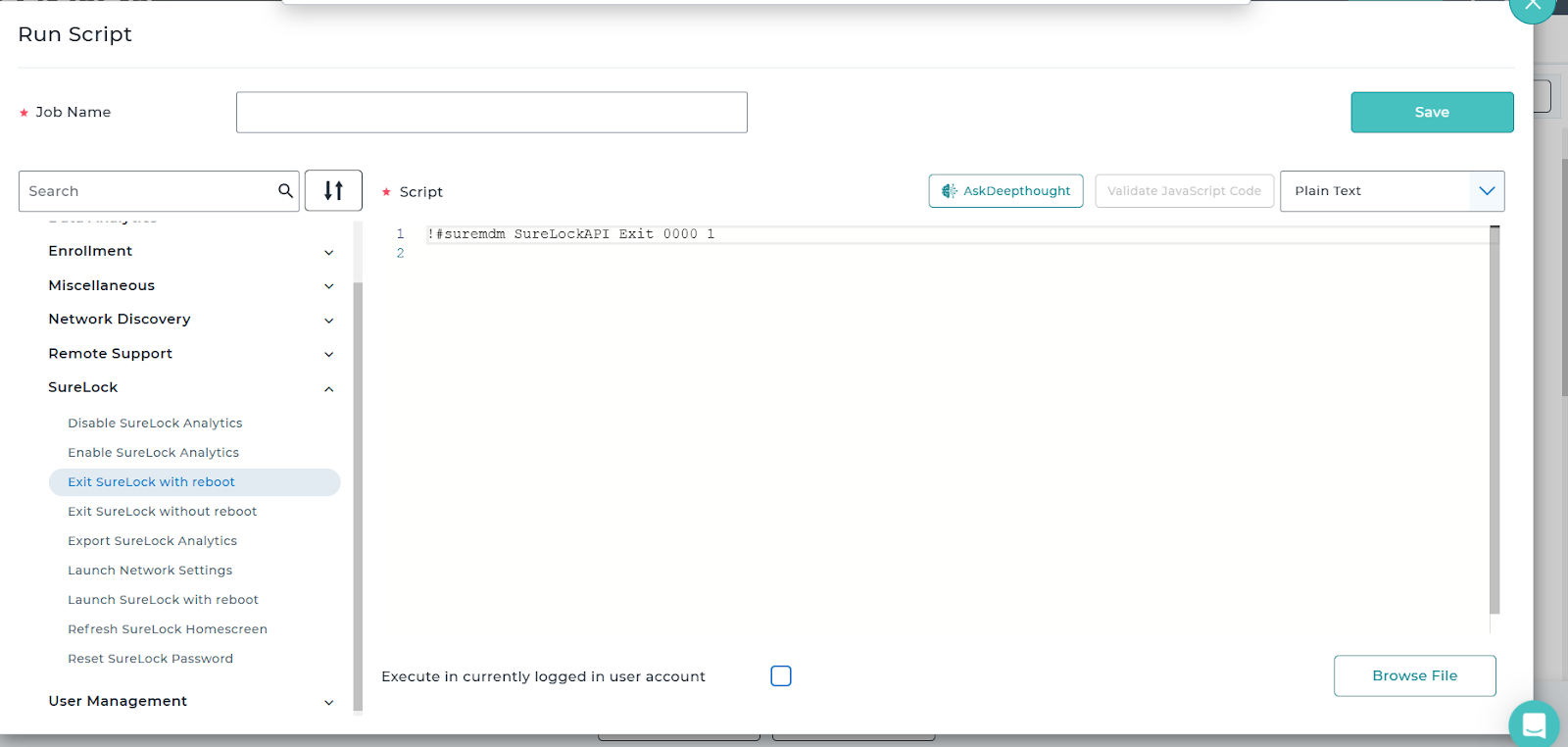
Replace <SureLock_API_Command> with the required SureLock Windows API based on the action you want to perform (for example, exiting SureLock, refreshing the home screen, etc.).
Job Creation
- Log in to the SureMDM Console
- Navigate to Jobs → Windows → Run Script
- Create a Run Script job
- Enter the SureLock API command with the mandatory !#suremdm prefix
Predefined SureLock template can also be utilized as per requirement
- Save and deploy the job to the target Windows device(s)
Once deployed, the SureMDM agent executes the command and invokes the corresponding SureLock API on the device.
References
- SureLock Windows API Documentation
SureLock Windows API | 42Gears Documentation
- SureMDM – Windows Run Script Jobs
Need more help? Here’s how to get help from our experts.