
Purpose
This article provides steps to block external Chrome extensions on Windows devices using a SureMDM profile, enabling administrators to restrict the installation of unauthorized Chrome extensions.
Pre-requisites: N/A
Step:
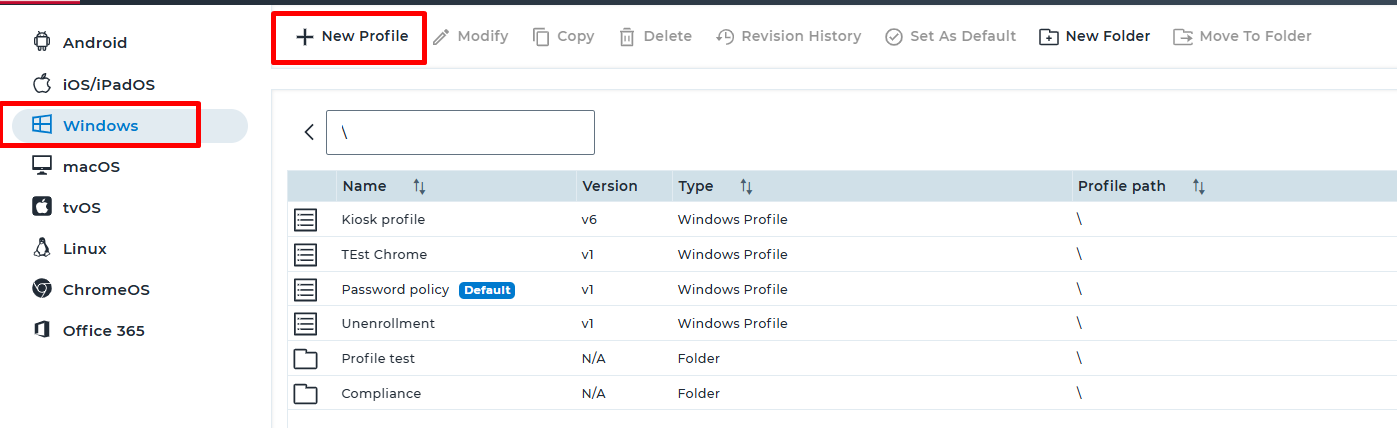
- Login to SureMDM console > Navigate to Profile > select Windows.
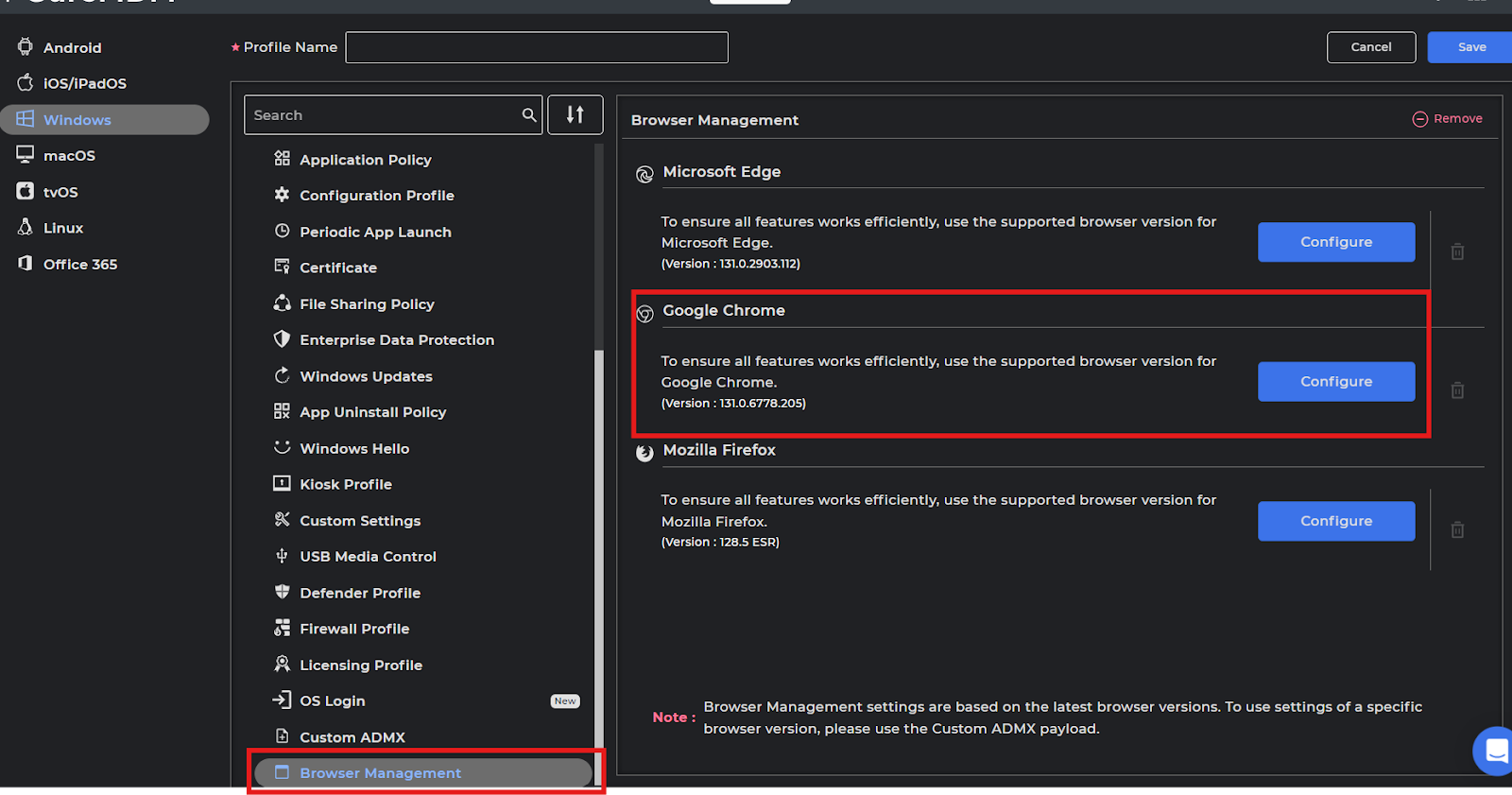
- Look for Browser Management and tap on Configure for Google Chrome.
- Expand Google → Google Chrome → Extensions, enable the “Block external extensions from being installed” option, as shown in the screenshot below. And configure as per the below steps.
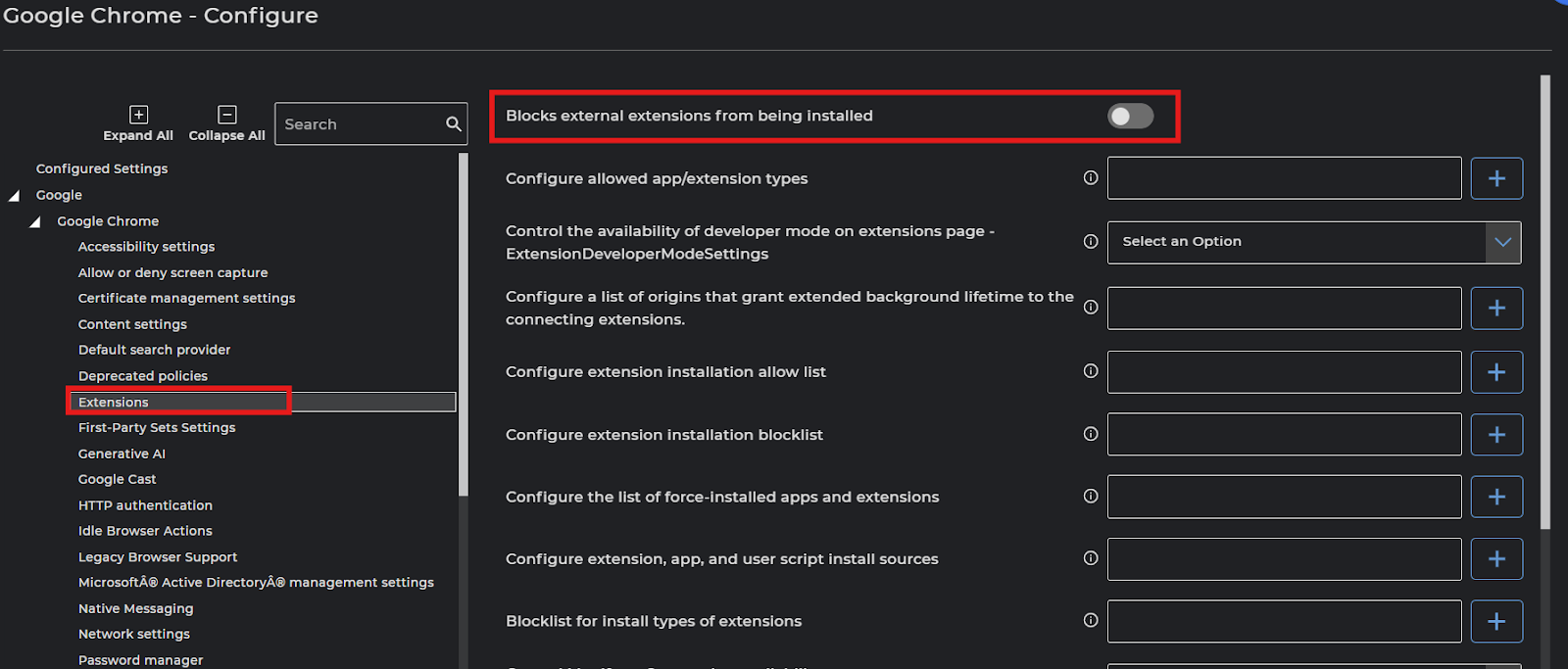
Enter the below mentioned values under respected fields accordingly.
- Configure extension installation blocklist (Blocks installation of all extensions)
Provide the value as *
- Blocklist for install types of extensions (Restricts all extension installation types)
Provide the value *
- Control Manifest v2 extension availability – ExtensionManifestV2Availability
Choose Manifest v2 is disabled - Extension management settings – ExtensionSettings (Ensures all extensions are blocked by default)
Provide the below values:
{
“*”: {
“installation_mode”: “blocked”
}
}
- Control availability of extensions unpublished on the Chrome Web Store ExtensionUnpublishedAvailability – (Blocks extensions that are not published on the Chrome Web Store)
Choose Disable unpublished extensions
Save the Profile and deploy it to the target devices. Once the Job is deployed, and when trying to install the Extension the below error would be seen.
Conclusion
With this above configuration, administrators can successfully block the installation of external Chrome extensions on Windows devices using SureMDM. This configuration helps prevent unauthorized or unmanaged extensions from being installed, thereby enhancing device security, ensuring policy compliance, and maintaining a controlled browsing environment across managed devices.
Need more help? Here’s how to get help from our experts.