
Purpose
This article explains how to change the default password for plugin applications installed through SureLock Settings Manager to enhance device security and prevent unauthorized access.
Prerequisites
- Android device with SureLock Settings Manager installed
- Plugin applications successfully deployed on the device
- Physical access to the device
- Default password for the plugin applications
Steps
- Ensure that the SureLock Settings Manager and its plugin applications are installed on the device.
- The installation will deploy the following three plugin apps:
- Bluetooth Manager
- Settings Manager
- WiFi Center
- Bluetooth Manager
- Open each plugin application individually on the device.
- Inside the plugin app, tap on the Settings option.
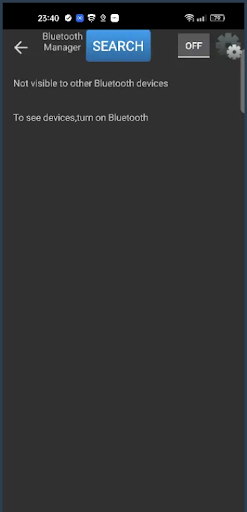
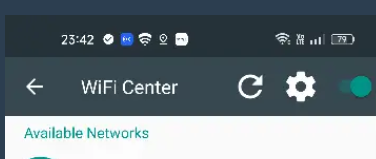
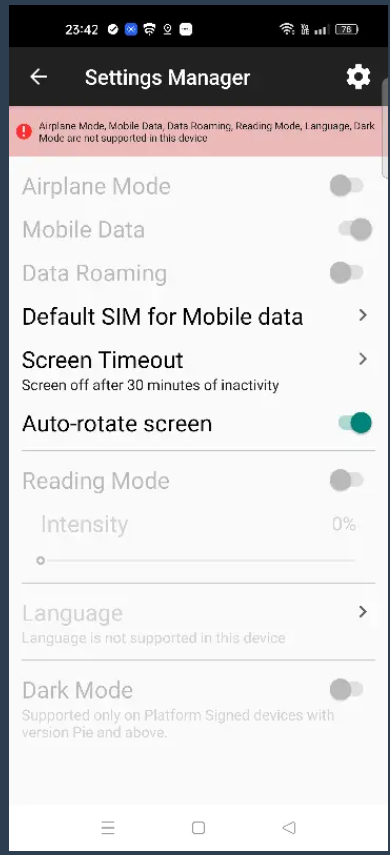
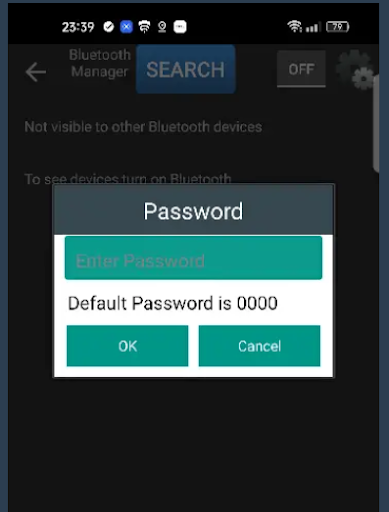
5. When prompted, enter the default password, i.e., 0000.
6. Select the option to Change Password.
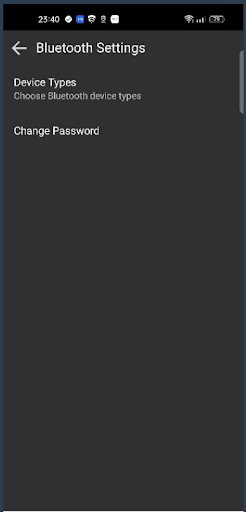
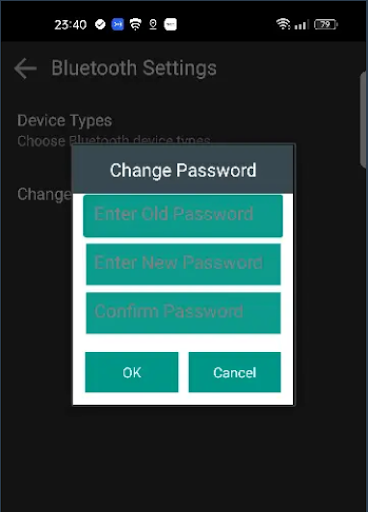
7. Enter the old password, then the new password, and confirm the password.
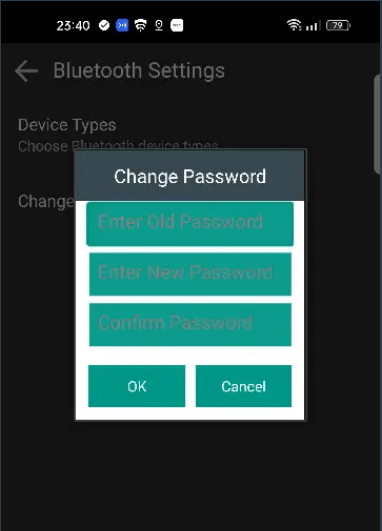
8. After that, click OK.
9. Repeat the above steps for all three plugin applications to ensure consistent security.
Conclusion:
In conclusion, updating the default password for plugin applications is a simple yet crucial step in strengthening device security. It helps safeguard sensitive settings from unauthorized access and potential misuse. By following the steps outlined in this article, administrators can ensure better control and protection of their managed devices. Regularly reviewing and updating security credentials further reinforces a secure device environment.
Need more help? Here’s how to get help from our experts