
Purpose
This feature allows the administrator to set SMS restrictions such as Blocklist Incoming SMS restriction,Blocklist Incoming SMS exception,Blocklist Outgoing SMS restriction,Blocklist Outgoing SMS exception on Samsung devices using an OEMConfig policy.
Prerequisites
N/A
Steps
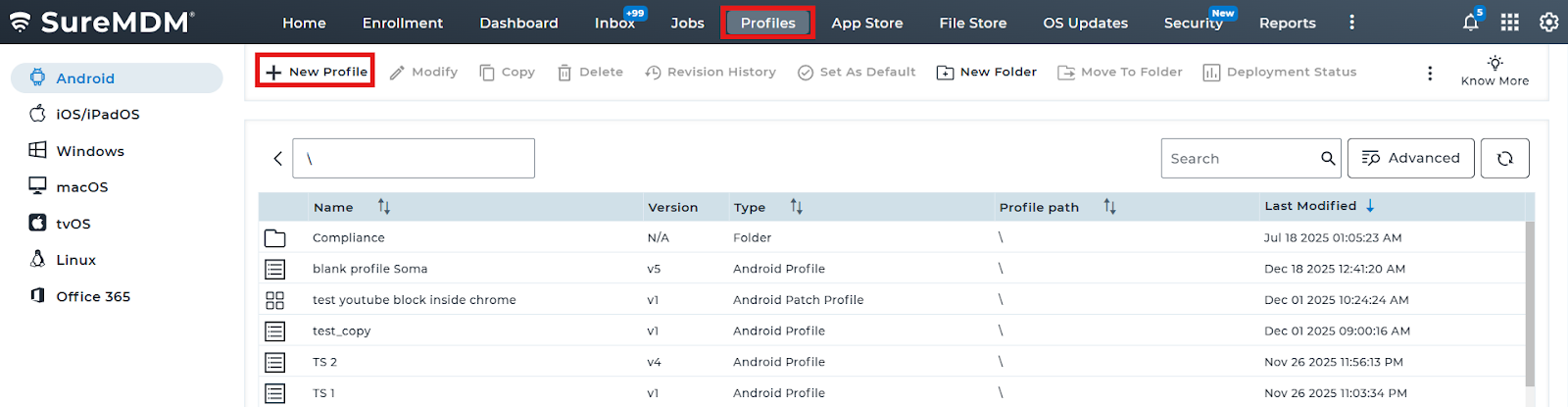
1. Navigate to Profiles and select New Profile.
2. Navigate to OEM Config policy -> And select Knox Service Plugin(Samsung)
3: Select SMS controls and configure the SMS settings
Related Samsung Knox Policy Article:
https://docs.samsungknox.com/admin/knox-platform-for-enterprise/knox-service-plugin/configure-advanced-policies/call-and-messaging-control/
Conclusion:
Using the Samsung OEMConfig policy in SureMDM, administrators can centrally configure and enforce SMS controls on Samsung devices, ensuring restricted messaging capabilities, enhanced data security, and consistent policy compliance across the managed device fleet.
Need more help? Here’s how to get help from our experts