
Purpose:
This article explains how to configure Google Chrome on Android devices using SureMDM to block third-party cookies through an Application Policy. This helps administrators improve privacy and security by preventing cross-site tracking while ensuring that users cannot modify the Chrome site settings on managed devices.
Prerequisites: N/A
Steps:
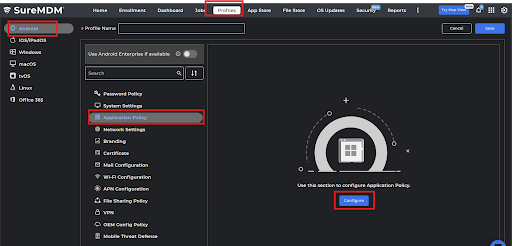
- Log into SureMDM and navigate to Profiles.
- Select Android OS and click on Add to create a new profile. You can also modify any existing profiles.
- Name the profile and click on Application Policy, then click on Configure.
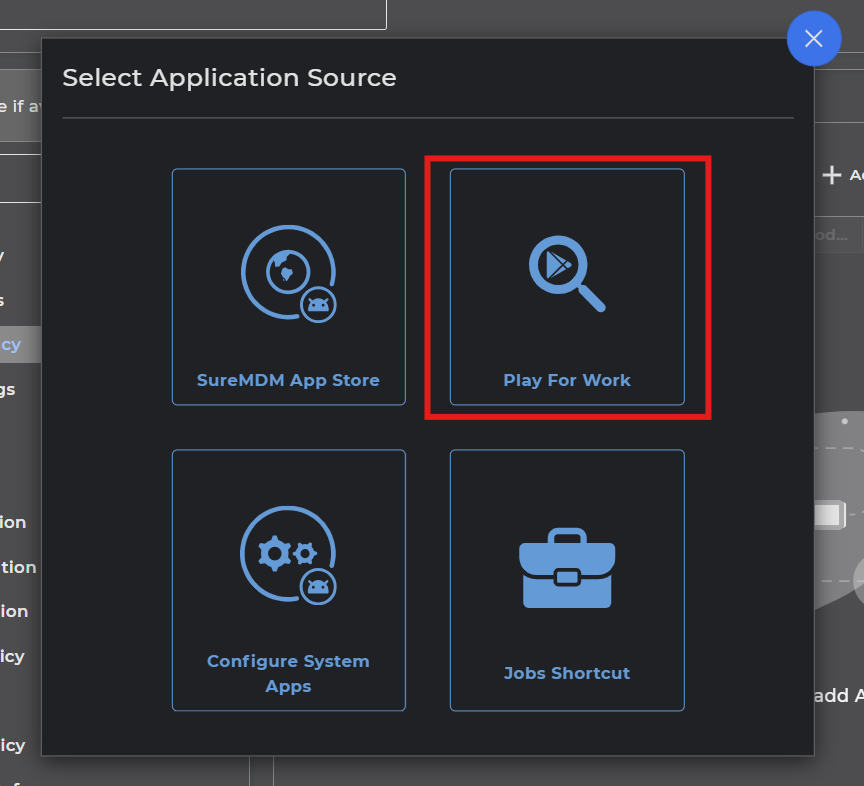
- Click on Add, and then select Google Chrome from Play for Work.
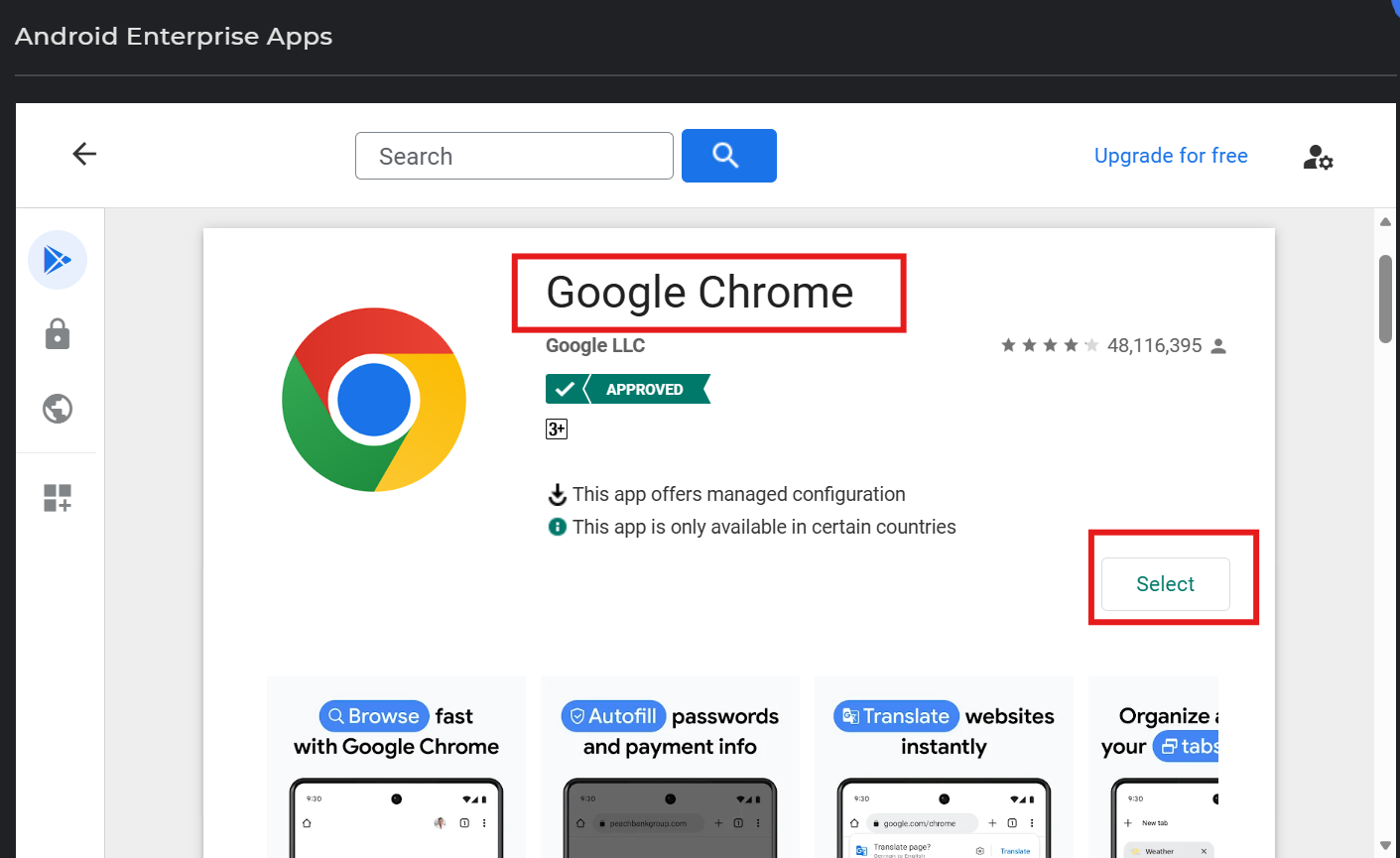
- Once you click on Select, you will be navigated to the Android Enterprise Apps screen.
- Provide a configuration name, navigate to the Block third party cookies options and click on Configure and then enable the toggle button.
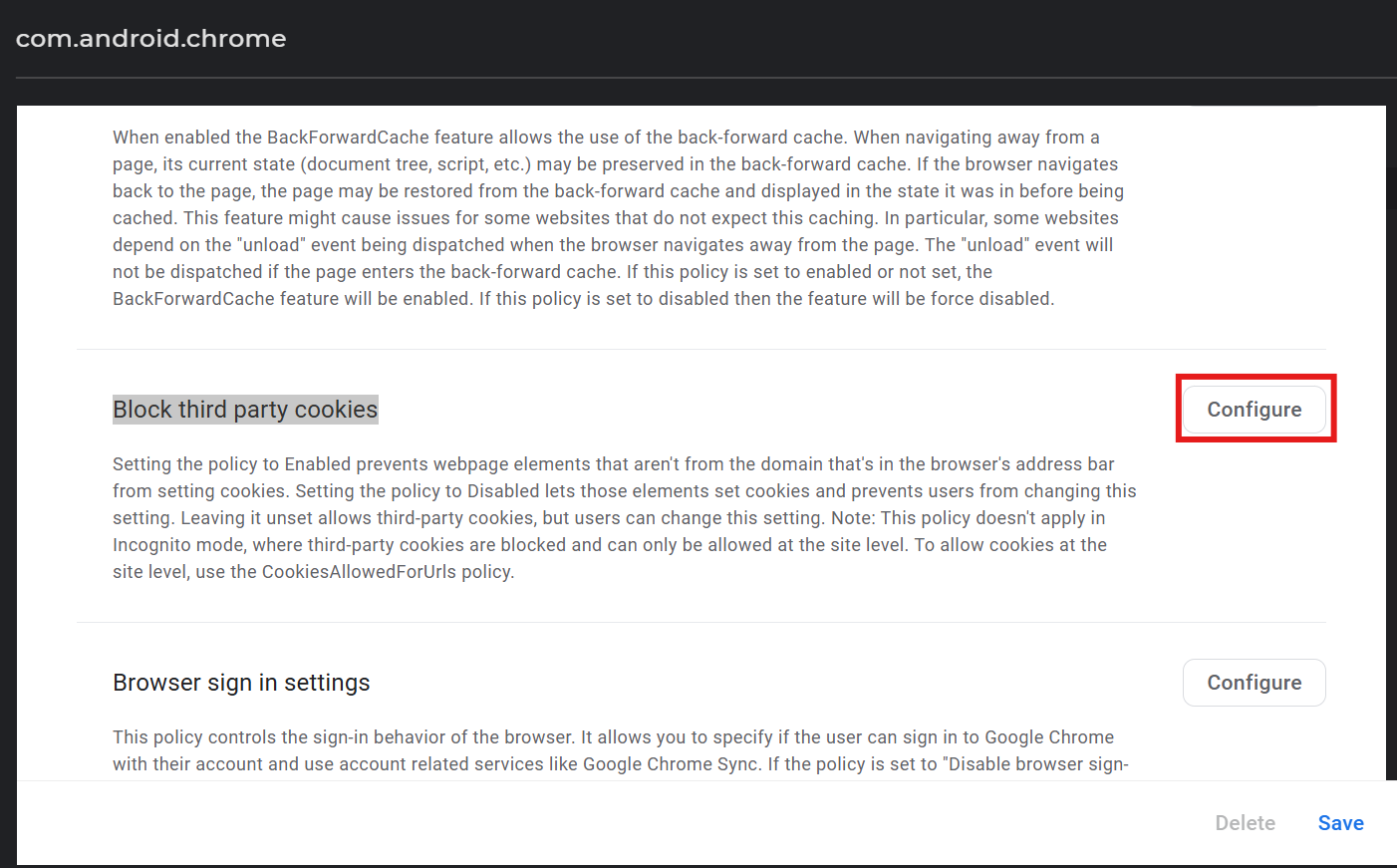
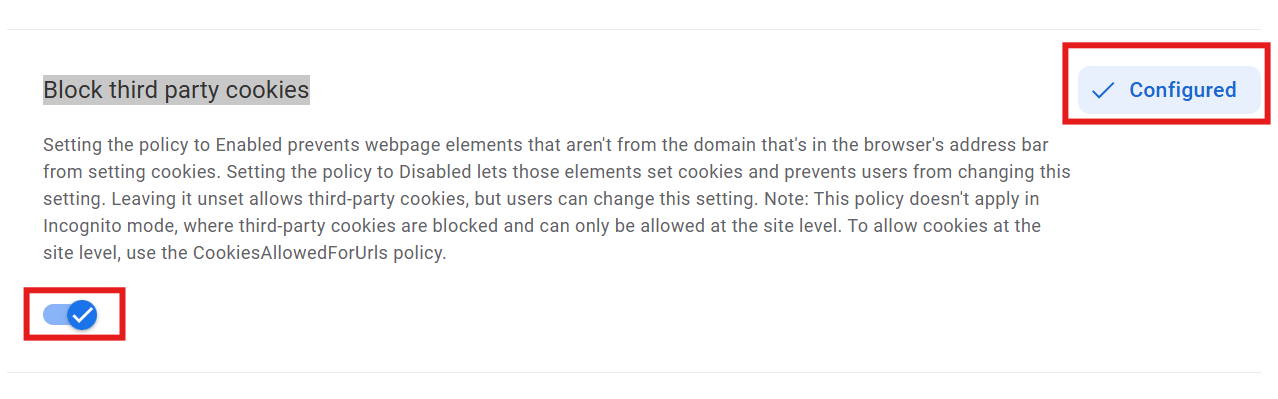
- After updating the Block third-party cookies, click on the “Save” button to save the Chrome configurations.
- You will then be redirected to the Play Store Application Policy page. Now configure the same as per the requirement, click on Next, configure the application permissions, and click on Finish.
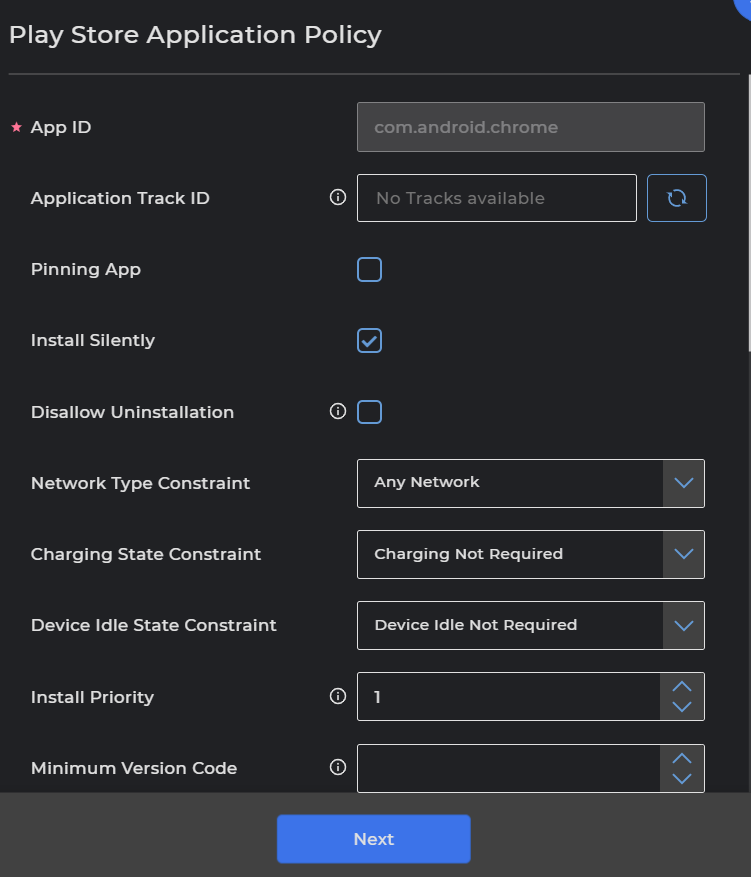
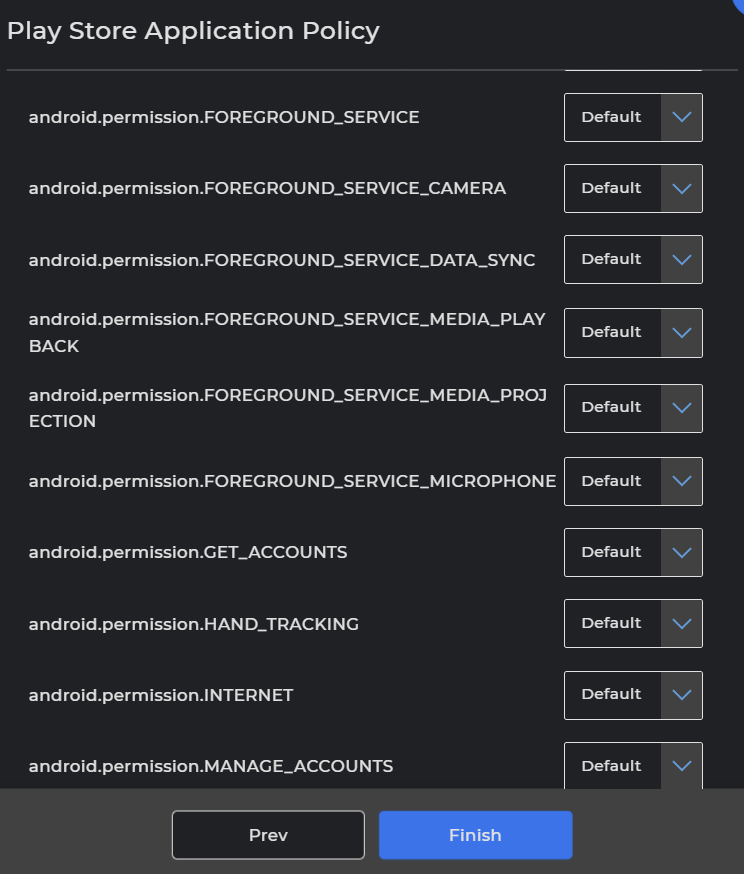
- The configured Chrome application is now added to the policy. Save it and Apply it to the required devices.
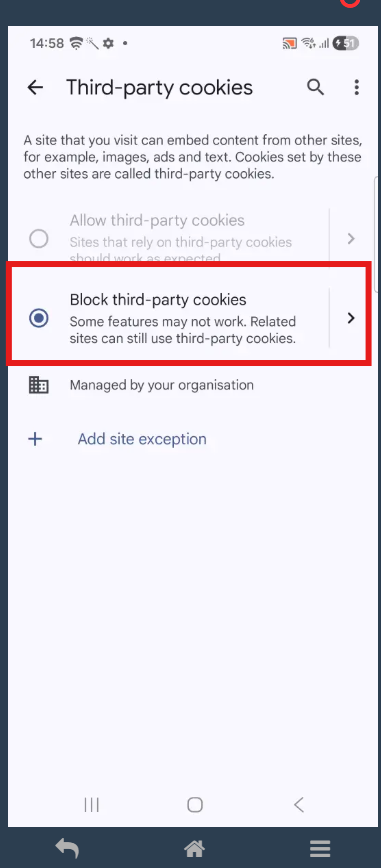
Expected Results on device end
On the device, third-party cookies will be blocked, and all other site-setting options in Google Chrome will appear grayed out.
Conclusion:
Google Chrome is now configured via SureMDM to block third-party cookies and restrict users from changing site settings on managed devices.
If you have any questions or need help with our products, please don’t hesitate to contact our support team.
Was this helpful?
YesNo