
Purpose
The purpose of this knowledge article is to provide a guide on how to change the Device Grid View of the console under Console Appearance
Prerequisites
Subscription to SureMDM.
Steps
- Login to SureMDM console.
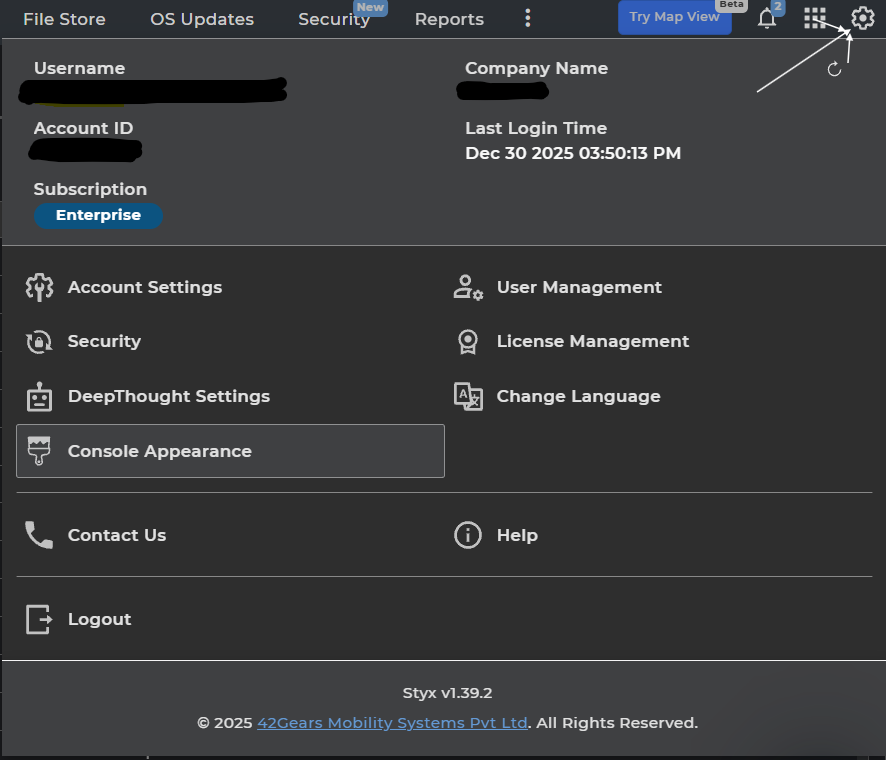
- Click on the Settings option and Navigate to Console Appearance as mentioned on screenshot below:
- Select Device Grid View option under Console Appearance Tab.
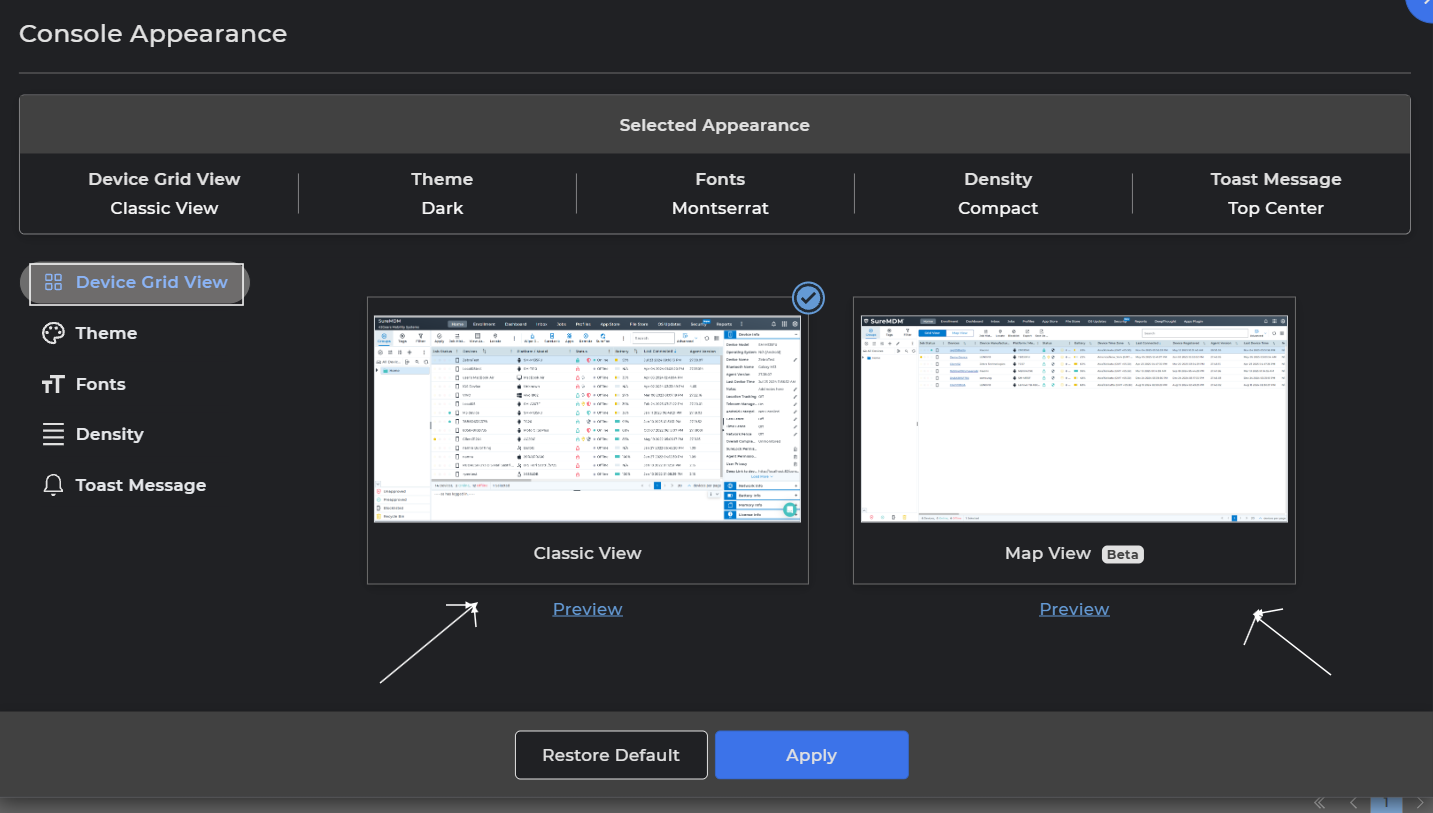
- The admin users can select the Map View option, this option allows the admin to view the devices in two modes – either in Grid View and Map view. This feature is convenient for admins who will have both the Grid and Map View.
Conclusion
This feature enables admin users to view devices in both Grid View and Map View using the Map View option. It provides flexibility and convenience by allowing admins to switch between visual and tabular device representations.
Need more help? Here’s how to get help from our experts.
Was this helpful?
YesNo