
By disabling the folder path visibility, administrators can prevent users from viewing directory structures, ensuring a cleaner interface and enhanced security on managed devices.
Purpose
This knowledge base article explains how to hide the folder path in Locked File Explorer.
Prerequisites
- Locked File Explorer application to be installed on the device.
Steps
- Launch the Locked File Explorer.
- Navigate to the Locked File Explorer Admin > Explorer Settings > Enable Hide Folder Path:
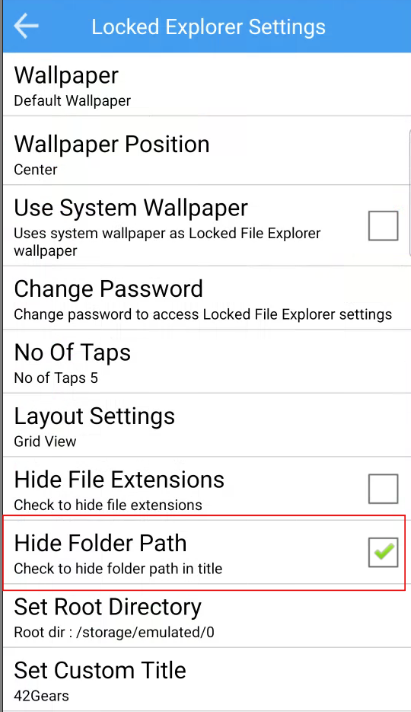
- Once the above configurations are made, the Folder path will not be visible when a file/folder is chosen.
Before:
After:
Conclusion
Hiding the folder path helps keep the interface simple and prevents users from viewing unnecessary directory details.
Need more help? Here’s how to get help from our experts.
Was this helpful?
YesNo