
Purpose
On Samsung devices enrolled as Fully Managed (Device Owner) devices, some third-party applications may require Device Administrator privileges to function properly.
However, when attempting to enable Device Admin for an application, users may encounter the error:“Security policy prevents turning on device administrators.”
This restriction occurs because Knox Service Plugin (KSP) enforces device-wide security policies that block activation of Device Admin apps unless they are explicitly allowlisted.
This Article provides a step-by-step guide on Troubleshoot the “Security policy prevents turning on device administrators” On Samsung devices via Knox service Plugin.
Prerequists
This feature is supported on Fully Managed(Device owner) devices.
Steps
- Login to SureMDM Web Console.
- Navigate to the Profile section, select the profile deployed on the devices
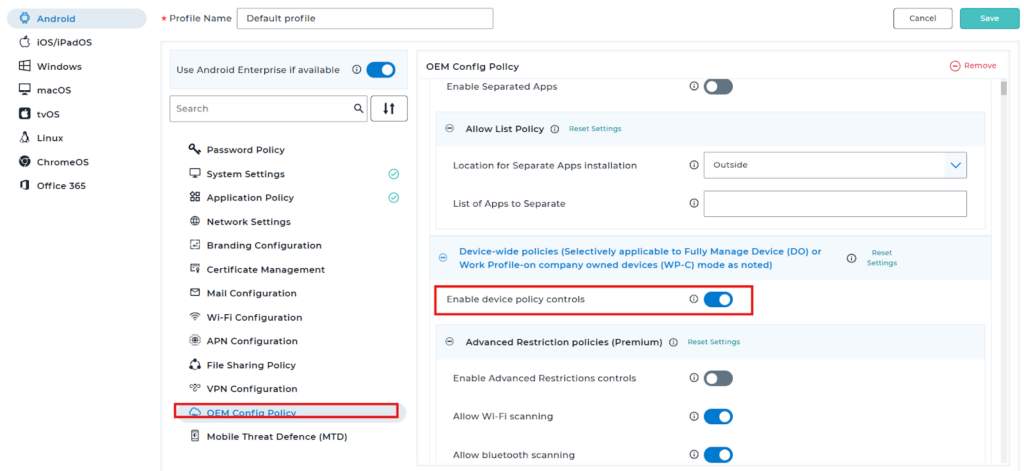
- Click on Modify, Navigate to the OEM config policy, and select the Knox service plugin option
- Expand Device-wide policies, and Enable device policy controls.
5. Expand the Device Admin allow listing policy menu, and Enable device admin controls.
6. Add the required device admin applications to Allow listed DAs.
By default, KSP(Knox service plugin) will block activation of any application as device admin, except those specified in this allowlist. Enter a comma-separated list of packages to specify the list of apps to allowlist.
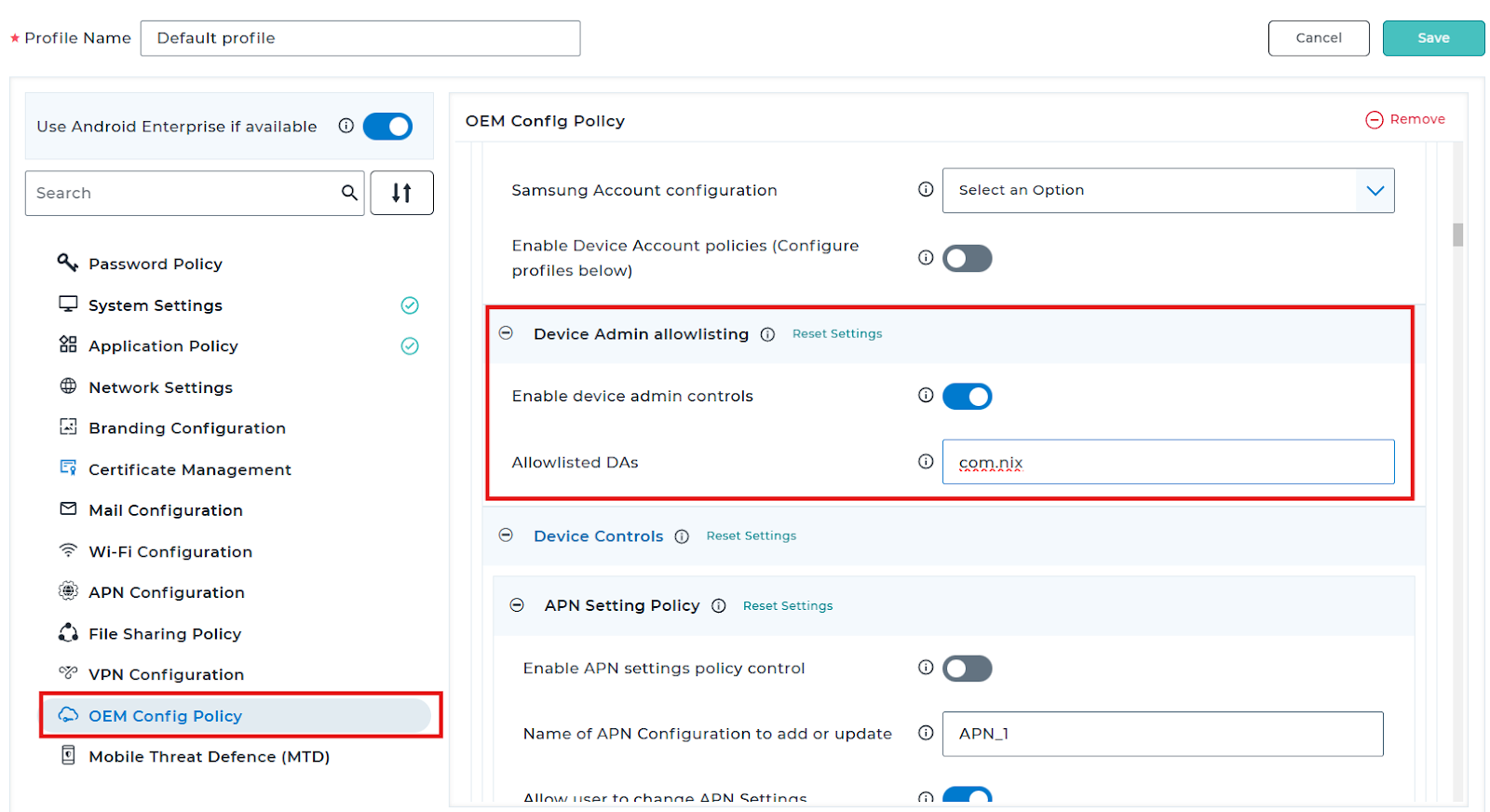
Once the Package ID has been added, Save the profile and deploy it on to the device.
Need more help? Here’s how to get help from our experts.