
Purpose
The administrator can quickly confirm whether the device is connected to the VPN or not. It provides simple steps to check the VPN status, and also helps the administrator to troubleshoot the network related issue.
Prerequisites
N/A
Steps
1. Navigate to Home page and select columns
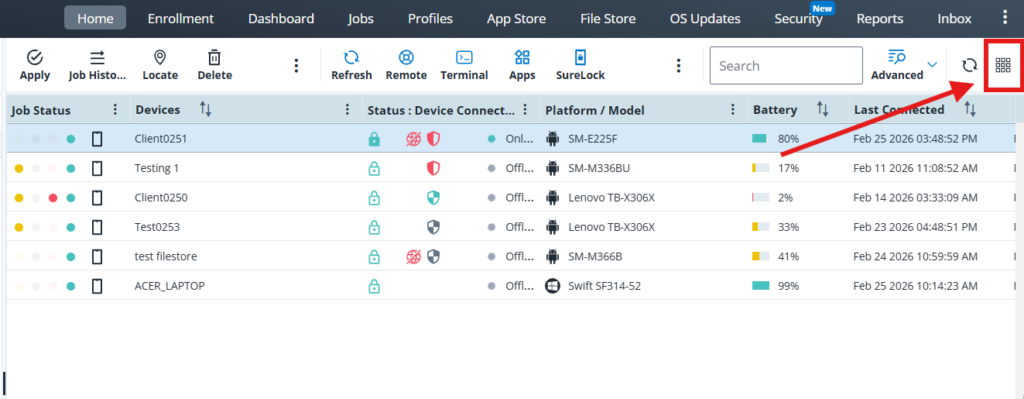
2. In Grid columns search for Status:VPN and check the setting and save
3: The VPN status will be available in the grid

Conclusion
Admin can easily verify their VPN connection status and ensure secure access to company resources. Regularly checking the VPN connection helps prevent access issues, maintains data security, and supports a smooth remote working experience
Need more help? Here’s how to get help from our experts.
Was this helpful?
YesNo