
Purpose
This Knowledge Base (KB) document explains how to configure the Wakeup Source setting on Datalogic Android devices using SureMDM configuration policies. This setting allows administrators to control which hardware buttons can wake the device from sleep mode.
In environments such as warehouses, retail stores, and logistics operations, accidental device wake-ups can cause battery drain, unintended scans, or workflow interruptions. By limiting wake functionality to specific buttons (for example, the scan trigger only), organizations can ensure better battery performance, controlled device usage, and smoother day-to-day operations.
Prerequisites:
- Devices must be enrolled in fully managed device owner mode.
- Please ensure that the Enterprise agent is installed on the device.
Steps:
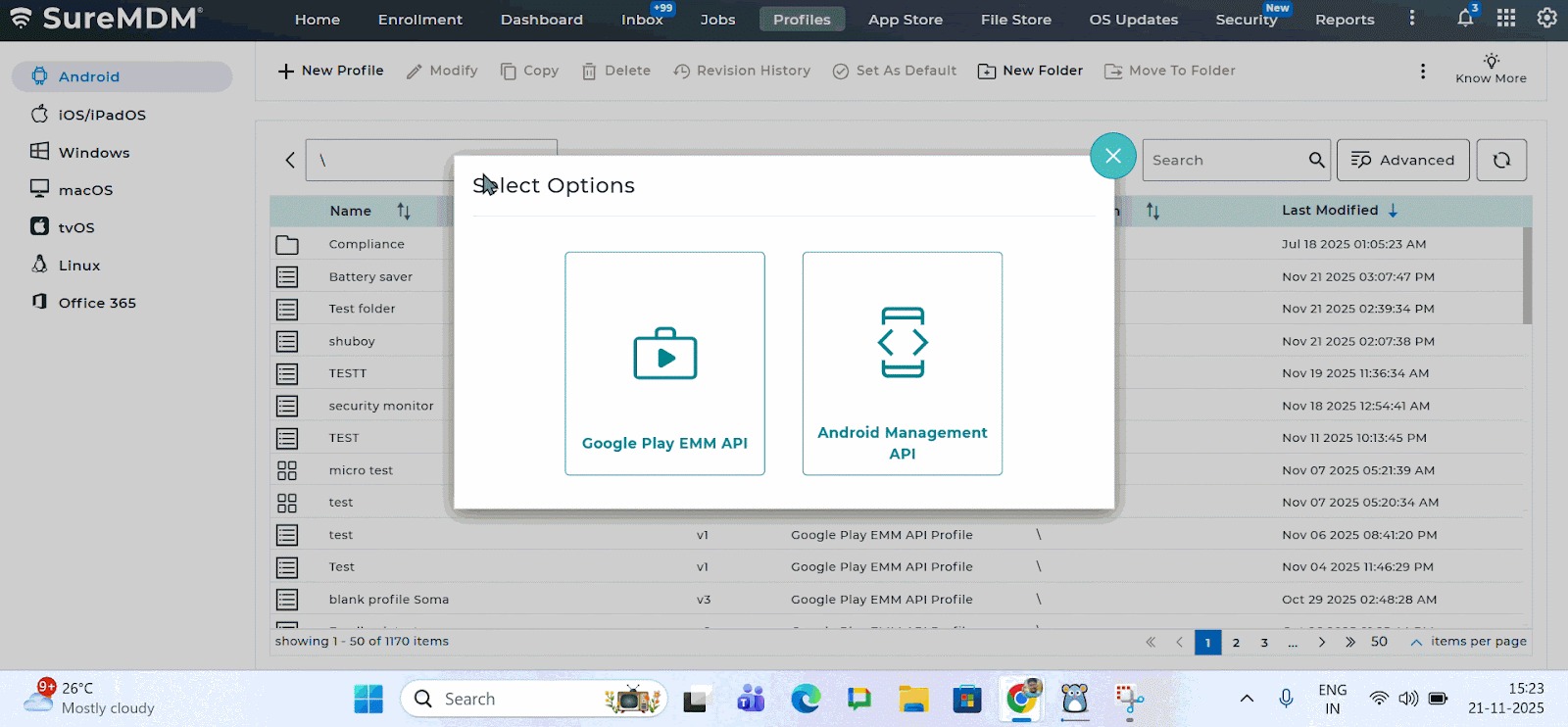
- Login to the SureMDM console > Profiles > Choose the Android platform > Google Play EMM API profile type > Choose Primary Profile.
- Scroll down to OEM config policy section > choose Datalogic OEMConfig (Datalogic) as your desired OEM.
3. Navigate to ‘Wakeup source’. Choose the desired wakeup source and the actions you want to enable based on triggers > Click on the Enable option.
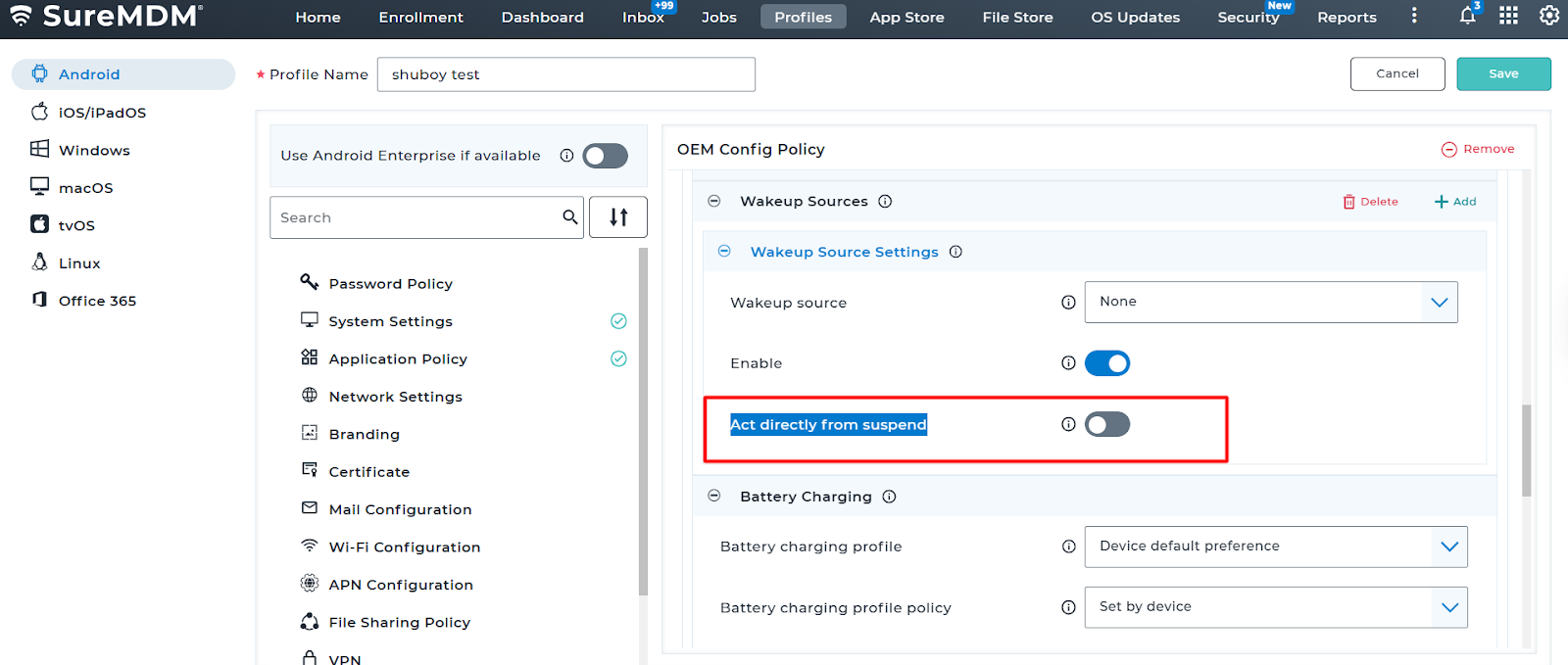
4. Select Trigger the action directly (also described as “Act directly from suspension”) to ensure the device wakes up immediately upon the trigger event.
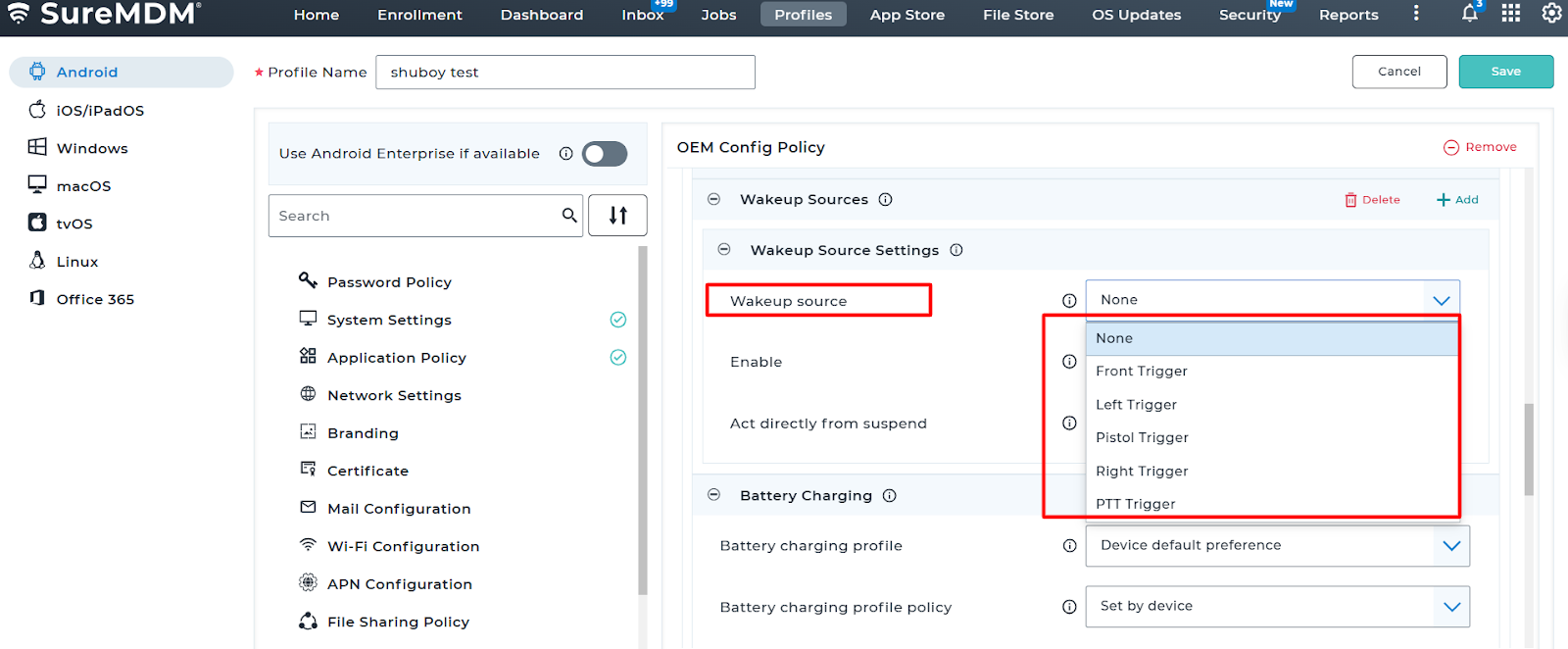
Wakeup Source option
None – No special wakeup control (device default behavior)
Front Trigger – Only the front hardware scan/trigger button can wake the device
Left Trigger – Only the left-side trigger button wakes the device
Right Trigger – Only the right-side trigger button wakes the device
Pistol Trigger – Only the pistol-grip trigger wakes the device.
PTT Trigger – Only the Push-To-Talk (PTT) button wakes the device
Enable: Turn on this option to activate the selected device wakeup source. When enabled, the device will wake up only through the configured hardware button(s).

Conclusion:
After configuring the Wakeup Source setting through SureMDM, the device will wake up only using the selected hardware button(s). This helps prevent accidental wake-ups, saves battery, and ensures smooth device usage in daily operations.
Need more help? Here’s how to get help from our experts.