
Purpose
This feature will allow the admins to manage the e-SIM feature by enabling and disabling the option for the user which can allow or restrict the feature for the supported devices.
Prerequisites
N/A
Steps
1. Navigate to Profiles and select New Profile.
2. Navigate to system settings
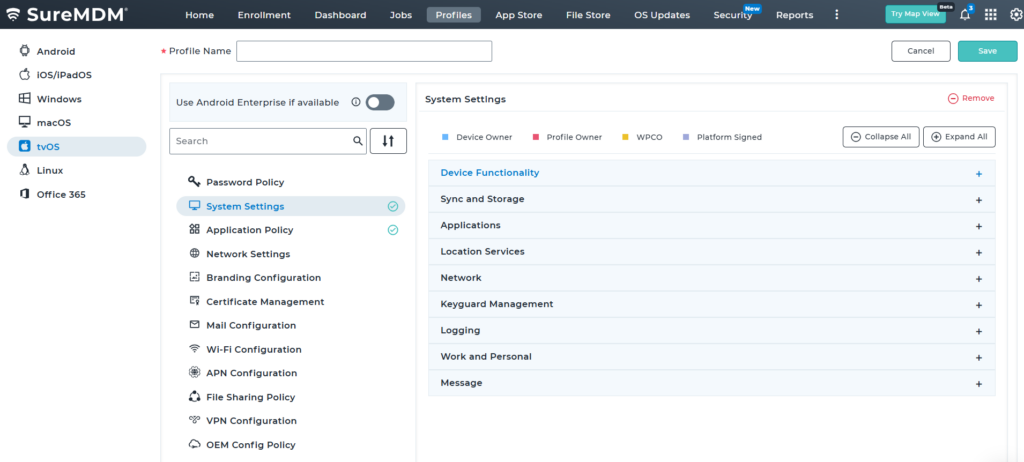
3: select device functionality and scroll down to “Disallow SIM globally”
4. Save the profile settings and deploy it to the devices
Conclusion
Disabling e-SIM functionality on Android devices through a SureMDM profile provides administrators with a straightforward way to enforce organizational policies and maintain tighter control over device connectivity. By applying these settings centrally, IT teams can ensure consistent behavior across all managed devices while reducing the risk of unauthorized network usage. This approach not only simplifies device management but also strengthens security and compliance across the organization.
Need more help? Here’s how to get help from our experts.