
Purpose
To enable secure and controlled network communication, administrators can configure Wi-Fi proxy settings on Wear OS devices using the RunScript feature in SureMDM. This allows routing of device traffic through manual or automatic proxy servers, ensuring compliance with organizational network policies, improving security, and enabling monitoring or filtering of internet access in enterprise environments.
Prerequisites
- Access to SureMDM Console
- Wear OS device(s) enrolled in SureMDM
- Device(s) online and reachable
- Required permissions to execute Run Script
- Valid Wi-Fi network credentials
- Proxy server details (Manual or PAC URL)
Steps
- On the SureMDM Console -> Jobs -> New Job
- Select the target Wear OS -> Click on Run Script
- Enter the Job Name and and the paste Script
- Click on Save.
- Deploy the Script to the Device.
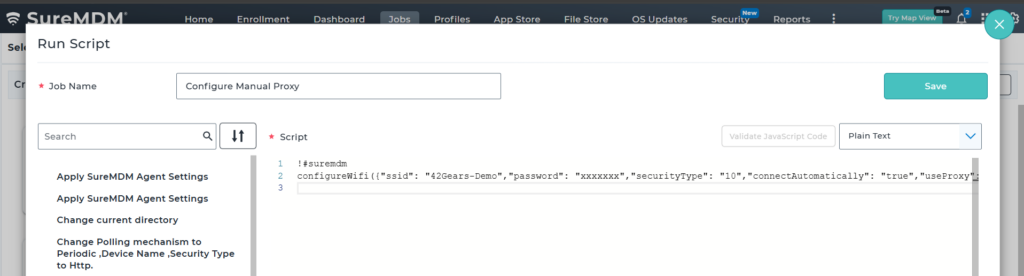
RunScript 1: Configure Manual Proxy
!#suremdm
configureWifi({“ssid”: “42Gears-Demo”,”password”: “xxxxxxx”,”securityType”: “10”,”connectAutomatically”: “true”,”useProxy”: “true”,”proxyType”: “0”,”proxyHost”: “1.2.3.4”,”proxyPort”: “8000”})
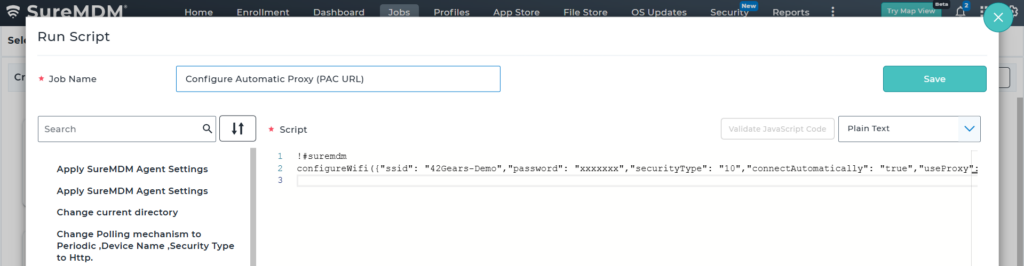
RunScript 2: Configure Automatic Proxy (PAC URL)
!#suremdm
configureWifi({“ssid”: “42Gears-Demo”,”password”: “xxxxxxx”,”securityType”: “10”,”connectAutomatically”: “true”,”useProxy”: “true”,”proxyType”: “1”,”proxyPACUrl”: “http://example.com/proxy.pac”})
Parameter Details
- ssid → Name of the Wi-Fi network
- password → Network password
- securityType →
- 0 = Open
- 1 = WEP
- 2 = WPA/WPA2 PSK
- 9 = WPA/WPA2/WPA3-Enterprise
- connectAutomatically → true to auto-connect when in range
- useProxy → Must be true to enable proxy configuration
- proxyType →
- 0 = Manual (requires proxyHost and proxyPort)
- 1 = Automatic (requires proxyPACUrl)
Expected Results
- Device connects to the specified Wi-Fi network
- Proxy settings are applied as configured (manual or automatic)
- Network traffic is routed through the defined proxy
Advantages
- Enables centralized network configuration
- Supports secure and controlled internet access
- Allows routing traffic through enterprise proxy servers
- Reduces manual configuration effort on devices
Conclusion
Using RunScript in SureMDM, administrators can efficiently configure Wi-Fi proxy settings on Wear OS devices, ensuring secure, controlled, and policy-compliant network communication.
Need more help? Here’s how to get help from our experts.