
Purpose
To enhance account security, SureMDM requires Two-Factor Authentication (2FA) verification when a user logs in after more than 30 days of inactivity.
This additional verification step helps protect user accounts and ensures secure access to the SureMDM Console.
When does this happen?
If your SureMDM account has not been accessed for more than 30 days, the system automatically triggers a 2FA verification during login.
When this occurs, you will see the following alert message on the login page:
“Two-Factor Authentication is required because your account has been inactive for over 30 days. Please complete 2FA to continue.”
The message will appear above:
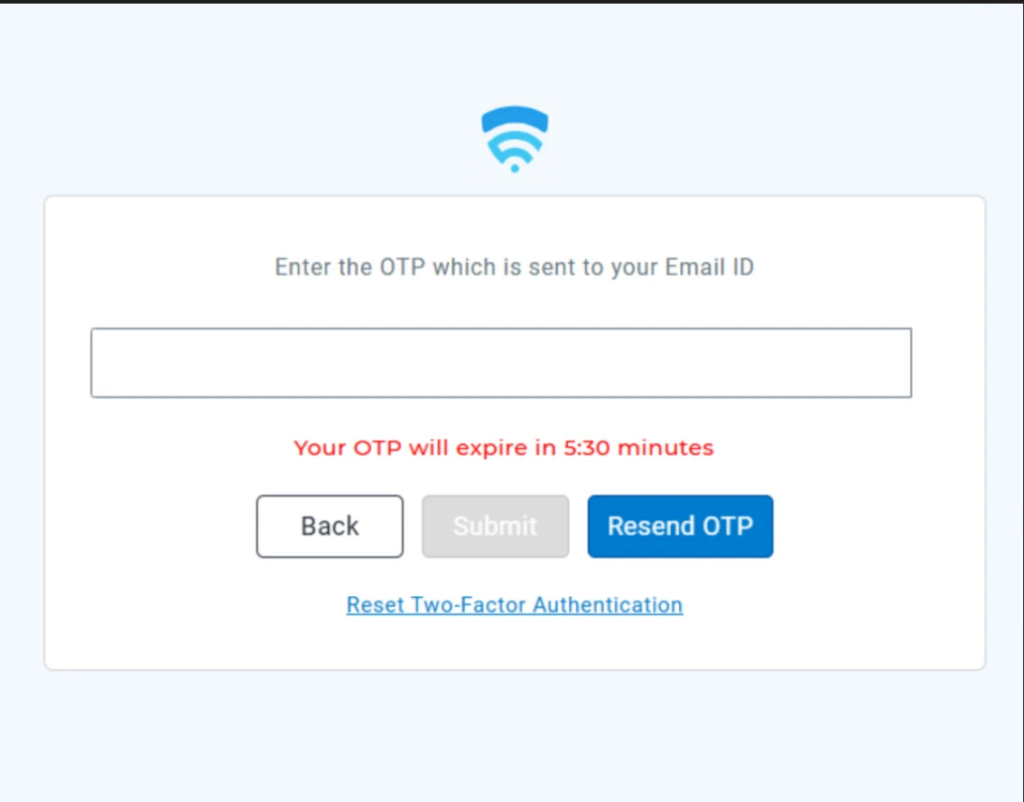
“Enter the OTP which is sent to your Email ID”
Steps to complete the login
- Open the SureMDM Console login page
- Enter your login credentials
- If your account has been inactive for more than 30 days, the system will prompt for 2FA verification
- Check your registered email inbox for the OTP (One-Time Password)
- Enter the OTP on the verification page
- Click Submit to access the console
Important Notes
- This is an expected security behavior
- The OTP will be sent to your registered email address
- Ensure you have access to the registered email account before attempting to log in
- If you do not receive the OTP, check your Spam/Junk folder
Conclusion
The 2FA prompt after 30 days of inactivity is a security enhancement designed to protect your SureMDM account from unauthorized access. Completing the OTP verification allows you to securely regain access to the console.
Need more help? Here’s how to get help from our experts.