
Keeping the Mobile Hotspot permanently enabled is not supported on Samsung Knox-enabled devices running Android 16 and later.
This limitation is introduced by Android, as the APIs responsible for controlling the Mobile Hotspot have been deprecated and are no longer available for third-party applications or Enterprise Mobility Management (EMM) solutions. As a result, applications can no longer programmatically enable, disable, or maintain the Mobile Hotspot state currently.
Purpose
The purpose of this article is to provide an overview of a workaround for creating a Hotspot shortcut on Samsung devices running Android 16.
Prerequisites
Samsung Android 16
Steps
Steps to configure using the SureLock job:
- Modify the existing SureLock job
- Navigate to Manage Shortcuts
- Click on Add shortcut and choose Add new
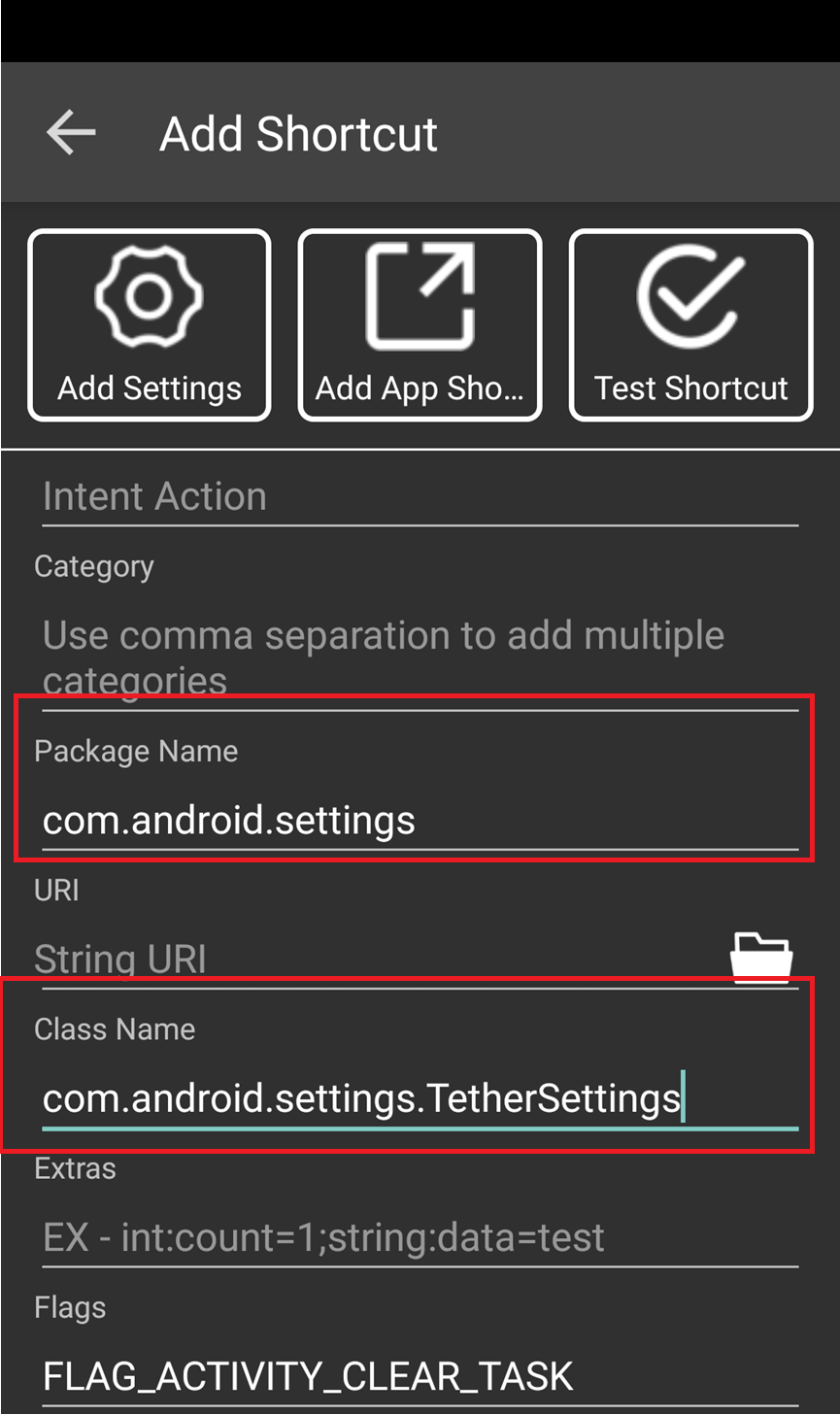
- Configure the settings below for the shortcut,
Package Name: “com.android.settings”
ClassName: com.android.settings.TETHER_SETTINGS
Flags: FLAG_ACTIVITY_CLEAR_TASK
Shortcut ID: 1
- Save the shortcut by adding the shortcut name.
Steps to configure the shortcut on the device:
- Access SureLock Admin settings by tapping on the screen 5 taps.
- Navigate to Manage Shortcut
- Click on Add shortcut and choose Add new
- Configure the settings below for the shortcut,
Conclusion
The hotspot shortcut will be created on the device, and the end users will be able to enable or disable it.
Need more help? Here’s how to get help from our experts.