
Purpose
The Password Protection Warning Trigger policy in SureMDM allows administrators to control when Google Chrome displays password protection warnings. This feature helps protect users from reusing corporate or protected passwords on unapproved or phishing websites, reducing the risk of credential theft and unauthorized access. Administrators can enable or disable this policy based on their organization’s security requirements.
Prerequisites
N/A
Steps
1: Go to the profile section from the top navigation bar.
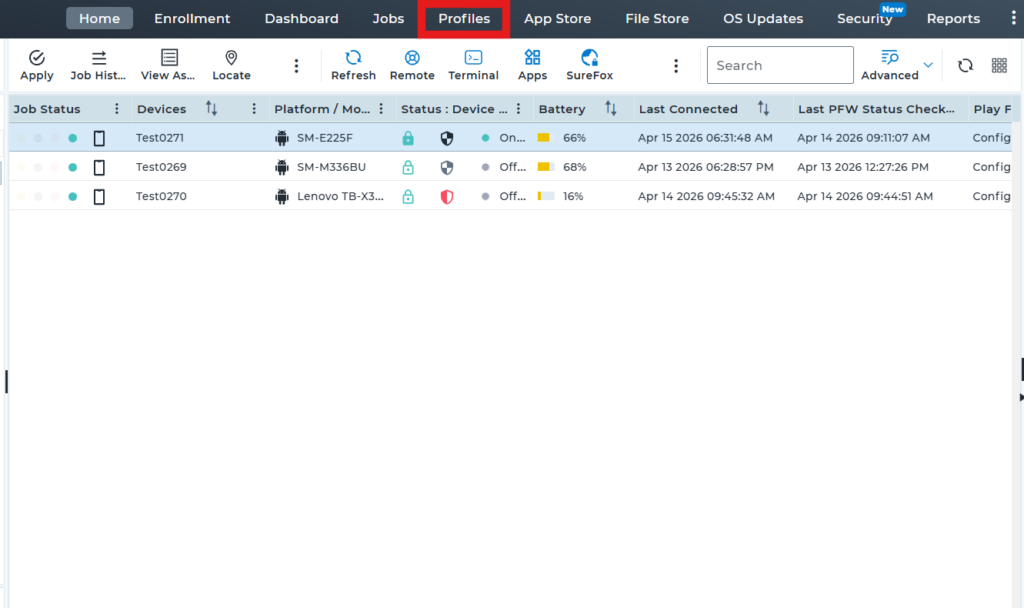
2: Select the option to create a new profile to set up the new profile
3: Scroll down and click on “Browser Management“. Under Browser Management, select Google Chrome, then click on “Configure”.
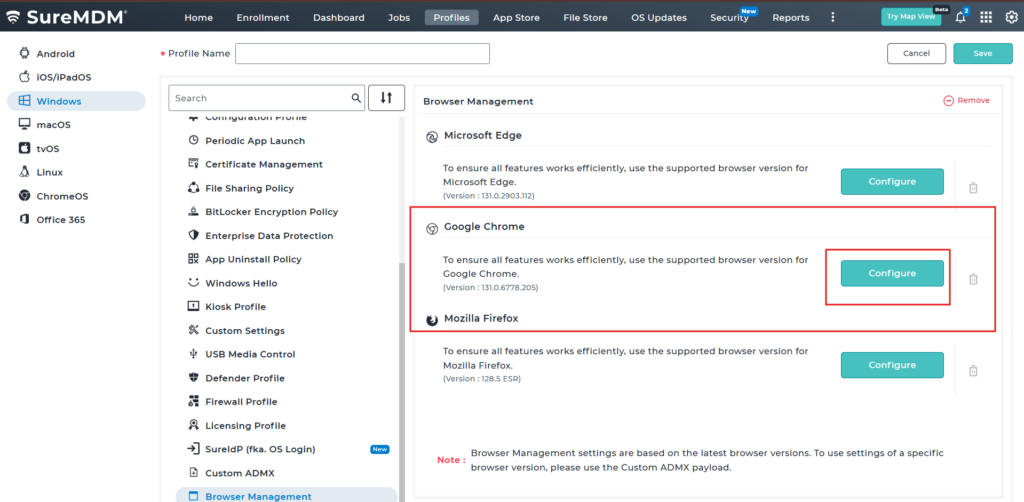
4. Under Google Chrome, use the search bar to search for “Safe Browsing”. Then locate “Password protection warning trigger – PasswordProtectionWarningTrigger “ and configure with below options.
Password reuse trigger: Warns users when saved password is reused on unapproved websites.
Password protection warning off: Disables all password reuse and phishing related security warnings in Chrome.
Phishing reuse trigger: Warns users only when password is entered on detected phishing websites.
5.Save the profile and deploy it to the device. Once the profile is successfully deployed, the Password Protection Warning Trigger behavior will be applied based on the selected configuration.
If Password protection warning is enabled for password reuse or phishing reuse, Chrome will display warnings when users reuse protected passwords on unapproved or phishing websites.
If the password protection warning is turned off, no warnings will be shown even if passwords are reused. However, when enabled, users will still see the warning page and protection will remain active to detect unsafe password usage across websites.
If the profile is configured with Password protection warning Off, then after deployment, reusing a password on a phishing or unapproved website will not trigger any warning prompt on the device.
If the profile is configured with a Phishing reuse trigger, then after deployment, reusing a password on a phishing or unapproved website will trigger a warning prompt on the device.
Conclusion
The Password Protection Warning Trigger in SureMDM allows administrators to manage Chrome’s security response for password reuse. It helps protect users by showing warnings on unapproved or phishing websites when enabled, and improves flexibility by disabling alerts when not required, based on the organization’s security and usability needs.
Need more help? Here’s how to get help from our experts.
CONTACT US