
Purpose
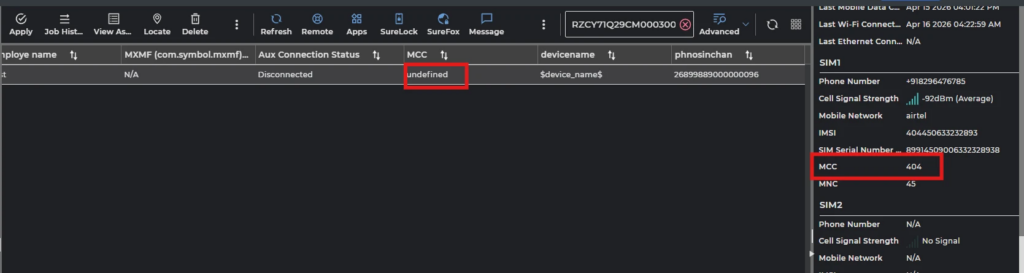
Administrators can now use custom JavaScript execution to dynamically retrieve the Mobile Country Code (MCC) and Mobile Network Code (MNC) values for both SIM1 and SIM2 slots. This data can be automatically mapped to update custom property columns in the console.
Prerequisites
Device supports SIM
Steps
To create Custom Properties, follow these steps:
- Navigate to SureMDM Web Console > Settings > Account Settings > Device Properties > Properties > Custom Device Properties
- Click on Add.
- Select Platform -> Android
- Select Datatype as String
- Enable Retrieve Value from Script, add the below scripts to fetch MCC and MNC Value
A. Script to fetch MCC value:
function assignValue(){
var finalValue = suremdmjs.getMccMncValue(“mcc”,0);
return finalValue;
}
B. Script to fetch MNC Value:
function assignValue(){
var finalValue = suremdmjs.getMccMncValue(“mnc”,1);
return finalValue;
}
6. Set the frequency as per your requirement.
7. Tap on OK
To Create Custom Column: On the SureMDM console navigate to Column grid > Custom columns > Add custom column.
The required column can now be added and Save it. The MCC and MNC data would now be visible for devices on the console
Conclusion
By configuring custom device properties and custom columns, administrators can automatically retrieve and display SIM Mobile Country Code (MCC) and Mobile Network Code (MNC) values directly in the SureMDM console. This enables better visibility into carrier information for both SIM slots, simplifies device inventory management, and helps with network identification, reporting, and troubleshooting without requiring manual intervention.
Need more help? Here’s how to get help from our experts.
CONTACT US