
Purpose
This article explains how to download an Android application package (APK) from the SureMDM Console App Store. It also describes the information available on the Application Details page before downloading a specific version.
Prerequisites
- Access to the SureMDM Console.
- Appropriate administrative permissions to view and download applications from the App Store.
- The target application must have an APK package available.
Steps
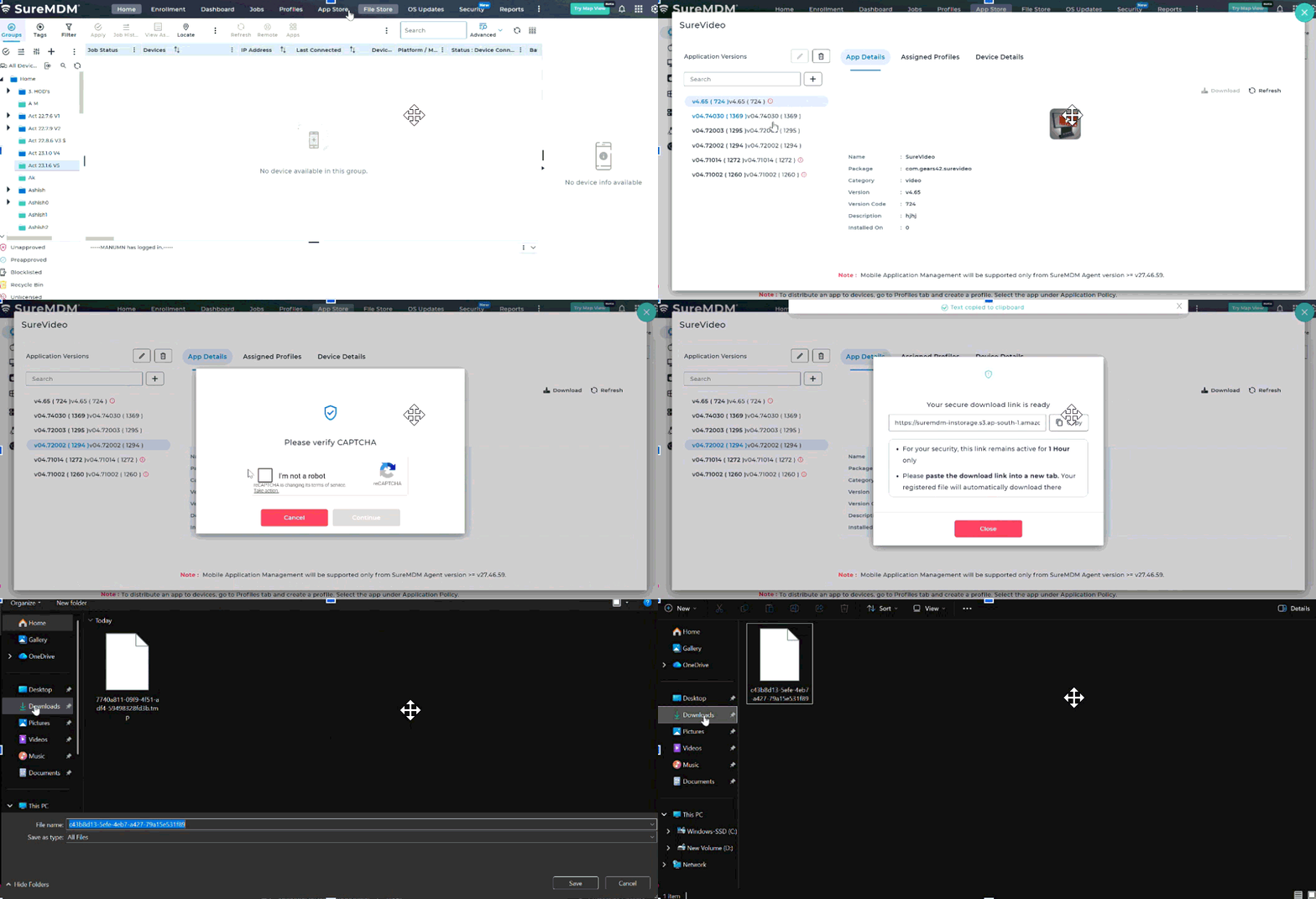
- Log in to the SureMDM Console and click on the App Store.
- The App Store displays applications categorized by supported operating systems: Android,iOS/iPadOS, macOS, tvOS, Windows, Windows Server, Linux, Chrome OS
- Click on the Android application list.
- Identify an application that contains an APK package and click the application name to open its details page.
Note: Only applications published with an APK package can be downloaded using this procedure. - On the Application Details page, we can review the available information like Application Versions, App Details, Assigned Profiles and Device Details
- Under the Application Versions section, locate the required APK version and Select the desired application version.
- Click Download.
- The selected APK file is downloaded to your local system.
Expected Result
The selected Android APK version is successfully downloaded from the SureMDM App Store and is available locally for verification, testing, or offline deployment.
Conclusion
The SureMDM App Store allows administrators to download Android APK packages directly from the application details page. By selecting the required application, reviewing the available versions and deployment information, and downloading the appropriate APK version, administrators can obtain the correct application package for testing, validation, or deployment while ensuring version accuracy and consistency.
Need more help? Here’s how to get help from our experts.