
SureIDP provides multiple methods for resetting a user’s password. Users can reset their passwords using their registered email address or configured phone number. Additionally, administrators can send password reset emails to either the user’s registered email address or an alternate email address, including a personal email account.
Purpose
This article explains how administrators can reset a user’s password in SureIDP using the password reset options available in SureMDM.
Prerequisites
- Admin access to the SureMDM console
- SureIDP module enabled
- User account created in SureIDP
- User email address or phone number configured for password recovery
Steps
- Log in to the SureMDM console with administrator credentials.
- Navigate to:
Account Settings → Identity & Access Management → SureIDP - Select the required domain from the Domain drop-down.
- Navigate to the Users section and select the required user.
- Click Account Actions
Method 1: Force Set New Password (Direct Reset)
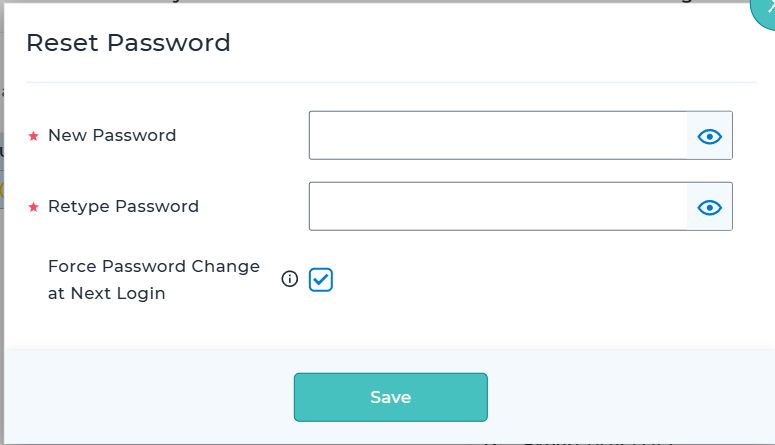
- Select Force Set New Password.
- Enter and confirm the new password.
- Enable Force Password Change at Next Login if you want the user to create a new password during their next sign-in.
- Click Save to apply the changes immediately.
Note: When this option is enabled, the temporary password configured by the administrator can only be used for the initial login. The user will be prompted to set a new password immediately after signing in.
Method 2 : Send Password Reset Email option
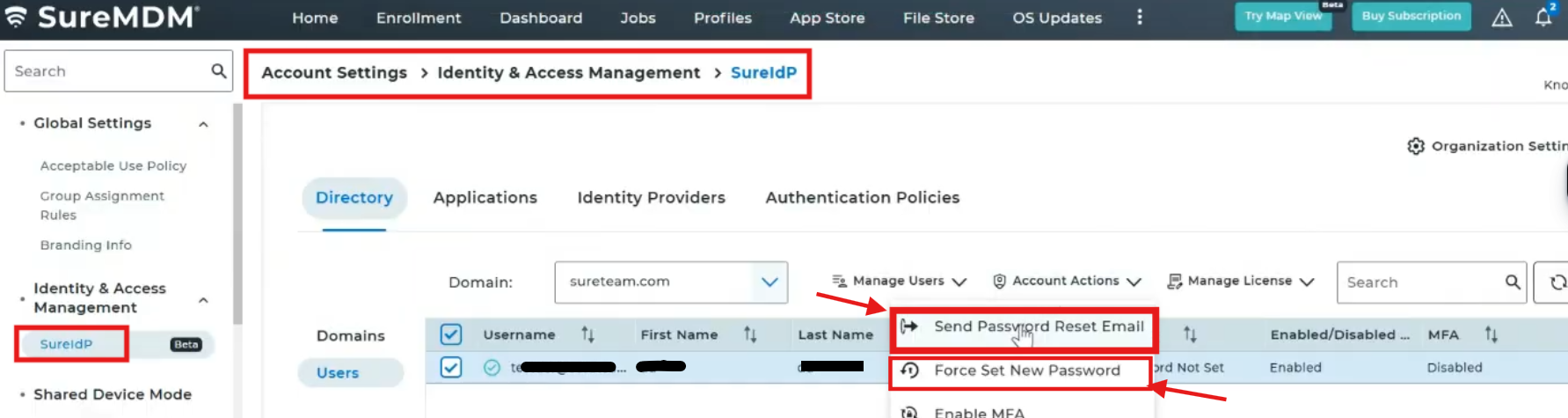
In the Send Password Reset Email window, choose one of the following options:
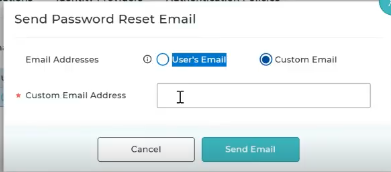
- User’s Email – Sends the password reset email to the email address already configured for the user.
- Custom Email – Sends the password reset email to an alternate email address, including a personal email address.
The user can use the password reset link received in the email to create a new password.
Method 3: Forgot Password option on the SureIDP login page
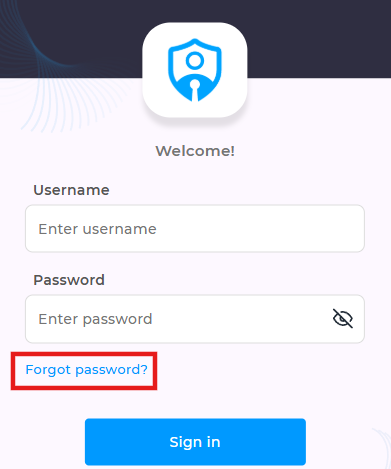
- If a phone number is configured for the user account, the password can also be reset using the registered phone number during the password recovery process.
Conclusion
SureIDP provides multiple password recovery options to ensure users can regain access to their accounts. Administrators can send password reset emails to the registered email address, use an alternate email address, or allow users to reset passwords using their configured phone numbers.
Need more help? Here’s how to get help from our experts.