
Purpose
This article explains how to configure SureMDM Android profiles to restrict application installations from unknown sources while allowing administrators to install approved applications through Managed Google Play.
Overview
When managing Android devices through SureMDM, administrators may need to prevent users from sideloading APK files or installing applications from third-party app stores while continuing to allow managed applications to be installed through SureMDM.
This can be achieved by configuring the appropriate system restrictions and using Application Policy to manage approved applications through Managed Google Play.
Important Note
Under Profiles → Android → System Settings → Device Functionality, the following settings control application installation behavior:
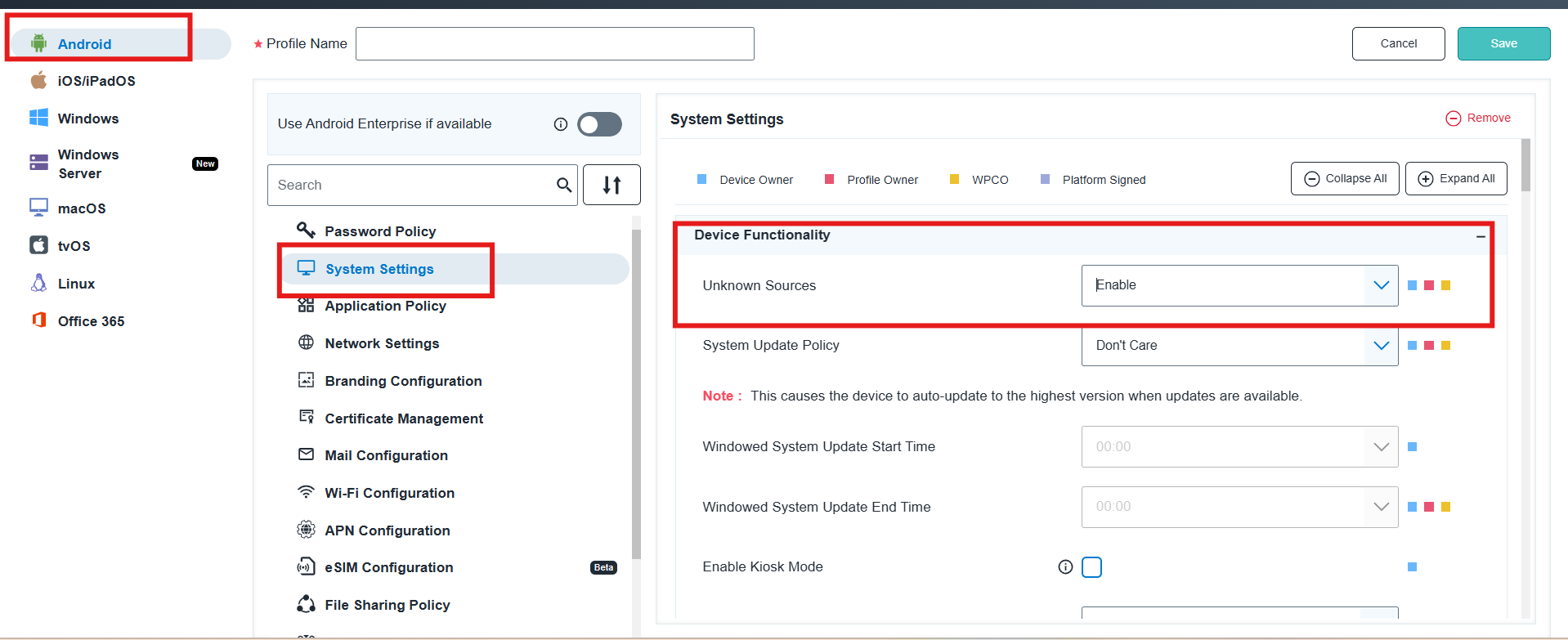
- Unknown Sources: Controls installation of applications from sources other than Google Play.
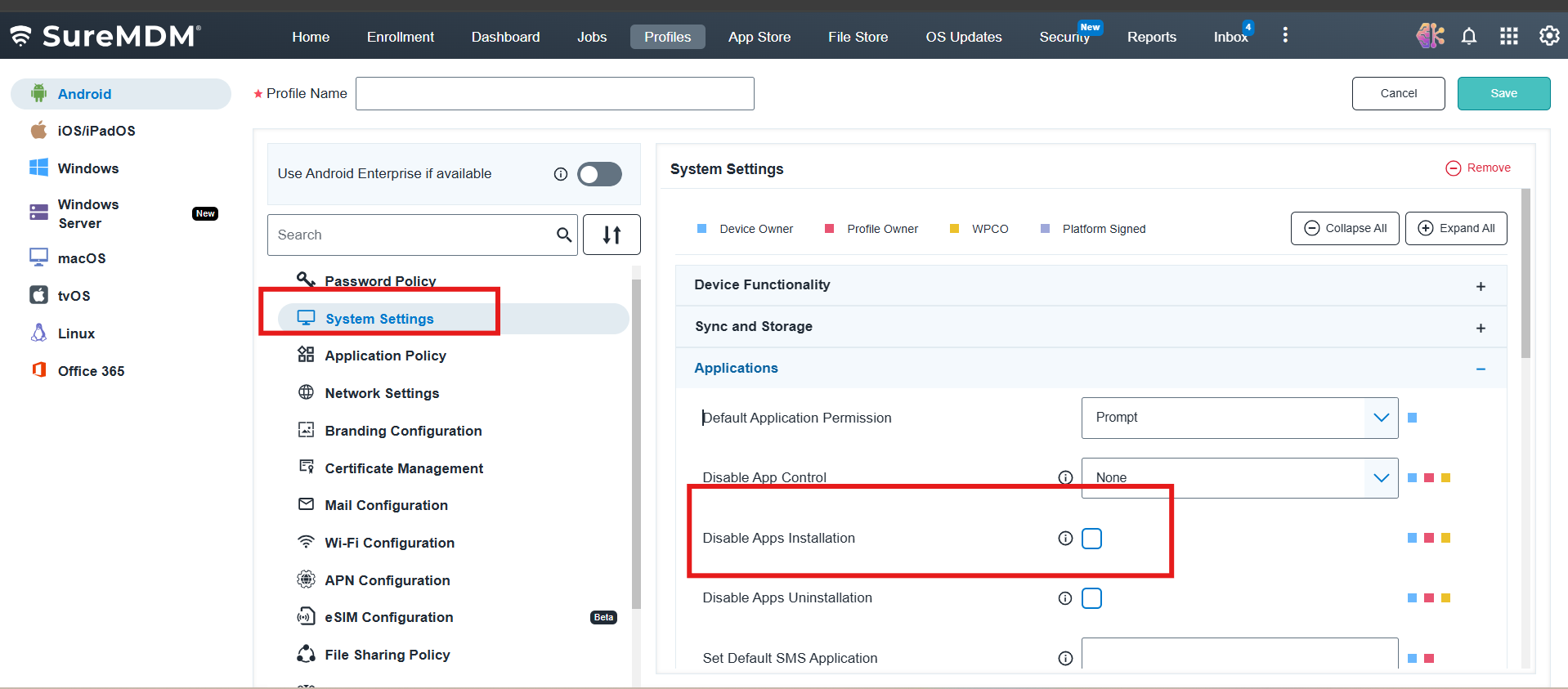
- Disable Apps Installation: Blocks application installations at the operating system level. Enabling this setting may also prevent applications configured through Application Policy from being installed.
Therefore, to allow managed application installations while restricting sideloading, ensure that Disable Apps Installation remains unchecked.
Steps
Step 1: Configure System Settings
- Log in to the SureMDM Console.
- Navigate to Profiles → Android → System Settings → Device Functionality.
- Configure the following settings:
- Unknown Sources: Enable this restriction to allow installations from unknown sources like any allowed browser.
- Disable Apps Installation: Ensure this option is unchecked (disabled) so that managed application installations can proceed.
Please refer the below pictures highlighting the options mentioned:
Step 2: Configure Application Policy
- Within the same Android profile, navigate to Application Policy.
- Configure the required applications through Managed Google Play.
- Enable Install Silently for the applications, where supported.
This allows administrators to deploy approved applications through SureMDM without enabling unrestricted application installation.
Expected Result
- Installation of applications from unknown sources is restricted.
- The Disable Apps Installation restriction remains disabled, allowing managed application installations to proceed.
- Administrators can deploy approved applications through Managed Google Play using SureMDM.
- Additional application restrictions can be configured to limit users to approved applications.
Conclusion
To restrict application installations from unknown sources while allowing approved applications to be deployed through SureMDM, configure the Unknown Sources restriction appropriately, keep Disable Apps Installation unchecked, and manage approved applications through Managed Google Play.
Need more help? Here’s how to get help from our experts.