
Purpose
This article explains how to provide access to Android Display Settings on devices where system settings are restricted using SureMDM, by creating and deploying a Run Script job with a shortcut.
Prerequisites
- Devices must be enrolled in SureMDM.
- Devices should be managed in Android Enterprise / Device Owner mode.
- Administrator access to the SureMDM Web Console.
Steps
Step 1: Create a Run Script Job
- Log in to the SureMDM Web Console.
- Navigate to:
Jobs > New Job > Android > Run Script. - Enter a suitable Job name.
- In the Run Script prompt, enter the following command:
am start -a android.settings.DISPLAY_SETTINGS
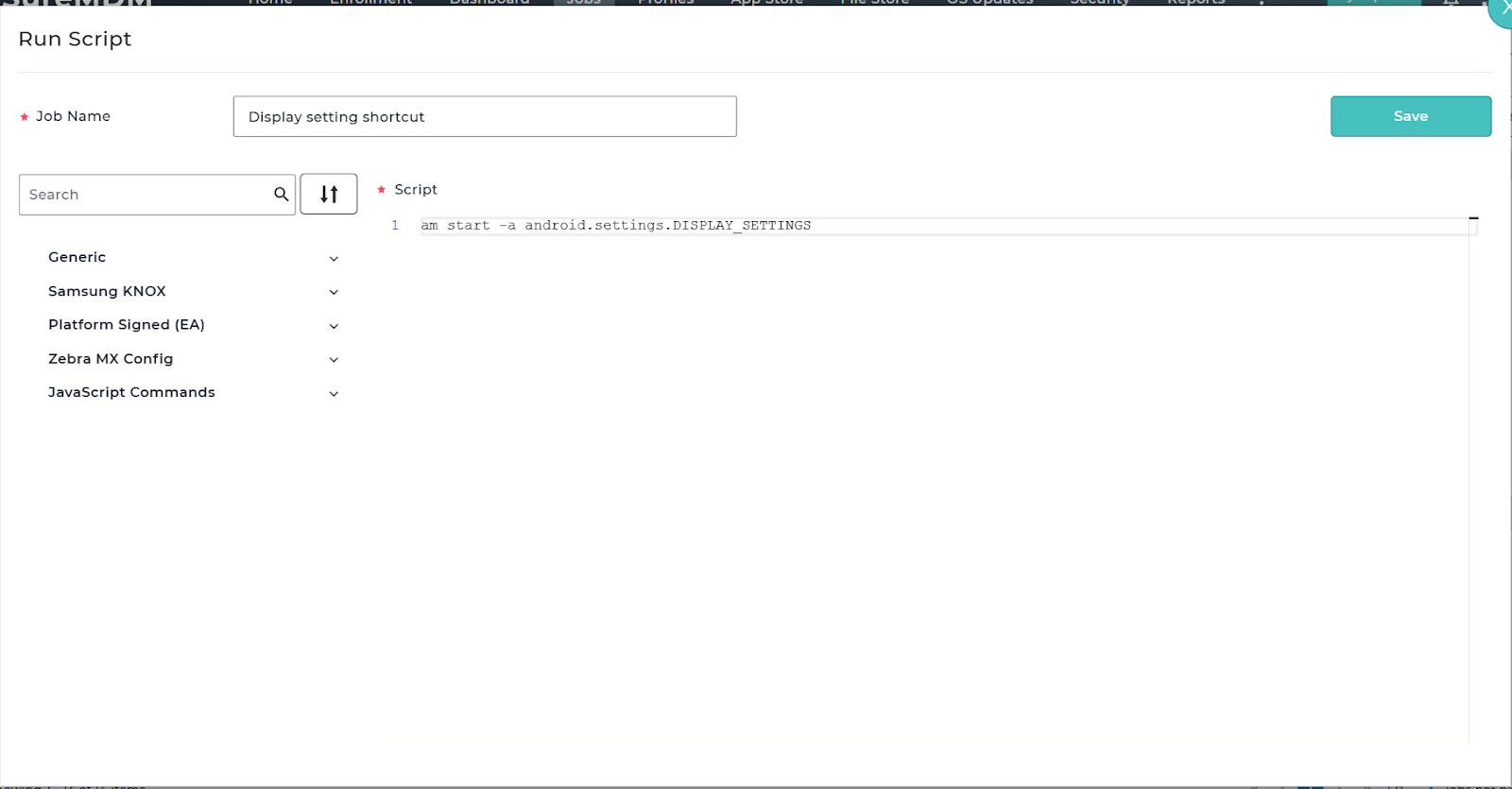
- Click Save to create the Job.
Step 2: Create a Job Shortcut Using Application Policy
- Navigate to: Profiles > Android > Add (+).
- Create or edit an existing profile.
- Go to: Application Policy > Configure > Add (+).
- Select Jobs Shortcut.
- From the drop-down list, select the Job created in Step 1.
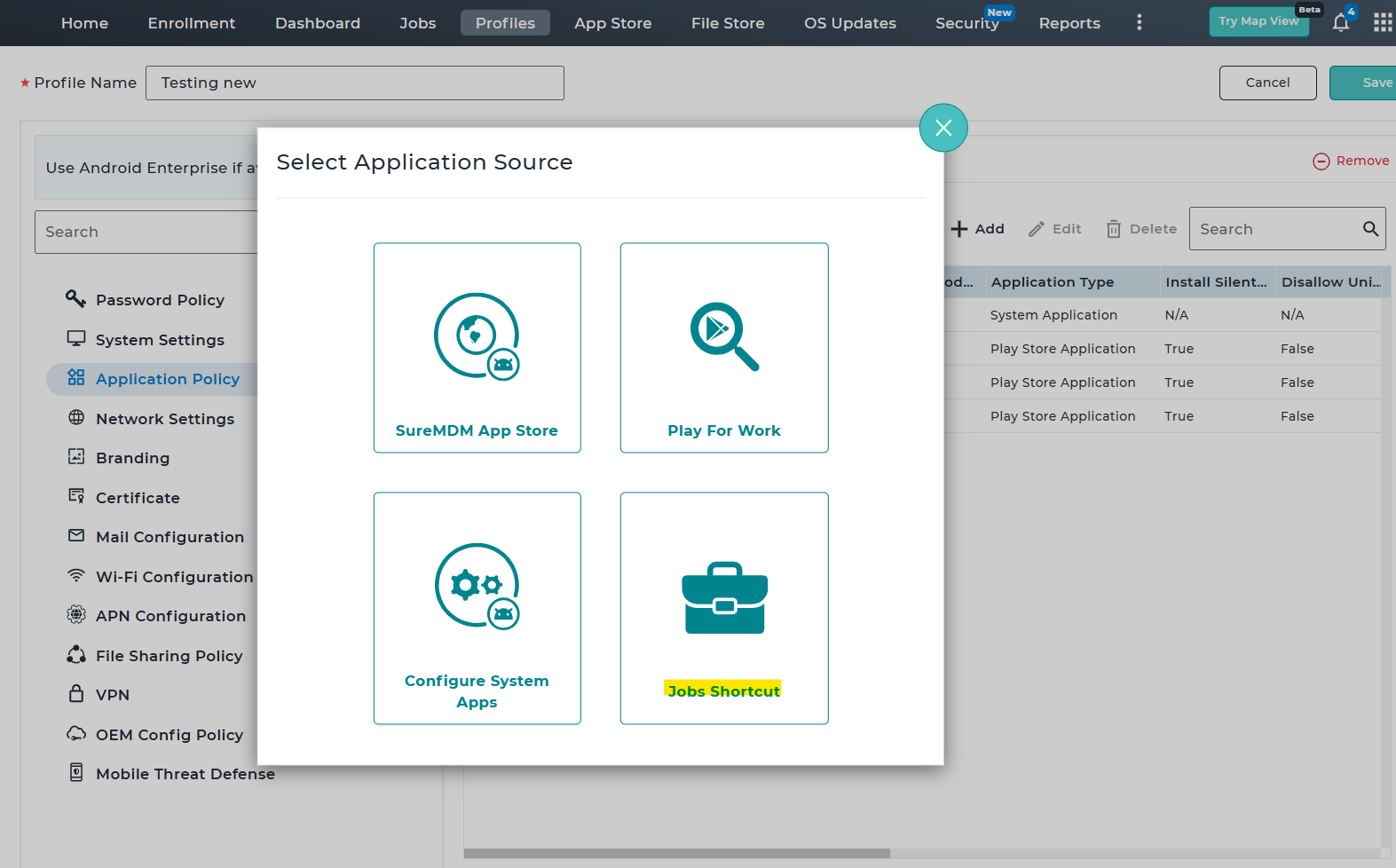
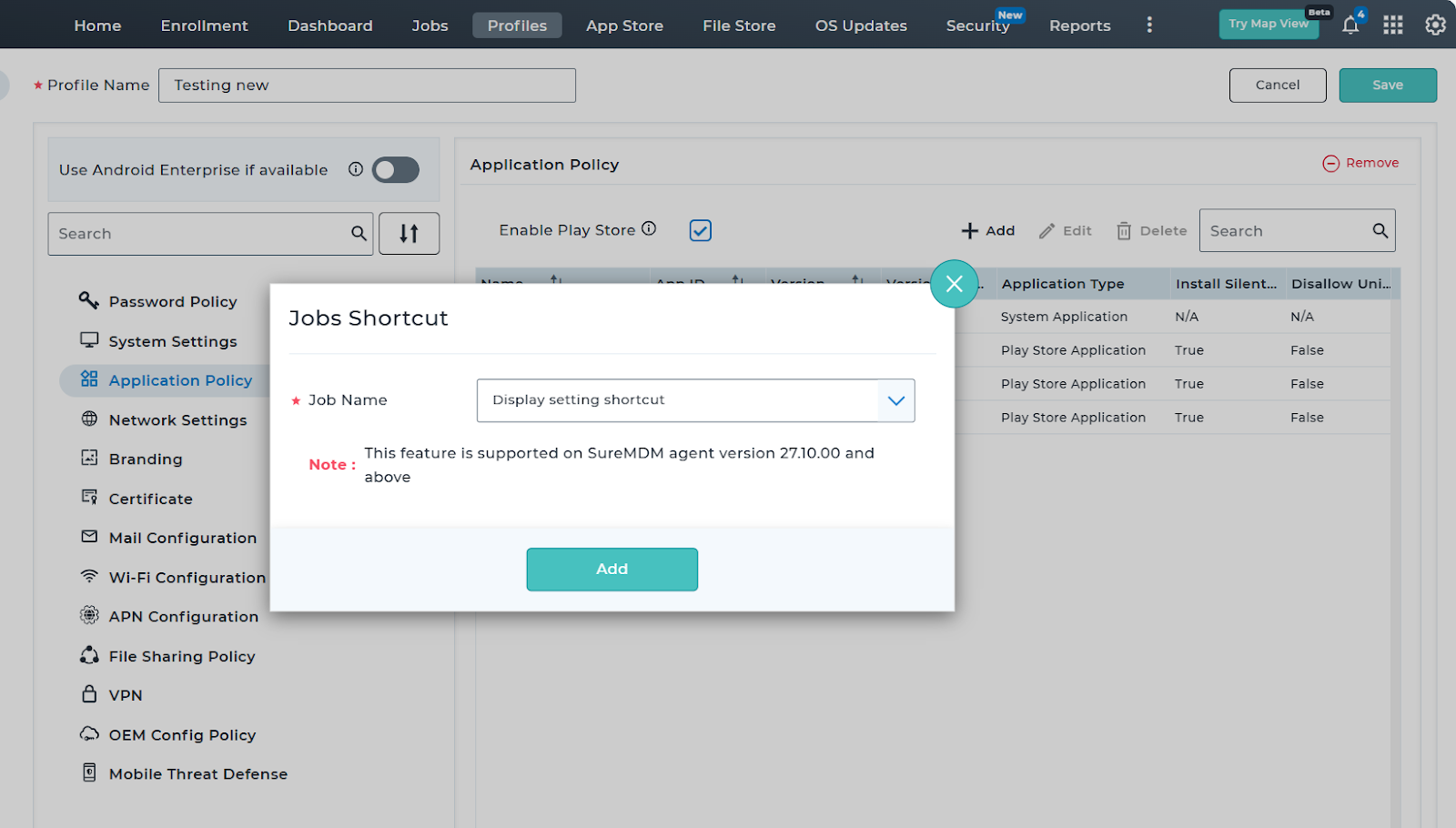
- Save the profile.
Step 3: Push Profile to Devices
- Assign and push the configured profile to the required devices.
- Wait for the profile deployment to complete.
Step 4: Launch Display Settings from Device
- On the managed device, open the SureMDM App Store.
- Navigate to the Job Shortcut section.
- Locate and launch the created job.
- The Display Settings screen will open directly on the device.
Conclusion:
In summary, using a Run Script job with a shortcut provides a secure and efficient way to grant access to Android Display Settings on restricted devices. This approach ensures users can adjust necessary display options without exposing full system settings. Implementing this method helps maintain a balance between usability and device security.
Need more help? Here’s how to get help from our experts
Was this helpful?
YesNo