
Purpose
SureLock provides the ability to display plugin applications directly on the title bar, allowing enhanced accessibility and functionality without leaving the SureLock home screen. This feature is useful in scenarios where administrators want users to quickly access specific tools or widgets while maintaining a secure, locked-down environment. By enabling plugin apps, SureLock offers a more customizable and efficient user experience.
The purpose of this article is to guide users through enabling and configuring the Plugin Apps feature within SureLock. This includes accessing the Title Bar settings, activating plugin support, and selecting the required plugin applications to be displayed on the SureLock title bar.
Prerequisites
- Supported on Integrated SureLock v27.41.07 or later and Standalone SureLock version v 21.41.07
- Admin access to SureLock settings.
Steps
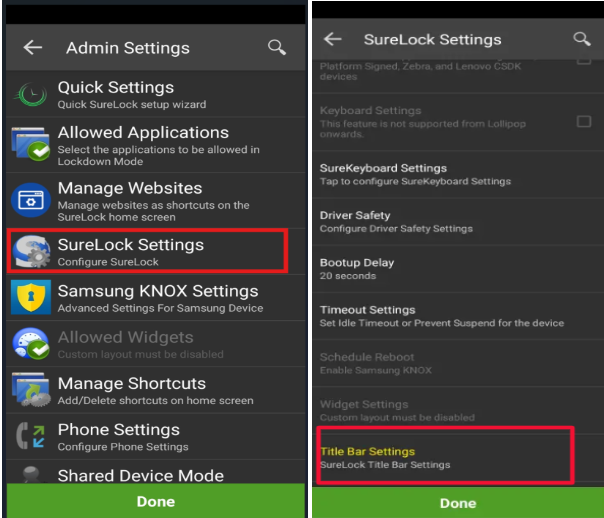
- Access SureLock Admin Settings.
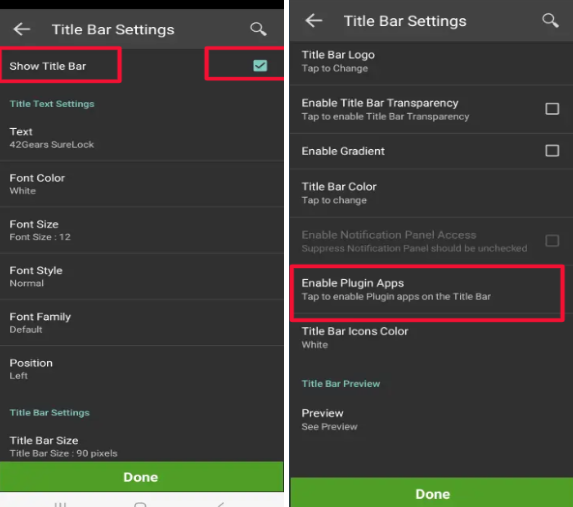
- Navigate to the Surelock Settings option > tap on Title Bar Settings to enter the configuration page and enable Show Title Bar (unchecked by default).
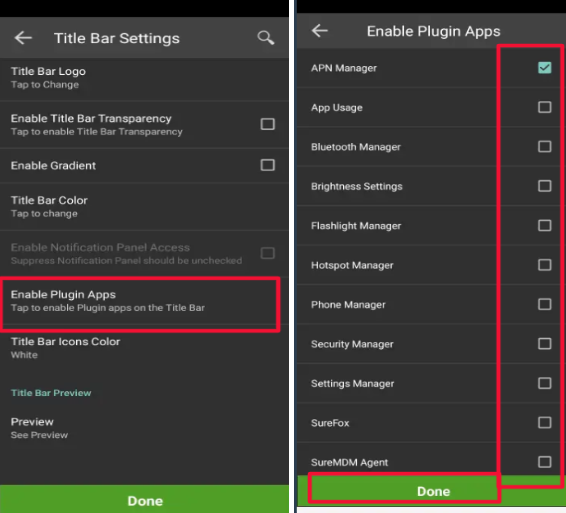
- Tap on to the option Enable Plugin Apps,
- Select the plugin apps as per your requirements.
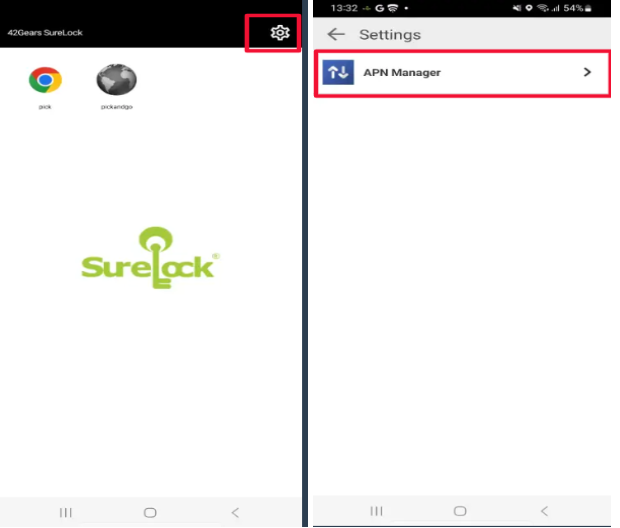
- Click on Done and save the Surelock settings.
Conclusion
By enabling plugin apps within the Title Bar settings, administrators can enhance productivity and provide users with quick access to essential tools, all while maintaining device security and a controlled user environment. Saving the configuration ensures the selected plugin apps remain visible and functional on the SureLock title bar Setting.
Need help?
CONTACT US