
Purpose
This article helps to define specific configuration that relies on utilizing the SureMDM OEM Config policy, which is located under the Knox Service Plugin (Samsung). And allowing the SOS calling on Samsung knox devices.
The SureMDM OEMConfig policy, powered by the Knox Service Plugin (KSP), now allows IT administrators to remotely enforce or restrict the Side Key SOS calling feature on Samsung devices (Knox 3.11+). This enables a safety and emergency communication mechanism for devices that are managed under strict enterprise controls.
Prerequisites
- Devices must be enrolled in Fully Managed Device Owner mode.
- Devices must be online and reporting to the SureMDM console.
- The supported version of the SureMDM Agent must be installed, v27.23.01 or later
- Supported on KNOX version 3.11 and above.
Steps
- Navigate to Profiles: Go to the Profiles section in the SureMDM Web Console, click Android, and select the Google Play EMM API profile.
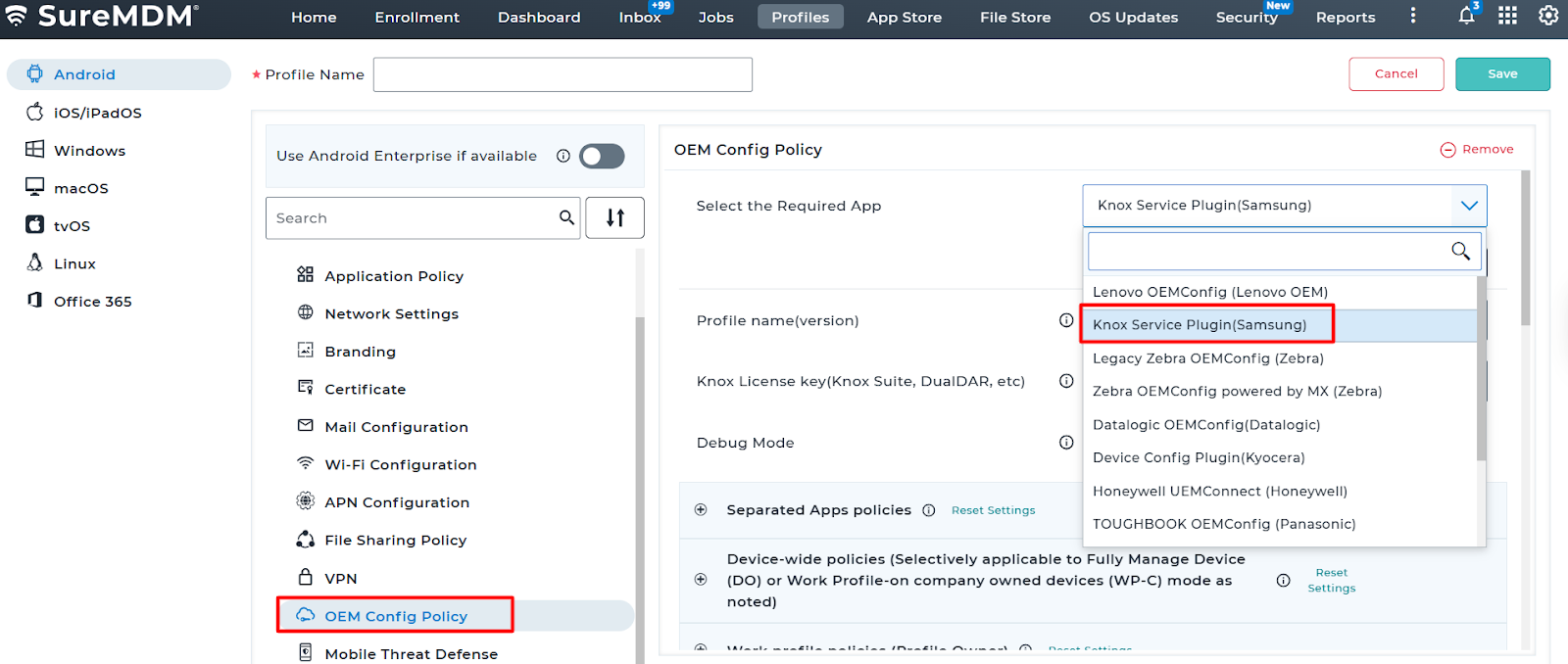
Select Knox Plugin: Click on OEM Config and choose the Knox Service Plugin (Samsung).
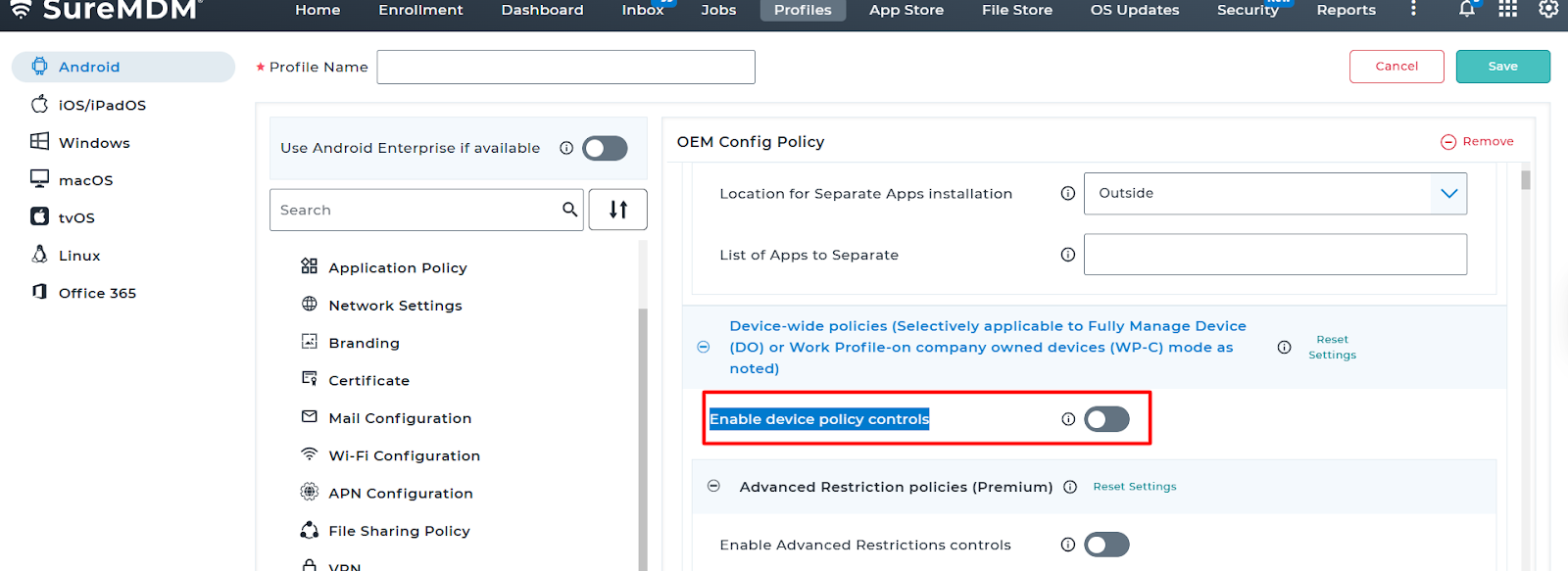
3. Go to Device-wide policy and enable the Enable device policy controls.
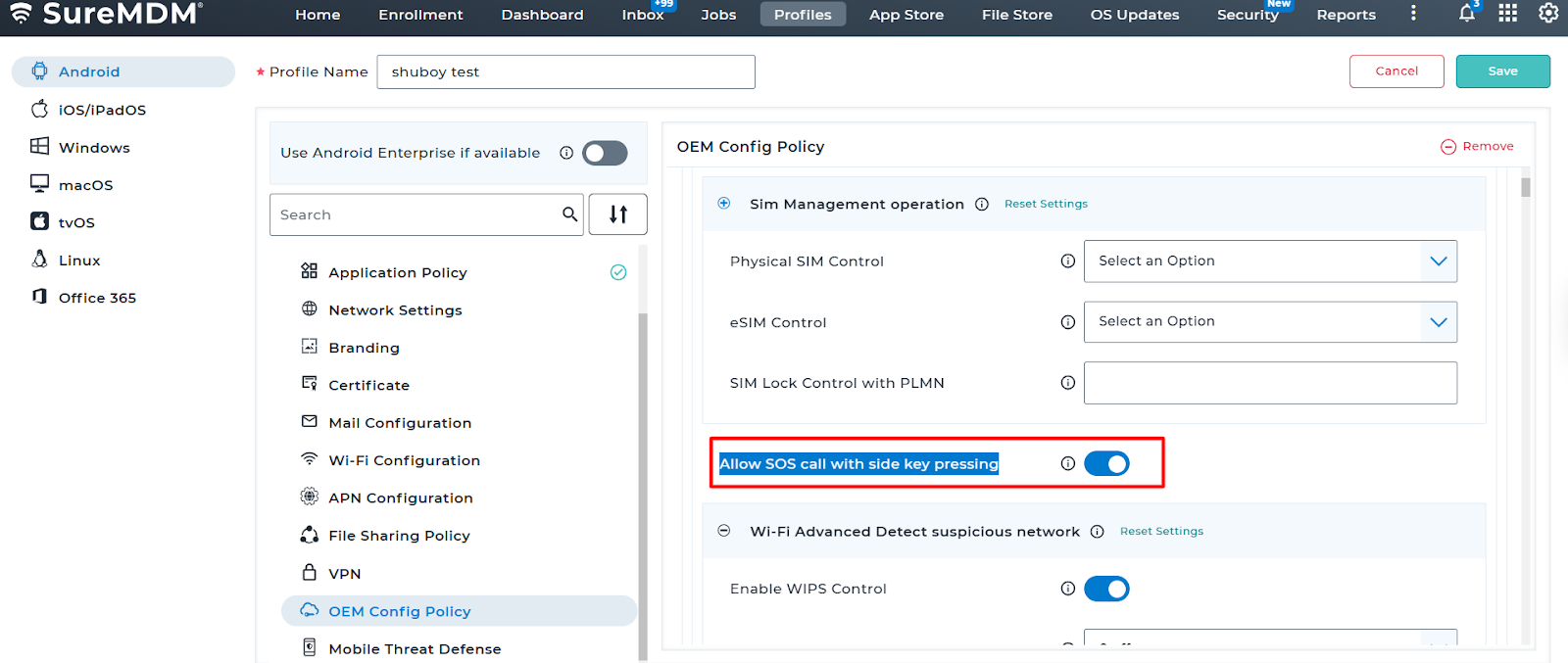
4. Look for SIM Management operations and check the box for Allow SOS call with side key pressing.
Conclusion
Please save the profile and deploy it on the device and Confirm Deployment: Verify that the job status changes to Success in the device’s Job History. The device will now allow emergency calls when the side key is pressed 3 to 5 times (depending on the specific hardware model’s defaults).
Need more help? Here’s how to get help from our experts.