
Purpose
This knowledge base article describes how administrators can create and allow a Google Chrome web app shortcut on Windows devices using a PowerShell script deployed via SureMDM. This enables users to access web applications directly from the desktop in Chrome app mode, and the user cannot access tabbed browsing; only whitelisted websites required can be accessed via this Chrome web app.
Prerequisites
- Windows 10 or Windows 11 device enrolled in SureMDM
- Google Chrome is installed on the device
- Administrative access to the SureMDM console
- Web application URL to be configured
- Permission to deploy Run Script jobs
Steps
- Log in to SureMDM Console.
- Navigate to Jobs → New Job
- Click on Windows.
- Select Run Script.
- Choose PowerShell as the script type.
- Paste the PowerShell Script -> Enable the option “
$ChromePath = “C:\Program Files\Google\Chrome\Application\chrome.exe”
$Desktop = [Environment]::GetFolderPath(“Desktop”)
$ShortcutPath = Join-Path $Desktop “Gmail.lnk”
$Shell = New-Object -ComObject WScript.Shell
$Shortcut = $Shell.CreateShortcut($ShortcutPath)
$Shortcut.TargetPath = $ChromePath
$Shortcut.Arguments = “–app=https://mail.google.com”
$Shortcut.WorkingDirectory = Split-Path $ChromePath
$Shortcut.IconLocation = “$ChromePath,0”
$Shortcut.Save()
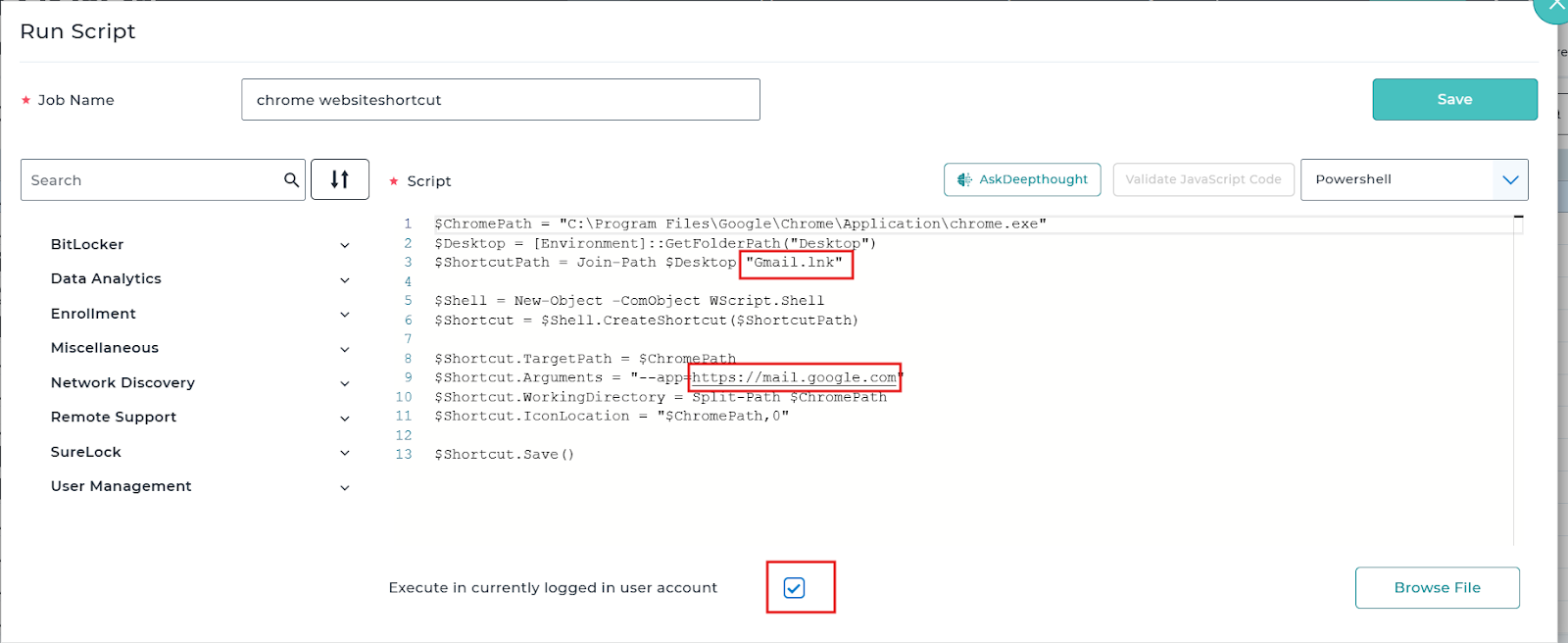
- Replace the URL in the script with the required web application URL
For example: Instead of https://mail.google.com, replace to other url according to your use case https://google.com
- Replace the shortcut/icon name (Gmail.lnk) with the desired application name (Google.lnk)
.lnk represents a Windows Shortcut file.
- Save and deploy on the device
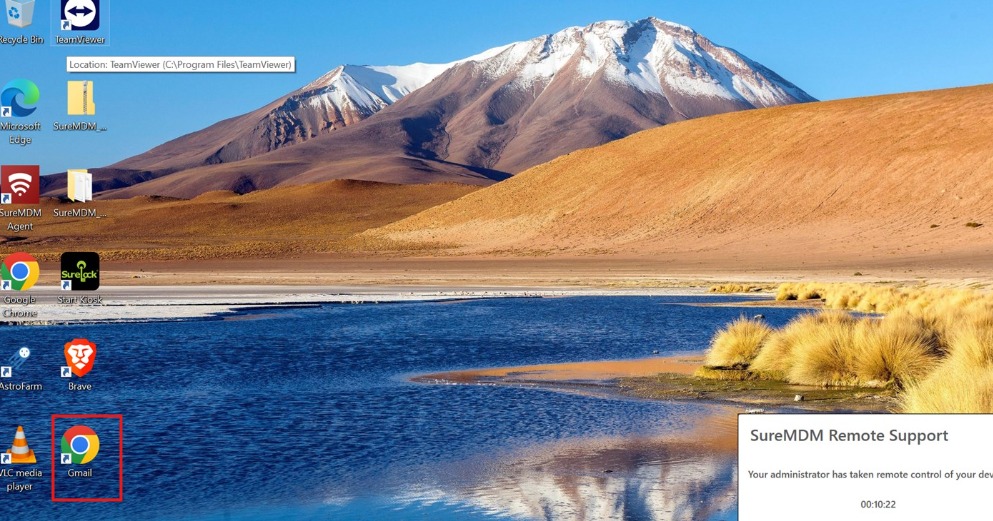
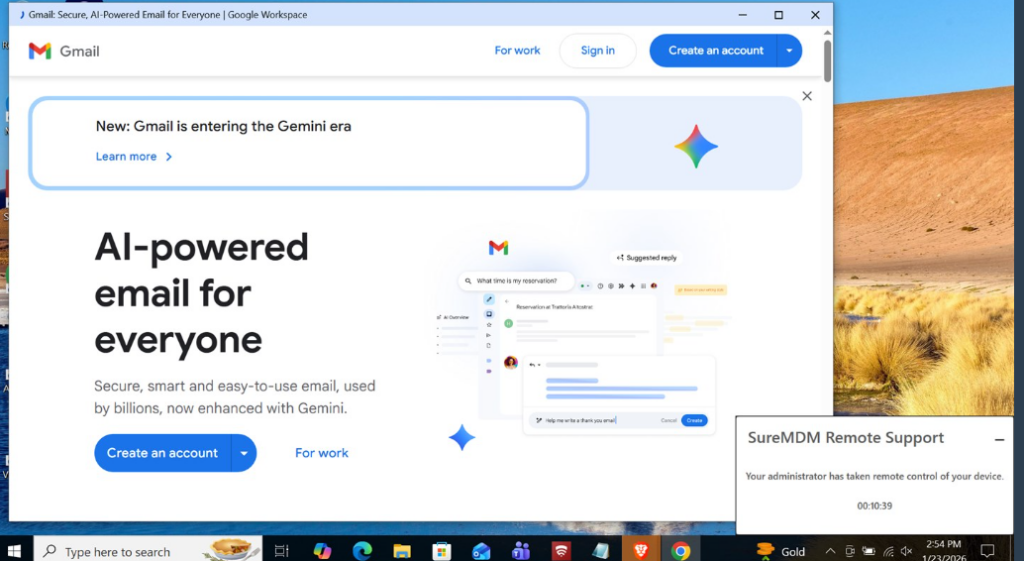
Result
Conclusion
Deploying a Chrome web app shortcut using a PowerShell script in SureMDM allows administrators to centrally manage and automate access to web-based applications on Windows devices. This method improves user experience while ensuring consistent configuration across managed endpoints.
If you have any questions or need help with our products, please don’t hesitate to contact our support team.