
Purpose
This KB article provides step-by-step instructions on how to block PowerShell, Command Prompt, and Registry Editor on Windows devices.
Prerequisites
Windows 10 or above.
Steps
- Login to SureMDM console.
- Navigate to Profile → Windows → select the Default Profile (or create a new profile as required) and click Modify → App Locker.
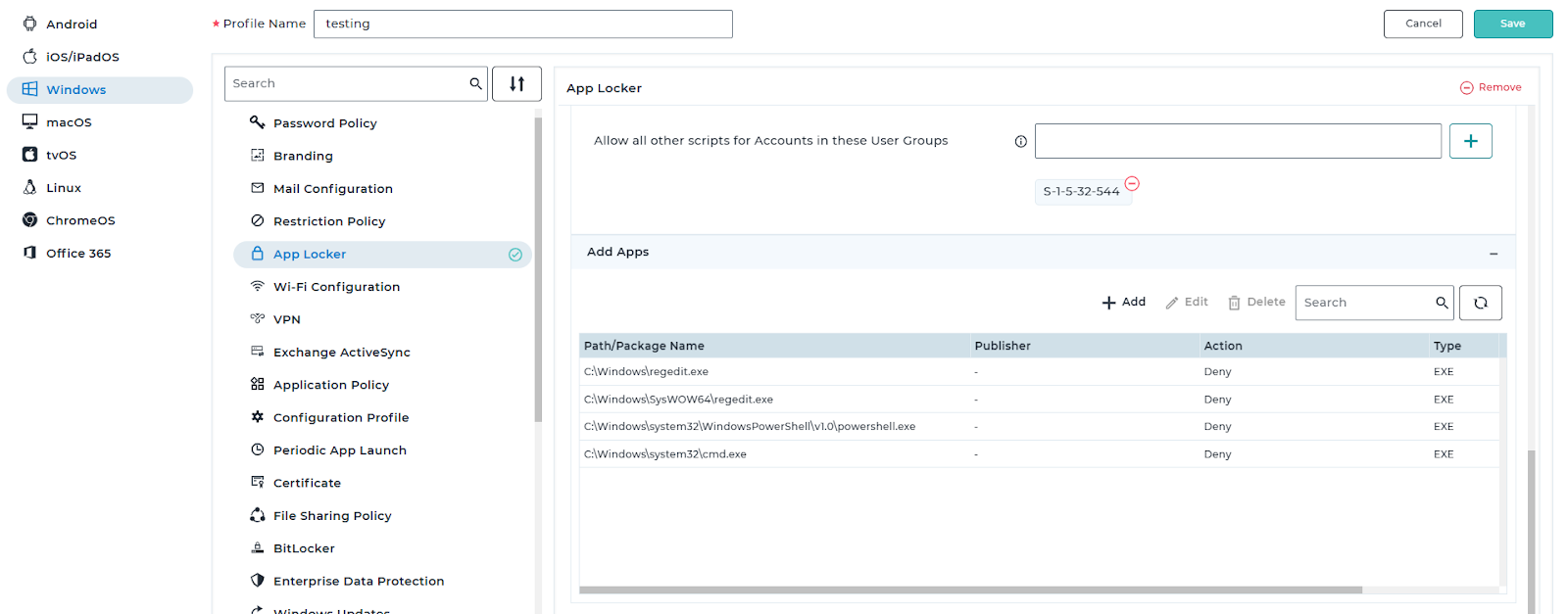
- In the App Locker configuration, click Blocklist Apps, scroll down to the Add Apps section, and select Add.
- An App Locker window will appear. Select Custom App, then configure it as follows:
> Set App Type to EXE
> Set Condition to Path
> Enter the following paths:
C:\Windows\regedit.exe
C:\Windows\SysWOW64\regedit.exe
C:\Windows\System32\WindowsPowerShell\v1.0\powershell.exe
C:\Windows\System32\cmd.exe
- Please refer to the image below for reference.
- Save and apply the profile on the devices.
Results:
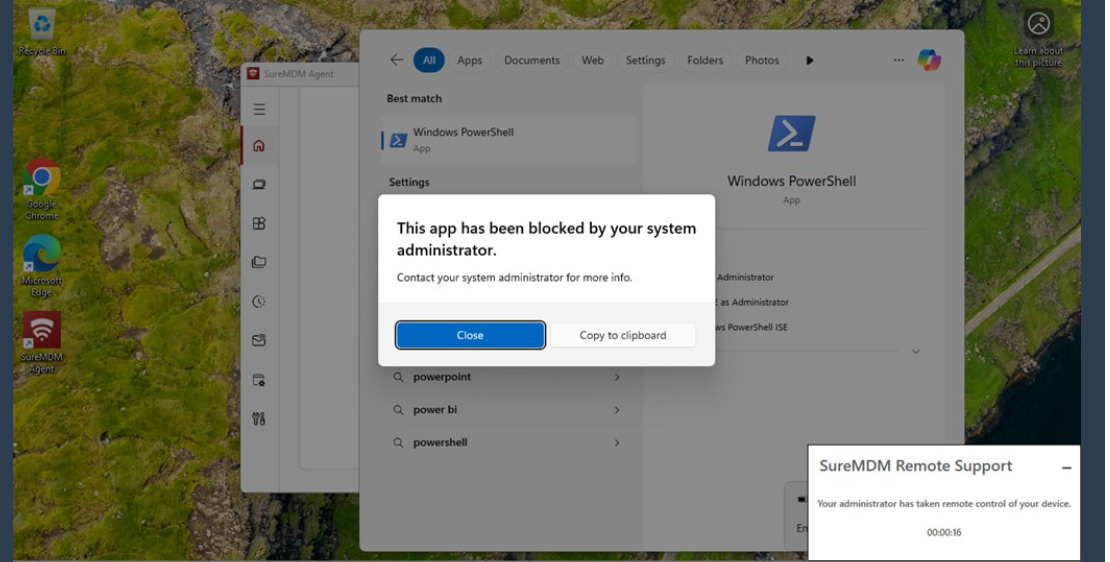
The application will be blocked, and an error message will be displayed, as shown below.
Conclusion
By configuring App Locker through SureMDM, administrators can effectively block access to PowerShell, Command Prompt, and Registry Editor on Windows devices. This restriction helps prevent unauthorized system-level changes, enhances device security, and ensures compliance with organizational policies. Once the profile is applied, the specified applications will be inaccessible to end users, and any attempt to launch them will result in an error message, confirming that the policy is enforced successfully.
Need more help? Here’s how to get help from our experts.