
Purpose
Previously, administrators could only switch between Dark and Light modes in the SureMDM Console. With the latest update, SureMDM introduces a New Device Grid layout integrated with a Maps View.
This feature allows administrators to view enrolled devices in both grid and map formats, providing geographical visualization for improved monitoring and management visibility.
Additionally, the Maps View now includes an Enhanced Floor and Space Information Panel, allowing administrators to visualize device locations within specific physical spaces and floors for better asset management.
Prerequisites
- Access to the SureMDM Console with Administrator or Console customization privileges.
- Devices must be enrolled and report location data to the SureMDM Server.
- Stable internet connectivity to render the Maps interface properly.
Steps
- Log in to the SureMDM Console.
- Click on the Gears icon at the top right corner
- Click on the Console Appearance
- Choose the New Device Grid with Maps View and click on Yes
- Now you can view Devices in the Grid View
Map View
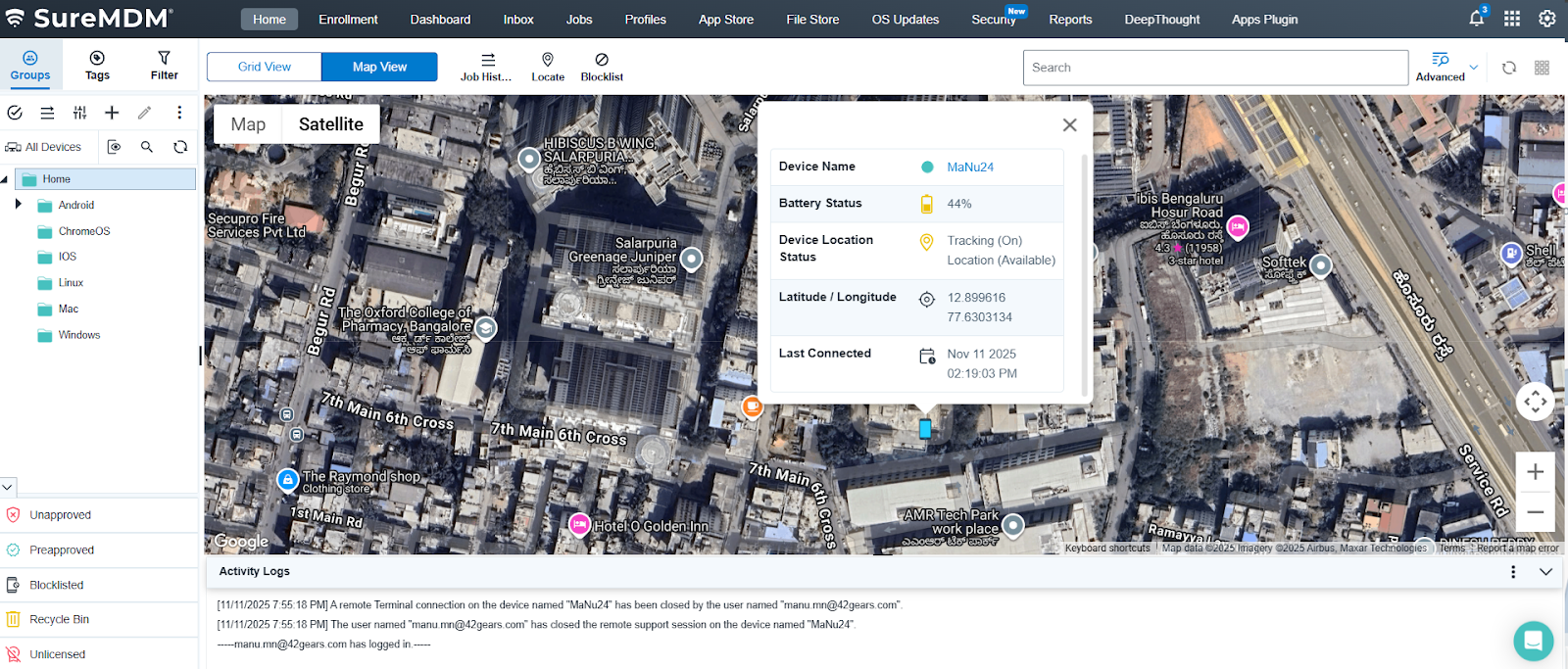
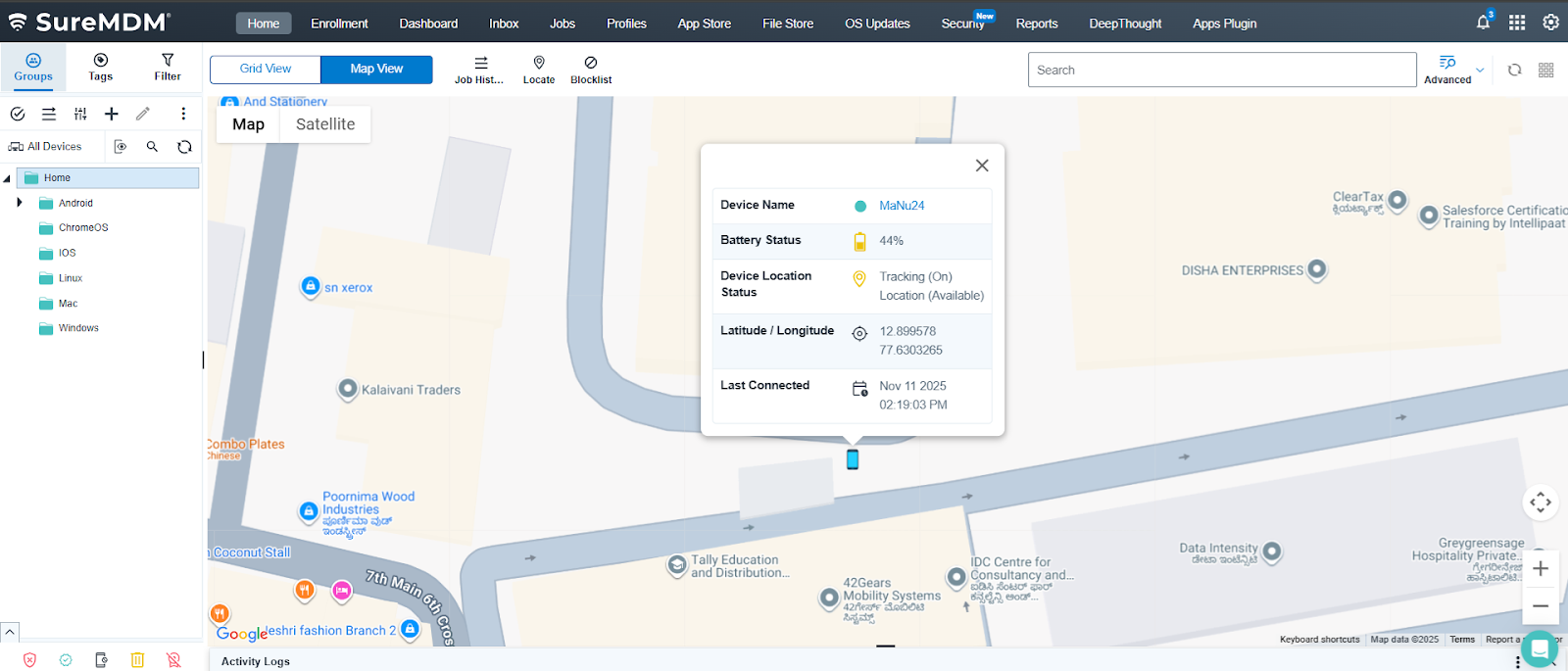
Note: When we click on Map View – The console will switch to a map-based layout displaying devices on their respective geographical locations.
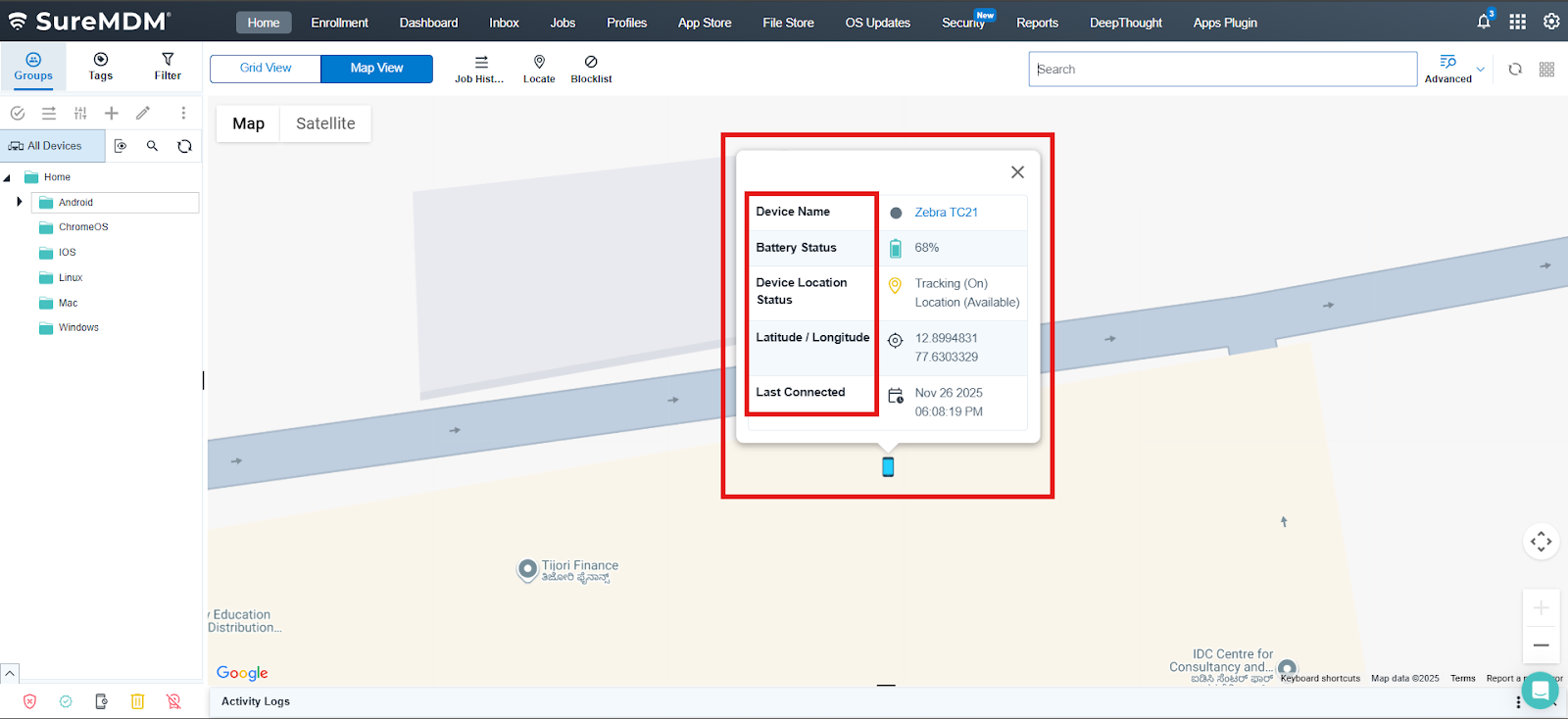
- Use the Device Information Panel (in Maps View).
- The new Maps interface includes a detailed information panel to enhance visualization within buildings or defined spaces.
- Here you can View the Details like Device Name, Battery Status, Device Location Status, Latitude / Longitude and Last Connected
- Customize the View (Optional).
Use filters such as Group, Status, or Platform to refine which devices appear on the map.
Note – Zoom in or out to focus on specific regions or device clusters.
Expected Results
Once configured, the SureMDM Console displays devices in the New Device Grid layout with their real-time locations on the map. Administrators can view device status, platform, and geographical distribution simultaneously. The enhanced Maps View adds contextual details like Floor, Space, and Device Count, allowing precise asset tracking within physical environments.
Note – To view the floor space, the console should be configured with the Inlocate option and Floor Maps
Conclusion
The New Device Grid with Maps View significantly enhances device management in SureMDM by merging detailed device data with real-time geographical visualization. The addition of the Enhanced Floor and Space Information Panel further improves situational awareness, enabling IT teams to monitor device placement across multiple floors or workspaces efficiently.
Need help?
CONTACT US