
To check how to verify whether a device is compliant with the active compliance policies applied through the EMM solution. It covers the steps to review the compliance status of all active policies on the device, identify which policies are compliant or non-compliant, understand the overall compliance state of the device, and verify whether the configured out-of-compliance actions have been triggered.
Pre-requisites
Compliance monitoring
Steps
- Log in to the SureMDM Console using your administrator credentials.
- Navigate to the Devices section and select the device whose compliance status you want to verify.
- In the Device Info panel, review the Overall Compliance status.
- If any one of the assigned compliance policies is in a Non-Compliant state, the device’s Overall Compliance status will also be displayed as Non-Compliant.
- Click Active Policies to view the list of compliance policies currently assigned to the device.
- Review the status of each policy to determine whether it is Compliant(Active) or Non-compliant(Inactive) based on the policies deployed to the device.
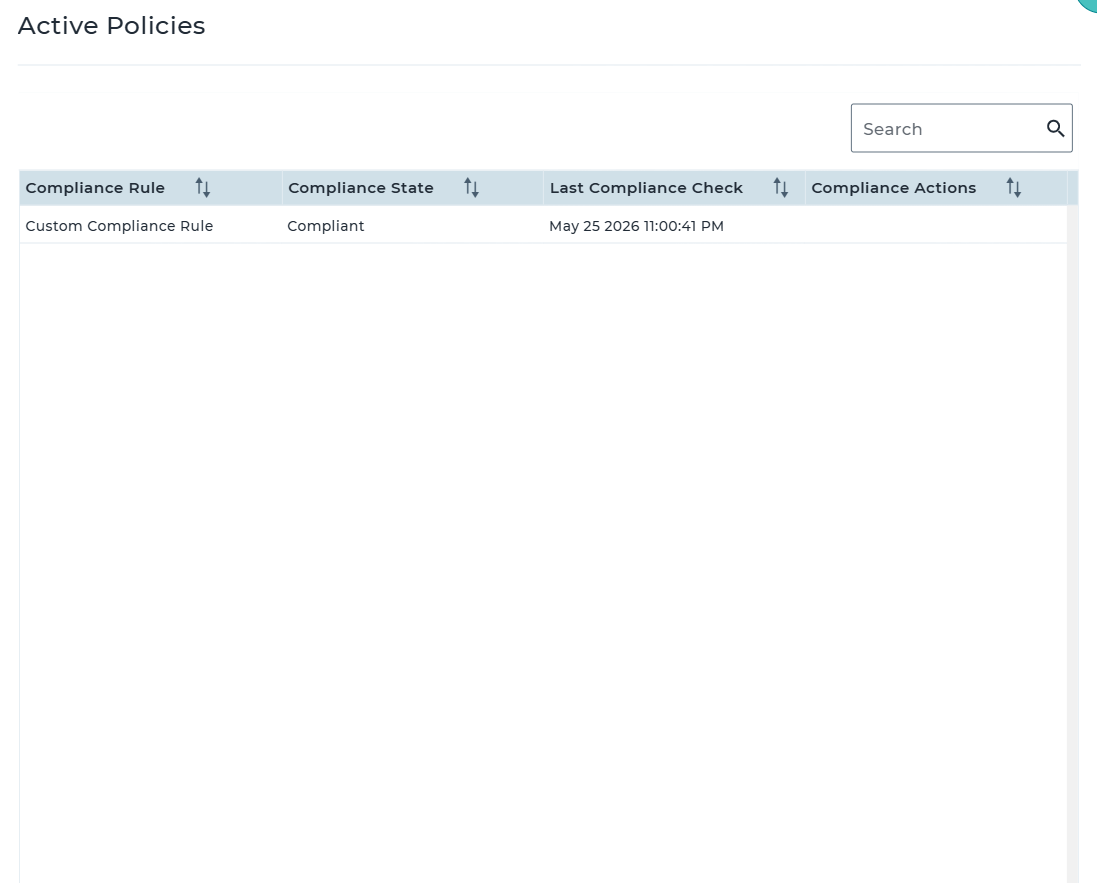
- Verify the configured Out-of-Compliance Actions to confirm whether the appropriate actions have been triggered for the policies that are currently in a non-compliant state.
Conclusion
You can verify the device’s overall compliance status, review the compliance state of each active policy, and confirm whether the configured out-of-compliance actions have been successfully executed.
Need more help? Here’s how to get help from our experts.
Was this helpful?
YesNo