
Purpose
The administrators can check the enrollment mode of the Android device in the console easily without checking it manually from the device end and it will help the administrator to troubleshoot the device based on the enrollment type.
Prerequisites
N/A
Steps
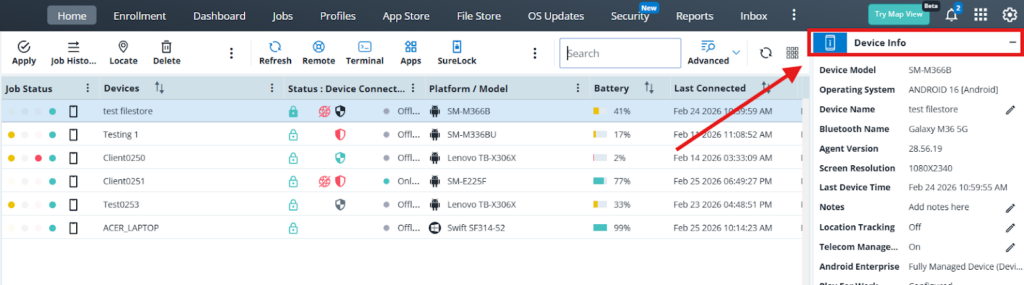
1. Go to Home page and select the device and navigate to device info panel
2.Check the Android Enterprise section
- If it Is Full managed Device – [DO(Device Owner enrollment)]
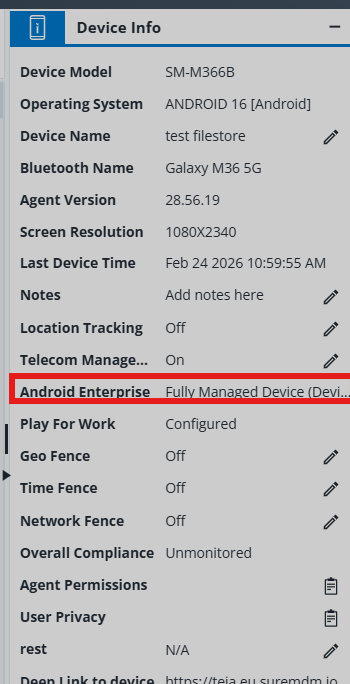
- If it shows Not Enrolled it is -[DA (Device admin enrollment) ]
- If it is Work profile (profile owner) – [BYOD (bring your own device) enrollment]
Conclusion
Using the above method the Admin can determine the enrollment type of the devices quickly which are on the grid.
Need more help? Here’s how to get help from our experts.
Was this helpful?
YesNo