
Purpose
This article explains how to configure a Compliance Job in SureMDM to notify administrators when a device’s storage reaches a defined threshold. This helps proactively manage devices and prevent performance issues due to low storage..
Prerequisites
- Android devices enrolled in SureMDM
- Administrator access to the SureMDM Console
- This feature is supported on SureMDM Agent version >= 19.92.
- A valid email address is available to receive notifications.
Steps:
- Log in to SureMDM Console
- Go to Jobs -> Create New Job -> Android.
- Select Compliance as the job type.
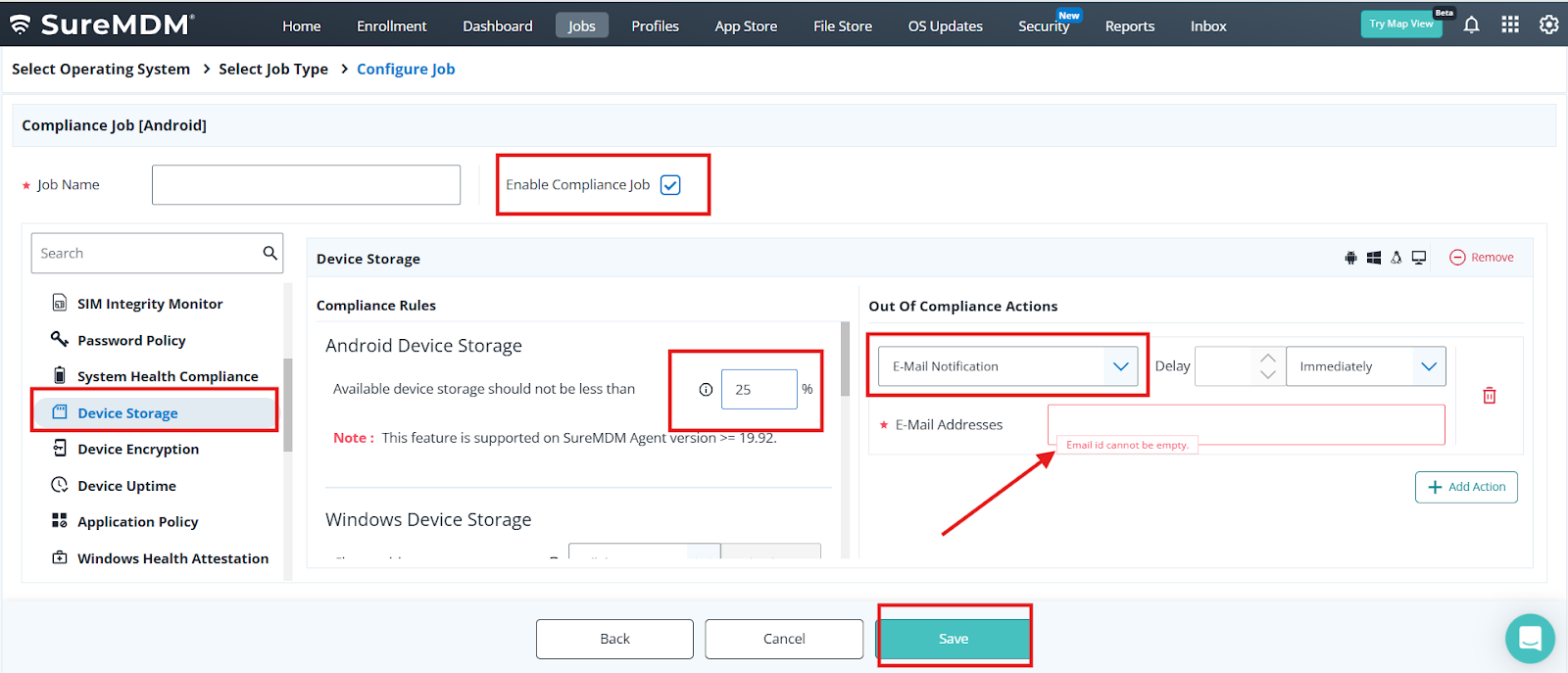
- Enable the option “Enable Compliance Job”
- Go to Device Storage and click on configure
- Configure the storage as per your use case
- Set the Rule “Available device storage should not be less than <Value> in a %.”
- Example: 25%
- Under the out of compliance select the option as Email Notification.
- Enter the E-Mail Address on the field.
- Save the compliance Job and deploy it on the device
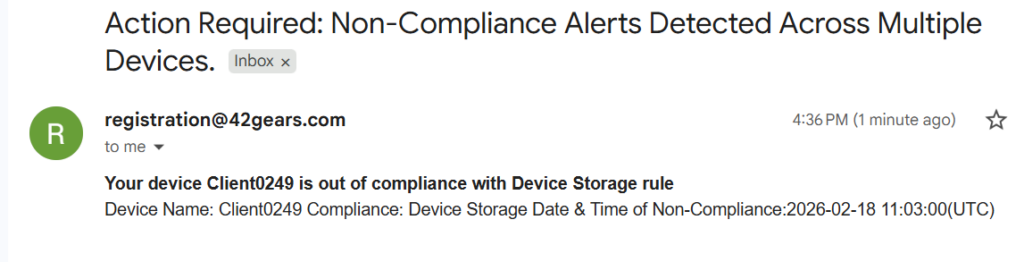
Result:
Conclusion
By configuring a Compliance Job in SureMDM, administrators can automatically receive email notifications when device storage drops below a specified percentage. This proactive monitoring helps prevent device performance issues, application failures, and storage-related disruptions.
Need more help? Here’s how to get help from our experts.
Was this helpful?
YesNo