
Purpose
The KB document helps you to configure the off-mode charge for Datalogic devices using the OEM Config policies.
Organizations using Datalogic devices may want to control how the device behaves while charging when it is powered off. Manually configuring this setting on multiple devices can be time-consuming.
Using SureMDM OEMConfig policy, administrators can remotely configure the Off-Mode Charge setting on all devices at once. This helps ensure devices charge properly, follow company requirements, and are ready for use without manual setup on each device.
Prerequisites
- Devices must be enrolled in fully managed device owner mode.
- Please ensure that the EA agent is installed on the device.
Steps
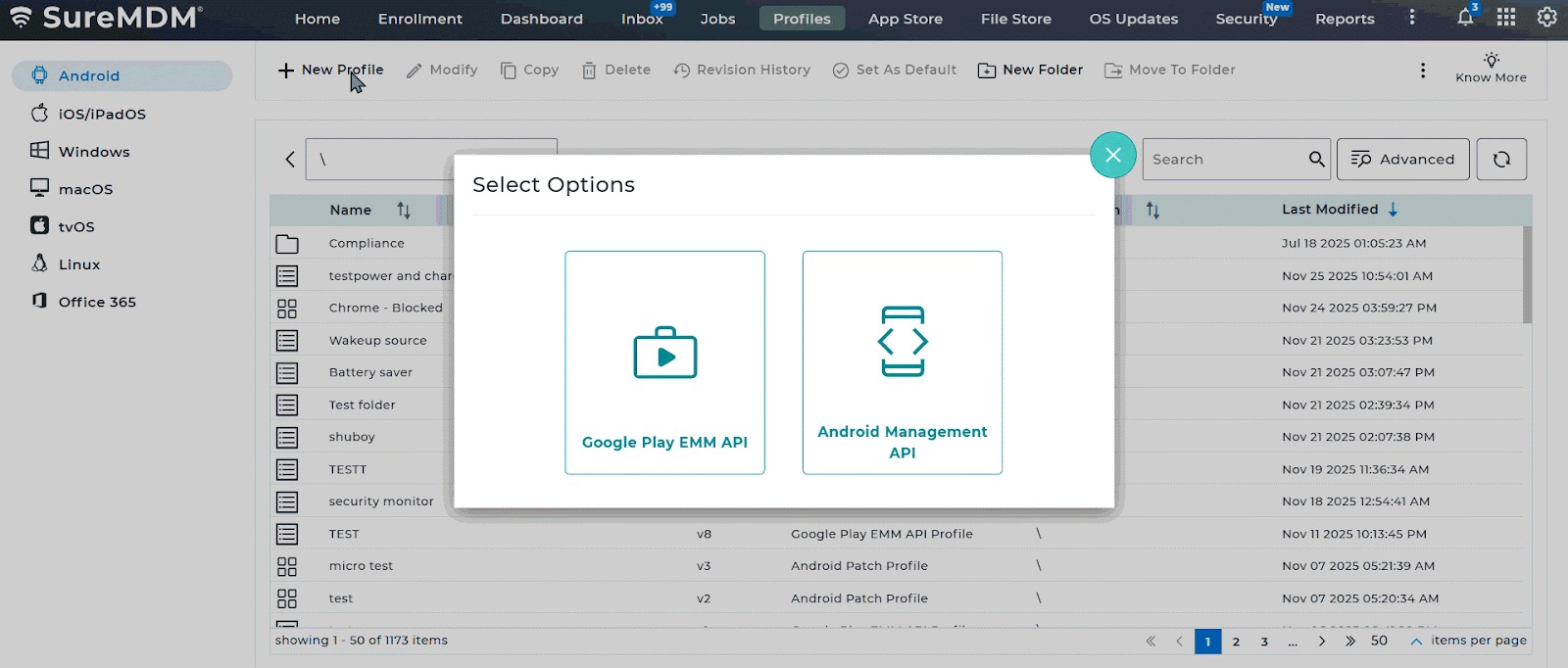
- Log in to the SureMDM console – Profiles- Choose Android – Select the Google Play EMM API profile type – Choose the Primary Profile – Scroll to OEM config policy – select Datalogic OEMConfig (Datalogic).
- Within the Datalogic OEMConfig settings, choose the option for Power and charging – Select off mode charge.
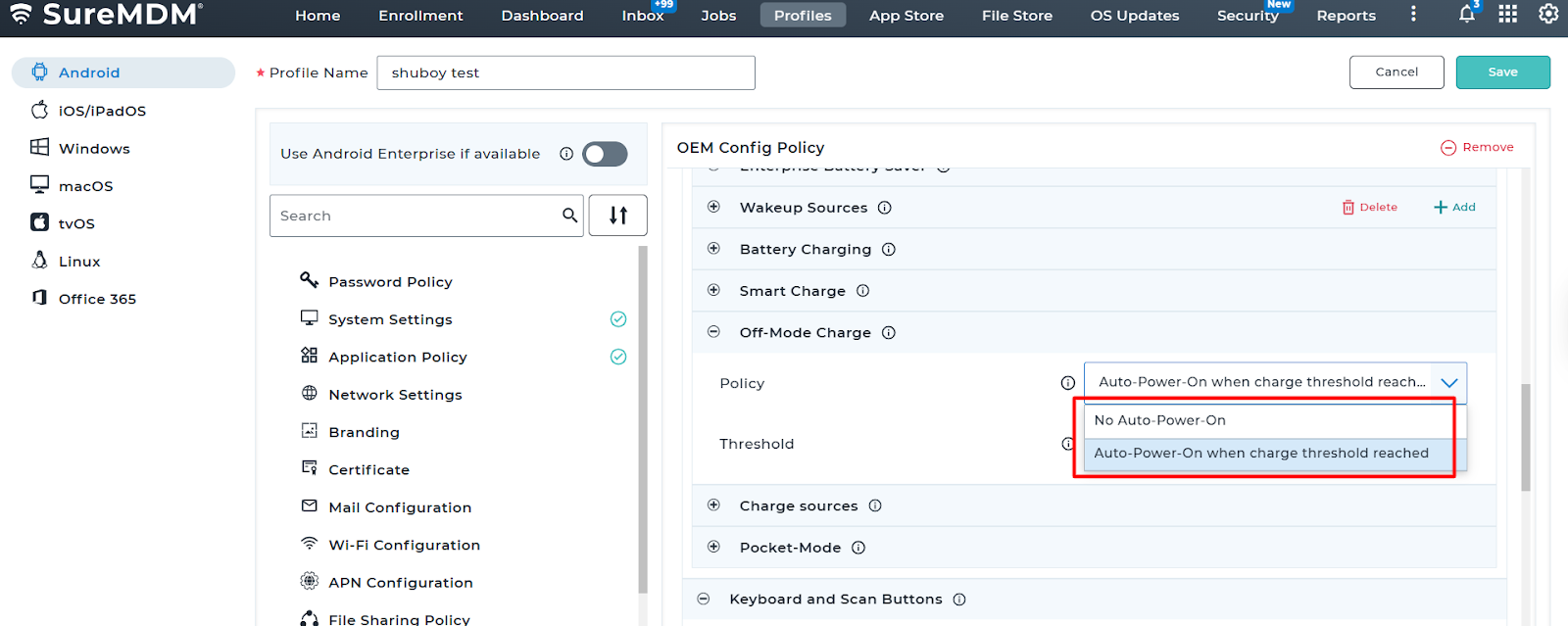
To configure the ‘off mode charge‘ policy with specific conditions and a charge threshold, please follow these steps:
NOTE: After selecting “Off Mode Charge” in the Power and Charging settings, choose one of the following:
1. No Auto Power On: The device remains off regardless of charge level.
2. Auto-Power-On: when charge threshold reached: The device powers on automatically once a specific battery percentage is met.
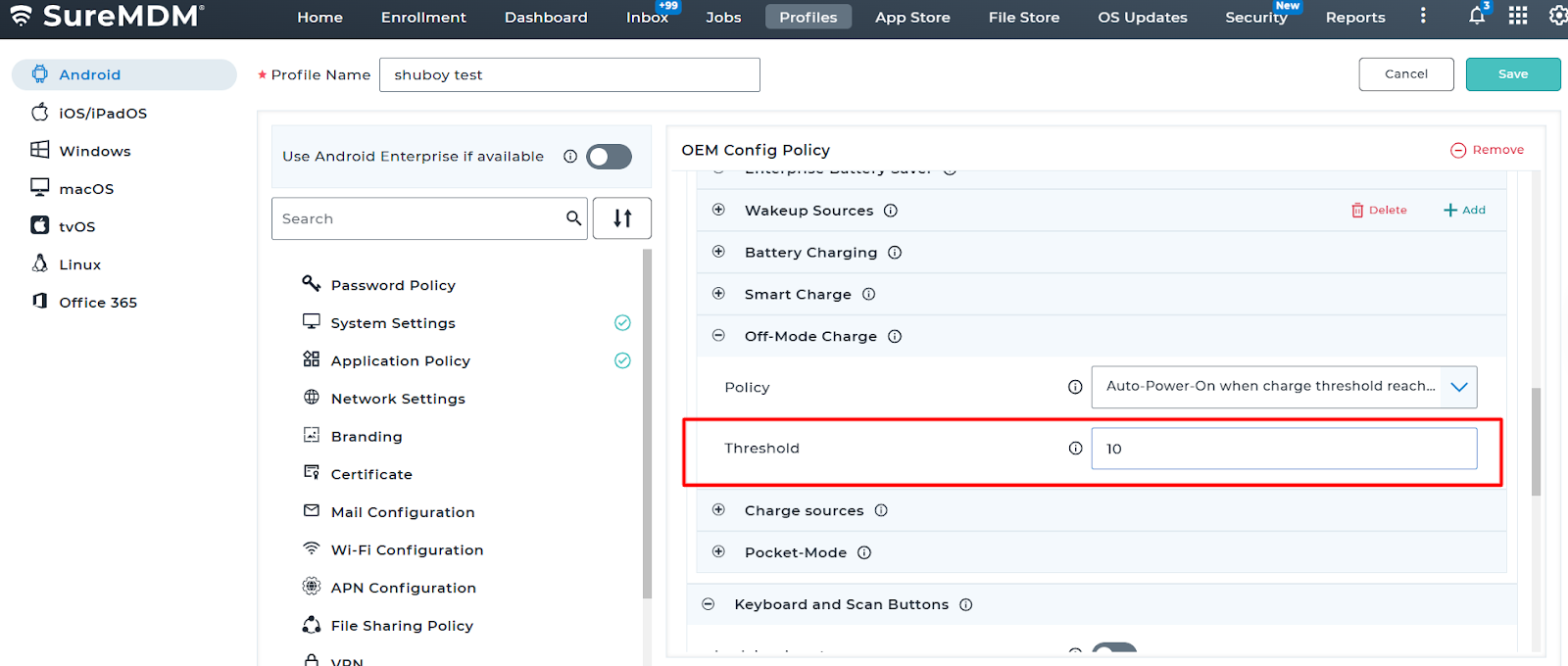
3. Threshold – Charging threshold (%) for automatic exit from charging mode. Valid values in the range of 5-100.
Conclusion
After deploying the OEMConfig policy through SureMDM, the Off-Mode Charge setting will be automatically applied to the Datalogic devices. Once the policy is successfully installed, the device will follow the configured charging behavior when powered off. This confirms that administrators can centrally manage and control charging settings across all devices without manual configuration.
Need more help? Here’s how to get help from our experts.