
Admins now have control over message management within the SureMDM Agent inbox. This article explains how admins can manually and automatically delete messages, as well as prevent end users from deleting messages on their devices.
Purpose
This functionality ensures better control over device communication by allowing only admins to delete messages from the SureMDM Agent inbox. It enhances accountability and prevents unauthorized message removal by end users.
Prerequisites
- Access to SureMDM agent settings on the device and SureMDM console
- SureMDM Agent >= 27.52.66
Steps
Steps to manually Disable Users from deleting the Messages:
- Launch the SureMDM Agent application
- Tap on the Settings → User Privacy → Disable “ Delete” Button should be enabled.
- The Delete option in the Inbox will be hidden, preventing end users from deleting messages.
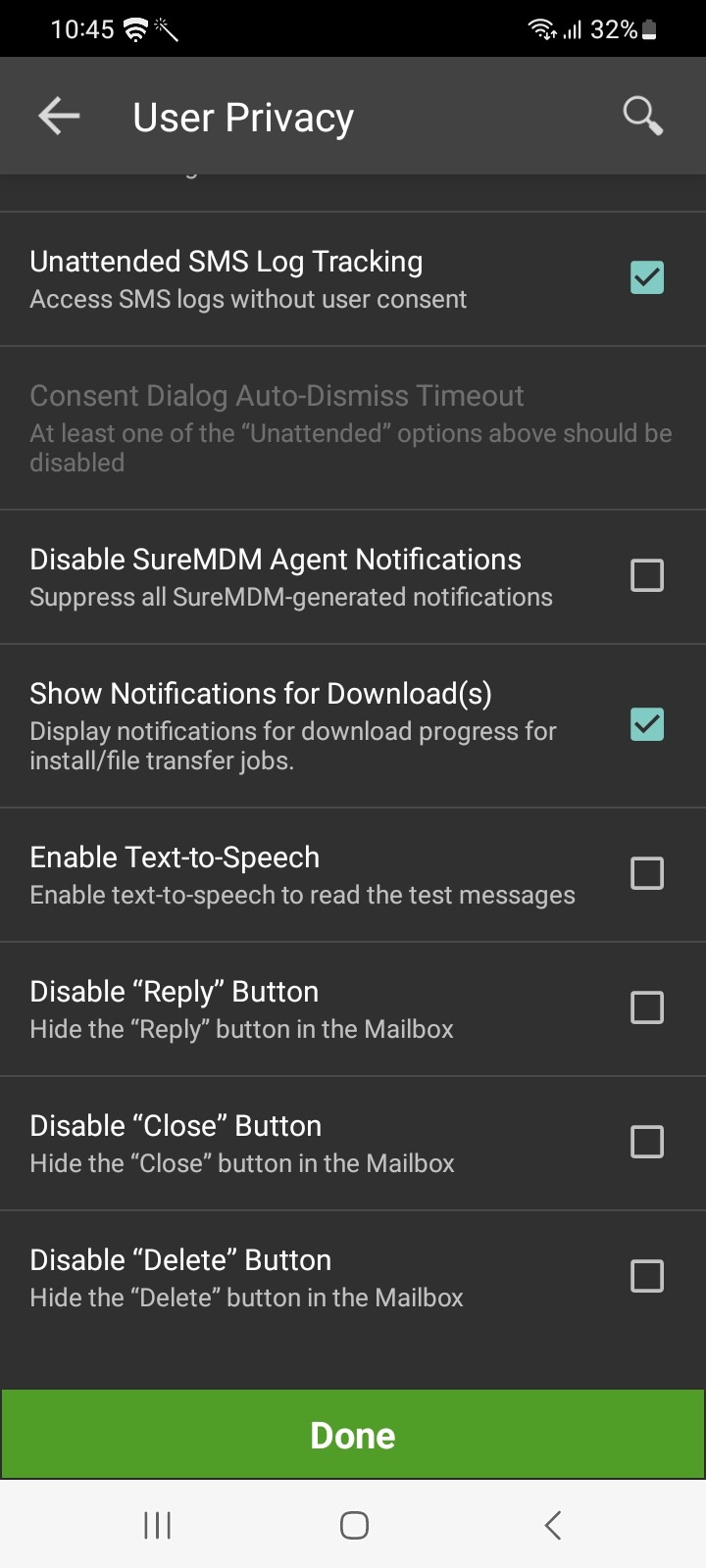
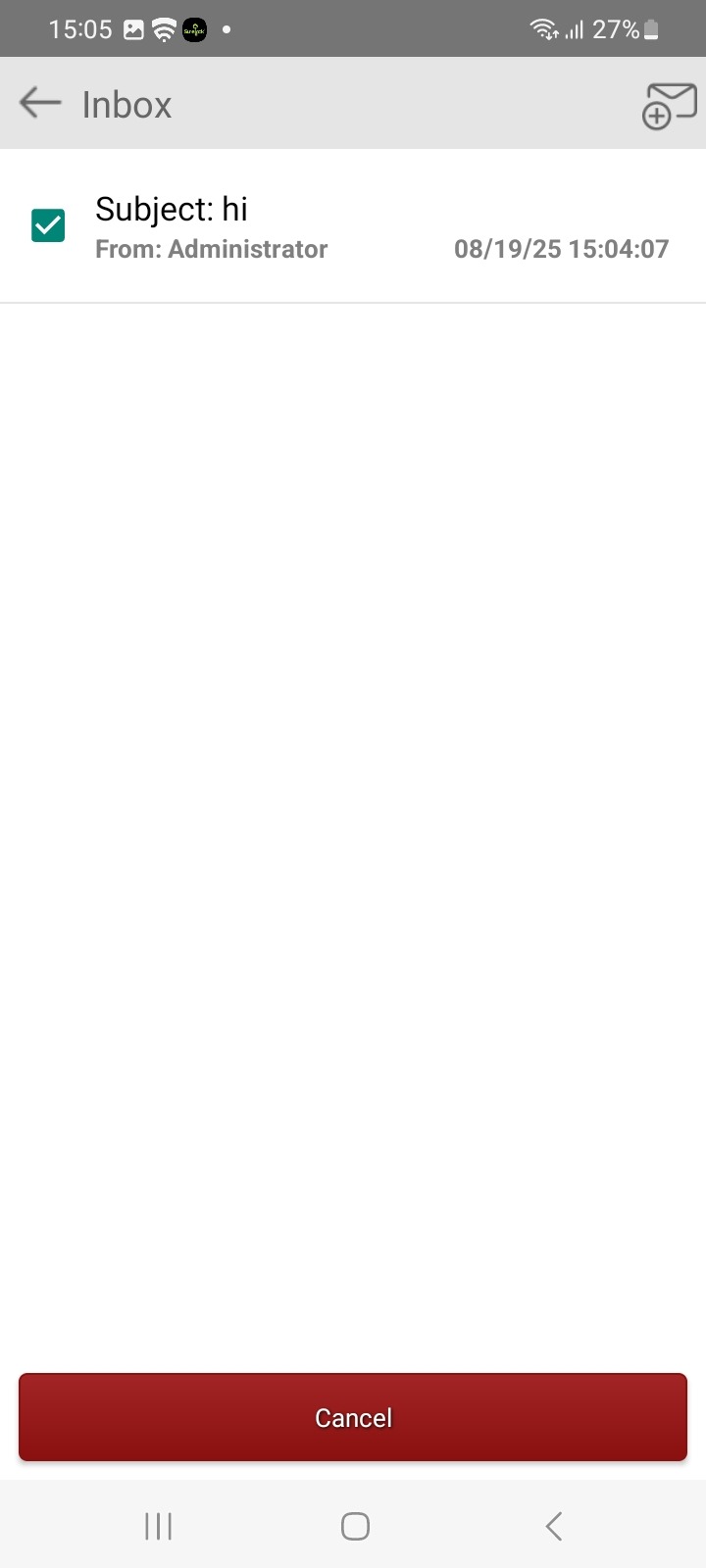
Steps to enable the “Disable Delete Button” Option Using a RunScript Job
To enable the “Disable Delete Button” option on Android devices using a RunScript job, navigate to Jobs → New Job → Android → RunScript. In the RunScript editor, copy and paste the following script:
!#suremdm
hideDeleteButton(true)
Ensure to remove any extra spaces before or after the script, then save the job. Once saved, the job will be listed under the Jobs section. You can then apply this job to the desired device(s), which will automatically enable the “Disable Delete Button” option on those devices.
Steps to manually Delete Older SureMDM Inbox Messages:
- Launch the SureMDM Agent application.
- Tap on the Settings → Advanced settings → “Enable Delete Older Messages”, should be enabled.
- Tap on “Delete Messages Older Than” and enter a value between 1 and 365. Messages older than the specified number of days will be deleted automatically.
Steps to enable “Enable Delete Older Messages” and set the days for “Delete Messages Older Than” using a runscript job
To enable this feature using a RunScript job, navigate to Jobs → New Job → Android → RunScript. In the RunScript editor, copy and paste the following script:
!#suremdm
setAutoDeleteOldMessages(true, N)
Replace N with the number of days after which messages should be deleted. The valid range for N is from 1 to 365.
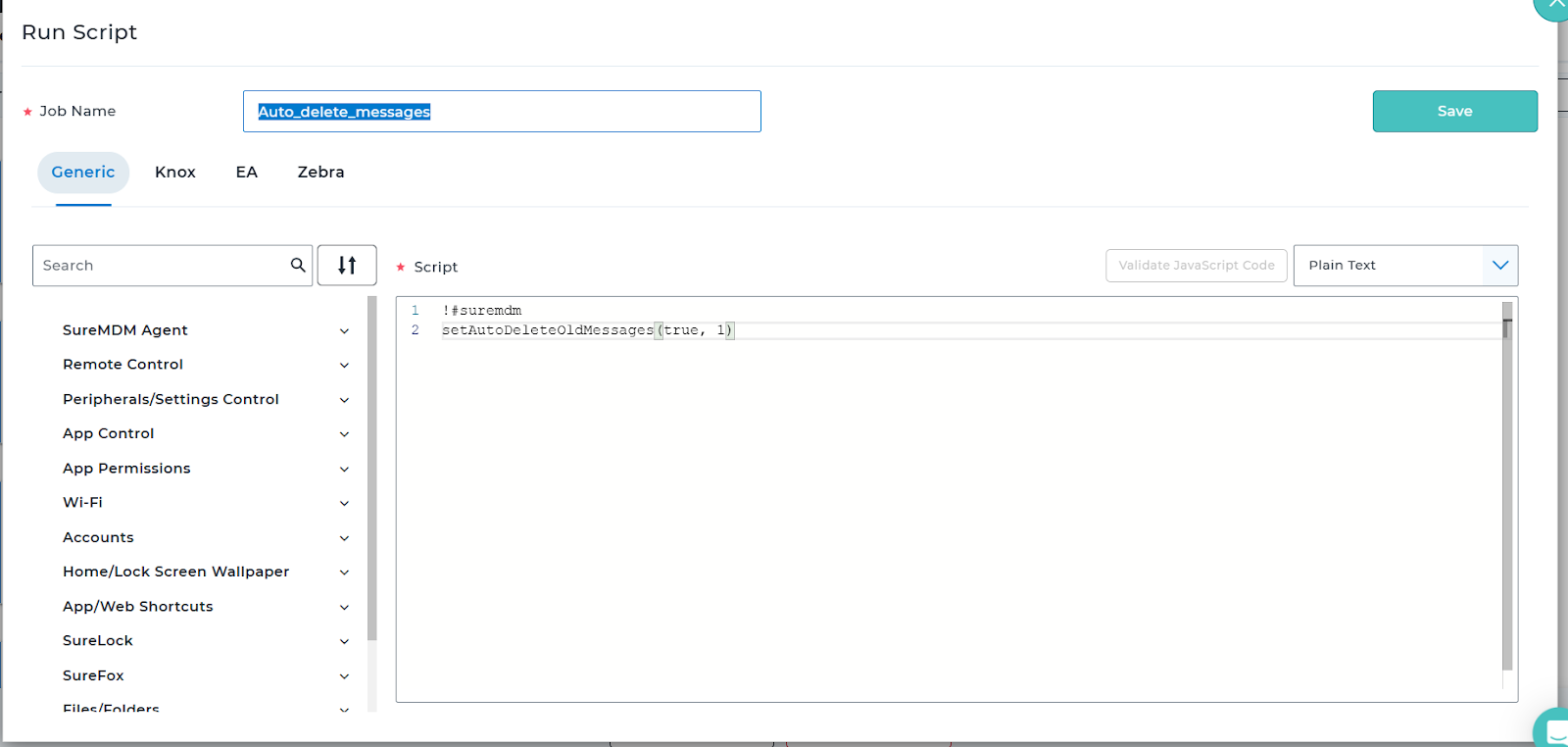
Ensure there are no extra spaces before or after the script, then save the job. Once saved, it will appear in the Jobs section. You can then apply this job to the desired device(s), and the Delete Older Messages option will be enabled as configured.
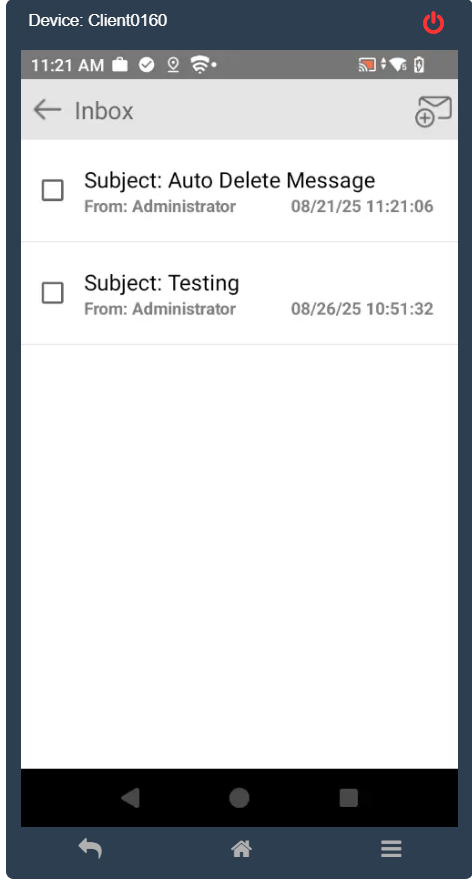
The screenshot below shows the impact on the device after deploying the run script that deletes messages older than one day. Following the deployment…
Need more help? Here’s how to get help from our experts.