
Purpose
While accessing the website, if the keyboard automatically appears because the cursor is placed in a text field without explicitly selecting it, it is likely that the Auto Focus option is enabled in SureFox.
To prevent this behavior, we need to disable the Auto Focus setting in SureFox. Once disabled, the on-screen keyboard will appear only when the user explicitly taps on a text field, rather than automatically displaying upon page load or redirection.
Prerequisites
SureFox v15.01.11 and latest
Steps
- Access the admin SureFox settings by tapping on the screen 5 times and entering the password
- Navigate to Browser preferences and choose Advanced settings
- Look for the Show Keyboard on Auto Focus and uncheck the option.
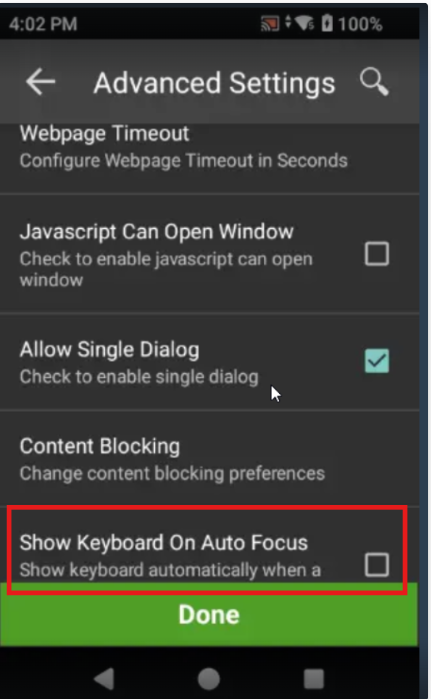
- Save the settings and verify the behaviour on the device. The on-screen keyboard will no longer appear automatically upon page redirection or when a text field receives focus unless the user explicitly selects the text field.
Conclusion
The keyboard will no longer be seen when a text field is in focus once it is disabled in SureFox.
Need more help? Here’s how to get help from our experts.
Was this helpful?
YesNo