
Purpose
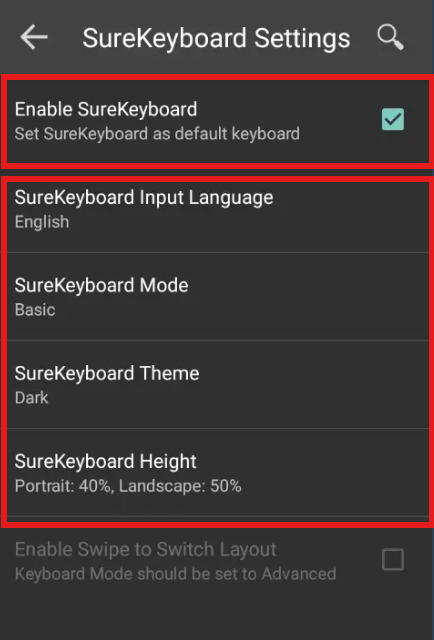
This feature lets the user customize the SureKeyboard in surelock with features like Theme, Height, Input language etc which provide the user with more functionality and ease of use with the SureKeyboard.
Prerequisites
N/A
Steps
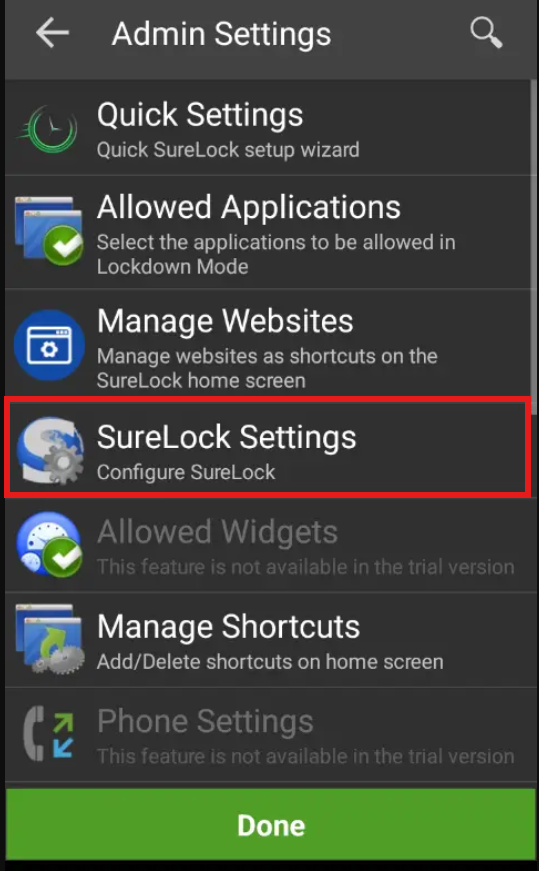
1. Navigate to SureLock Admin Settings and select SureLock settings.
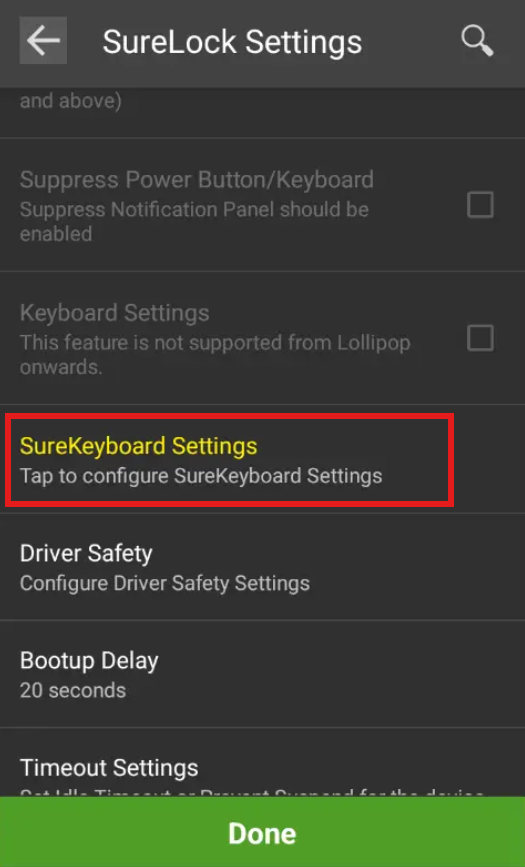
2: Navigate to SureKeyboard Settings
3: And Enable “Enable SureKeyboard”and you will be able to customize the keyboard.
After saving the settings the customer will be able to use the Surekeyboard with more comfort and ease which enhances the user experience.
Need help?
CONTACT US
Was this helpful?
YesNo