
Purpose
In enterprise-grade Android deployments, administrators often need precise control over network protocol configurations across multiple devices. The IPv6 toggle for Wi-Fi networks allows administrators using SureMDM to remotely enable or disable IPv6 on platform-signed, enrolled Android devices. This capability streamlines management of mixed IPv4/IPv6 environments, ensures compliance in IPv6-restricted networks, and lets IT teams shift protocol settings without manual device access.
Prerequisites
- Devices must be Platform-Signed.
- Devices must be running Android 6.0 (Marshmallow) or later.
- Access to the SureMDM Console with permissions to create and deploy RunScript jobs.
Steps
- Log in to the SureMDM Console.
- Navigate to Jobs -> New Job -> Android -> Run Script
- Enter the Job Name and Enter the below Script
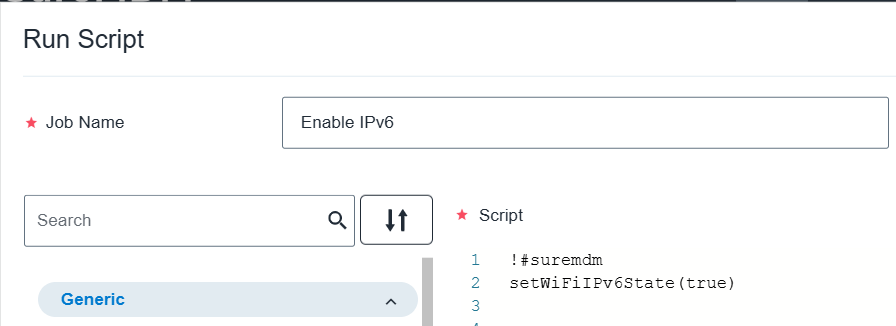
!#suremdm
setWiFiIPv6State(true)
Note: You can mention as true -> To Enable IPv6 and false-> To Disable IPv6
4. Click on Save to create the job.
Expected Results
Once the RunScript job executes successfully, the device’s IPv6 state will be updated based on the command.
You can confirm the change by navigating to: Settings > Network & Internet > Internet > [Wi-Fi Network] > Advanced on the device.
Conclusion
The IPv6 configuration RunScript allows administrators to efficiently manage Wi-Fi network protocol settings on Platform-Signed Android devices directly through SureMDM, improving network control, policy compliance, and operational flexibility.
Need help?
CONTACT US