
Tracking device power events in the SureMDM console enables administrators to monitor when devices come online and go offline. This helps IT teams track device connectivity, identify availability issues, troubleshoot connection problems, and ensure devices remain accessible for management, monitoring, and other essential organizational operations.
Prerequisites
NA*
Steps
1. Click on the report from the SureMDM console grid.
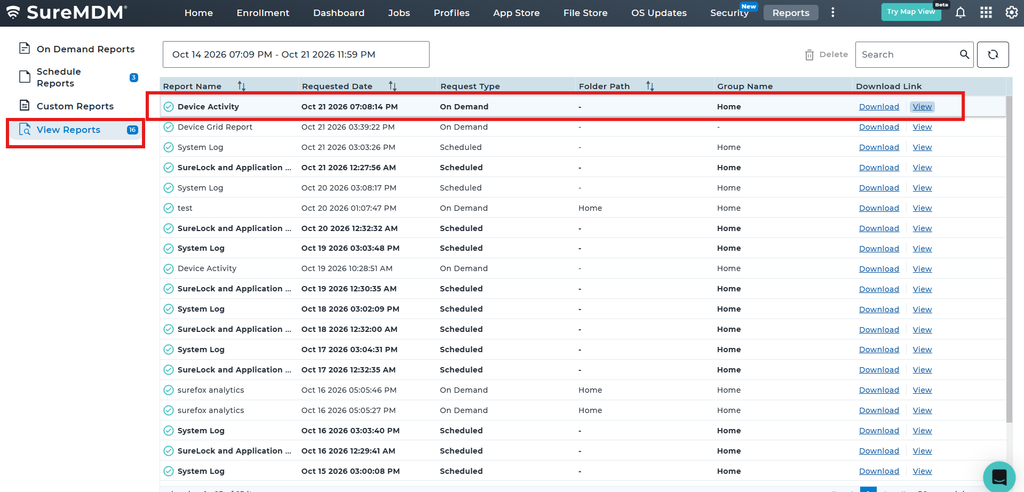
2. Under On-Demand Reports, search for the required device activity report and generate the report to view the device activity details.
3. After completing the above steps, click View Report. Once the report is generated, click View to review the device activity details in the console, or click Download to download the report as a CSV file.
Conclusion
Using SureMDM, administrators can review device connectivity status by generating device activity reports from the console. These reports provide visibility into when devices are online or offline, support troubleshooting, and help IT teams analyze device availability to ensure smooth and reliable management of enrolled Android devices.
Need more help? Here’s how to get help from our experts.