
Overview
This article explains how to find the Honeywell printer’s IP address using the PrintSet 6 tool.
Follow the steps to navigate to the printer’s IPv4 network settings and view the assigned IP address.
Prerequisites
Active user account to access the PrintSet 6 tool.
Steps
- Install and launch PrintSet 6 on your host machine.
- From the list of displayed printers, select the required Honeywell printer to open the Device Details page.
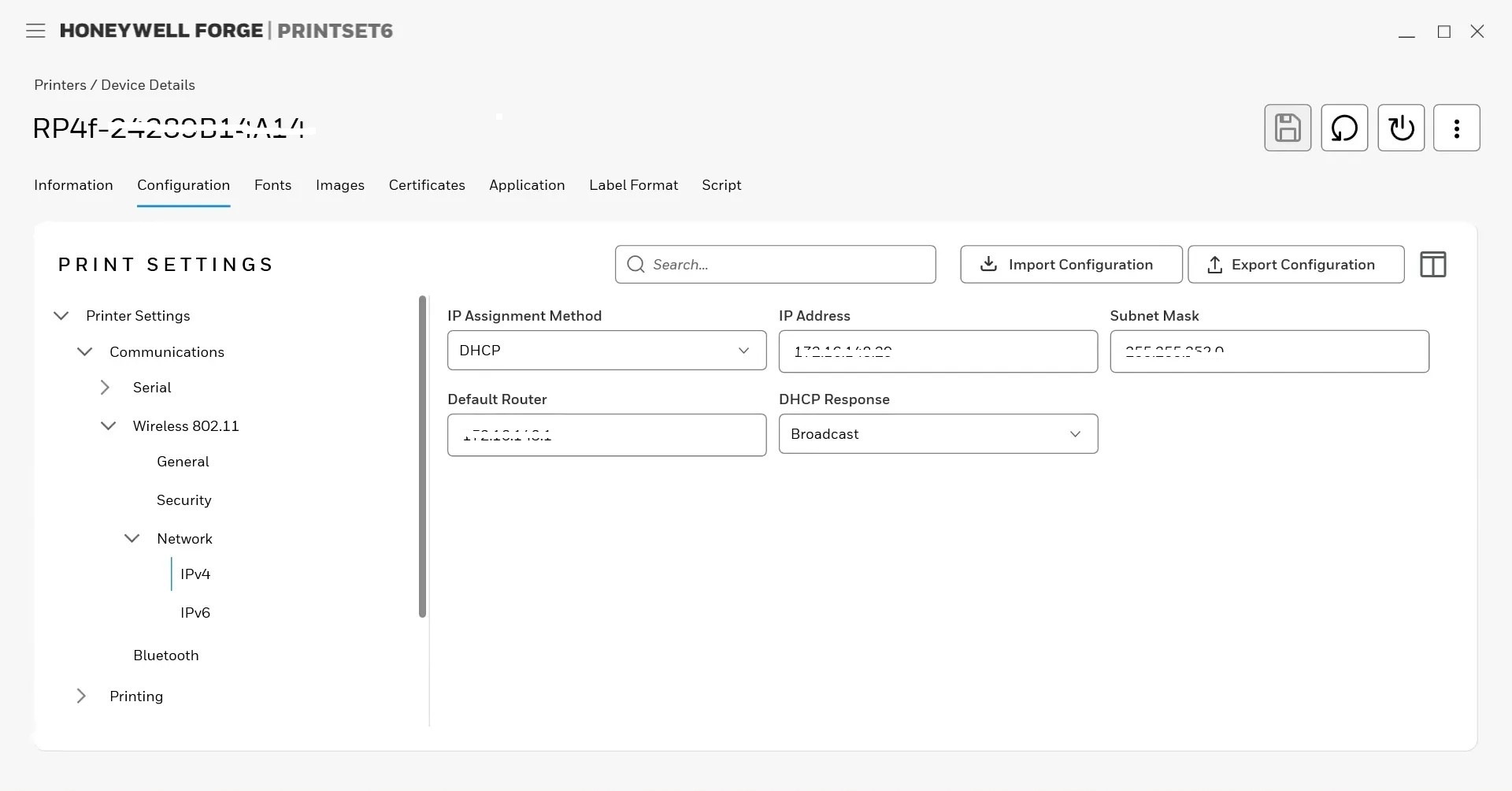
- Click the Configuration tab and navigate to Printer Settings.
- Expand Communications and select Wireless 802.11.
- Expand Network and select IPv4.
- Locate the IP Address displayed under the network settings and note it for further use.
Conclusion
The Honeywell printer’s IP address can now be used to access the printer’s web interface or for other network-based configuration and management activities.
Need more help? Here’s how to get help from our experts.
Was this helpful?
YesNo