
The error “A problem occurred while parsing the package” usually means your device couldn’t read or understand the downloaded app file (APK) during installation, potentially due to corruption or incompatibility of the APK file.
Purpose
The purpose of this article is to help users identify the reasons behind the “Parse Error” encountered while installing APK files via SureMDM and provide actionable steps to resolve the issue effectively.
Prerequisites
An enrolled Android device, a valid APK file, a correct SureMDM job configuration, sufficient storage, and internet connectivity.
Common Causes and Solutions
- Validate whether the app was uploaded to the SureMDM cloud storage properly.
- Check if the manual installation of the app is functioning well
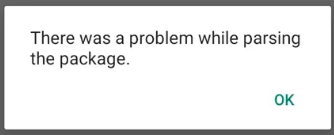
APK File Issues:
Corruption: The APK file may be incomplete or damaged. If it is an in-house application, please verify the APK file with the developers to confirm its integrity. If it was downloaded from an online source, try re-downloading it from a trusted source.
Signed Package Changes: If the package name was modified after signing, the app will fail to install. Use the correctly signed APK.
Need more help? Here’s how to get help from our experts.