
Purpose
The Four Eyes feature ensures device wipe actions are authorized by multiple administrators, preventing accidental or unauthorized wipes. It strengthens accountability and enhances operational security within the SureMDM Console.
- Initiating a device wipe.
- Wiping multiple (“n” number of) devices in bulk.
By requiring approval from authorized admin, this feature helps reduce the risk of unintended data loss or device removal from the console and enforces administrative checks and balances.
Prerequisite
- Should have a SureMDM Account
- The devices must be enrolled in SureMDM Console
- Should be the SureMDM Account Admin
- 4-Eyes must be enabled in the SureMDM Console
Steps
- Login to the SureMDM Console
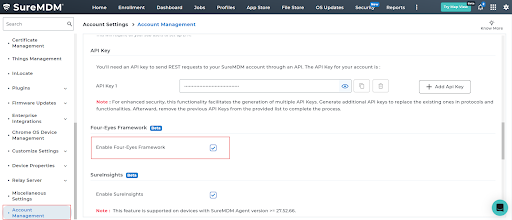
- Navigate to Settings > Account Settings > Account Management > Enable Four-Eyes Framework:
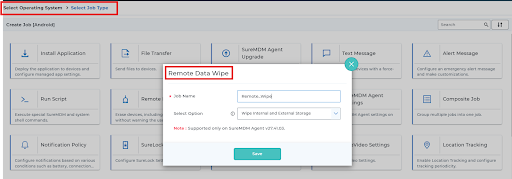
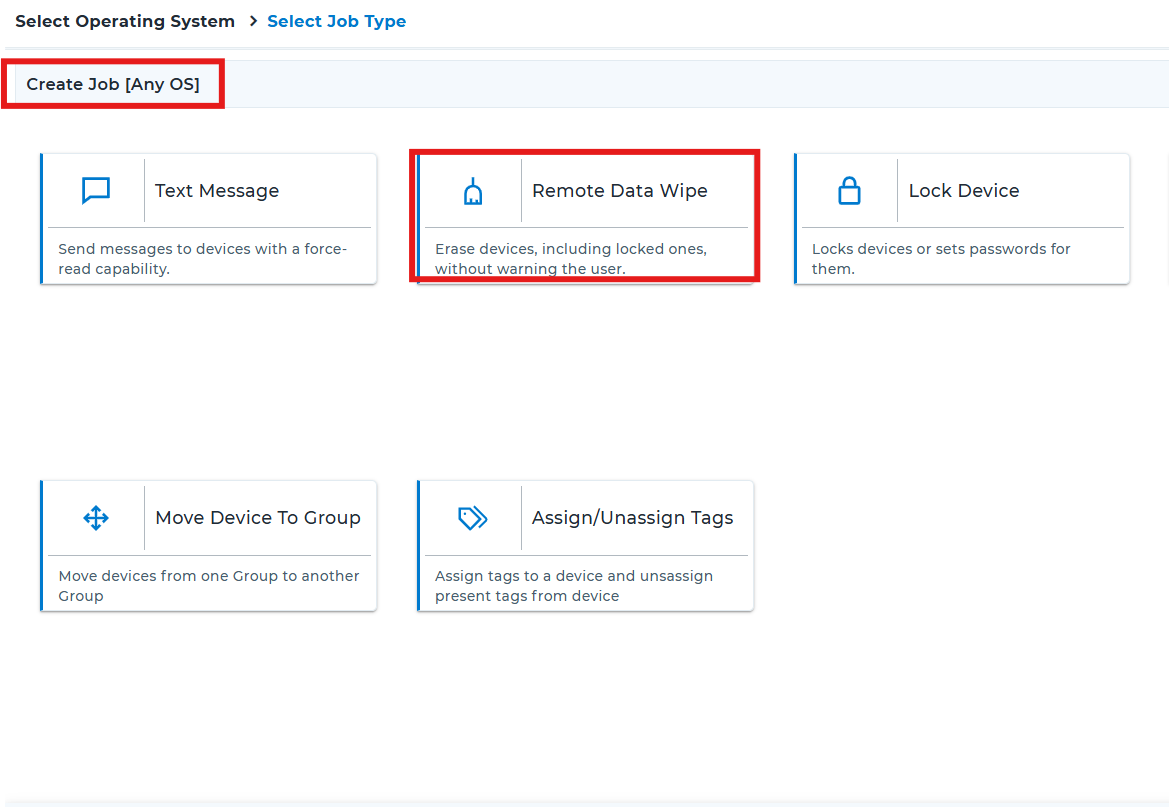
3. Once the above option is enabled, you can create a Remote Wipe Data from the Any OS section or from the specific platform by navigating to Jobs > New Job > Android > Remote Data Wipe (or) Jobs > New Job > Any OS > Remote Data Wipe
- Once the job is created, on the SureMDM Console, select the devices/group of devices that are required to be wiped and deploy the Remote Data Wipe job.
- Once the Remote Data wipe job is deployed, the wipe request will be under the “Four Eyes” tab:
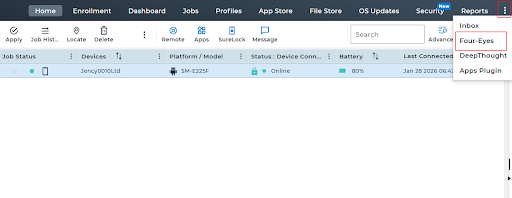
6. Under this tab, you can approve the wipe request for the respective device. Post which wipe job will be successfully deployed on the device:

Note:
>> When you select a batch of devices, the request will be considered as one request.
>> If Four eyes is enabled, then initiating a dynamic wipe job for a single will also be considered as a request and it can be approved under the four eyes tab.
>> If Four eyes is not enabled, then initiating a dynamic wipe job for a single will work as expected without requiring approval.
Conclusion: The Four Eyes feature ensures that device wipe actions are performed only after proper validation and approval. This helps prevent accidental bulk wipes, improves accountability among administrators, and enhances overall operational security within the SureMDM Console.
Need more help? Here’s how to get help from our experts