
Purpose
This article explains how to use SureMDM Run Script feature to remotely execute shell commands on Android devices for creating or removing directories in bulk.
This is especially useful for managing structured folders, such as date wise logs or periodic backups across multiple devices.
In simple terms, “creating or removing directories in bulk based on patterns like date wise logs” means automating the setup or cleanup of folders that follow a consistent naming pattern (e.g., 01-12-2025, 02-12-2025, etc.) to organize data by date and month.
This approach helps IT teams maintain organized data storage, improves log management, and saves time by performing these tasks automatically across large device fleets using SureMDM.
Prerequisites
- Android device enrolled in SureMDM.
- The device must support the execution of shell commands (which is common for Android Enterprise or devices with SureMDM Agent as Device Owner).
Steps
Procedure to create a runscript
- Log in to the SureMDM Console >> Jobs > New Job > choose OS Platform [Android] > Choose Run Script.
- Copy and paste the script on the column and modify it as per your use case
Run script to create a folder in a date wise log:
for day in $(seq -w 1 15); do
folder_name=”$day-12-2025″
mkdir -p “/sdcard/BLRMS/Logs/Datewise_Logs_Folder/$folder_name”
done
In this script, you can define the folder_name a value, here it is “$day-12-2025”.
The path can be changed as per your requirement, here the path given is – /sdcard/BLRMS/Logs/Datewise_Logs_Folder$folder_name, where the $folder_name is a wildcard variable for the folder name defined.
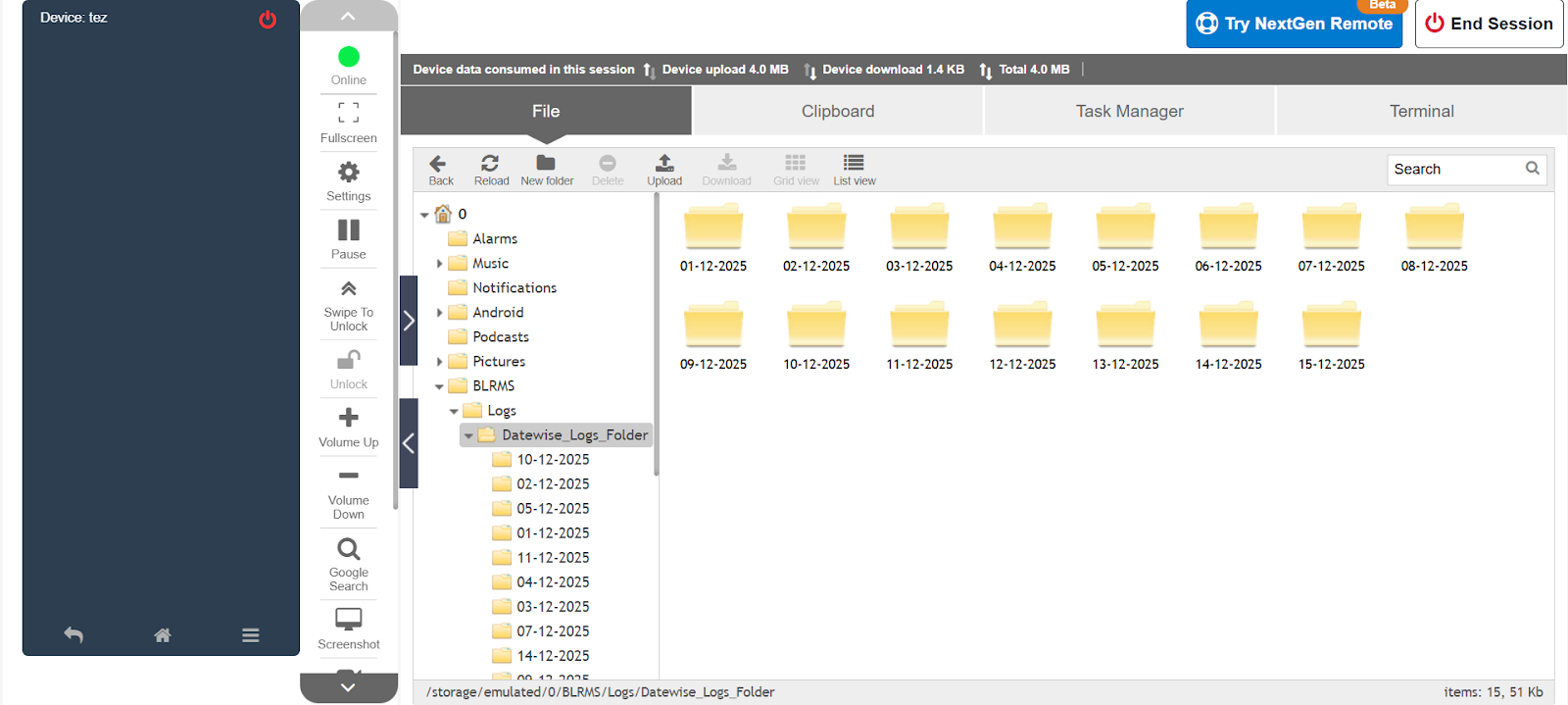
Run script to delete the folder in a date wise log:
for day in $(seq -w 1 15); do
folder_name=”$day-12-2025″
rmdir “/sdcard/BLRMS/Logs/Datewise_Logs_Folder/$folder_name”
done
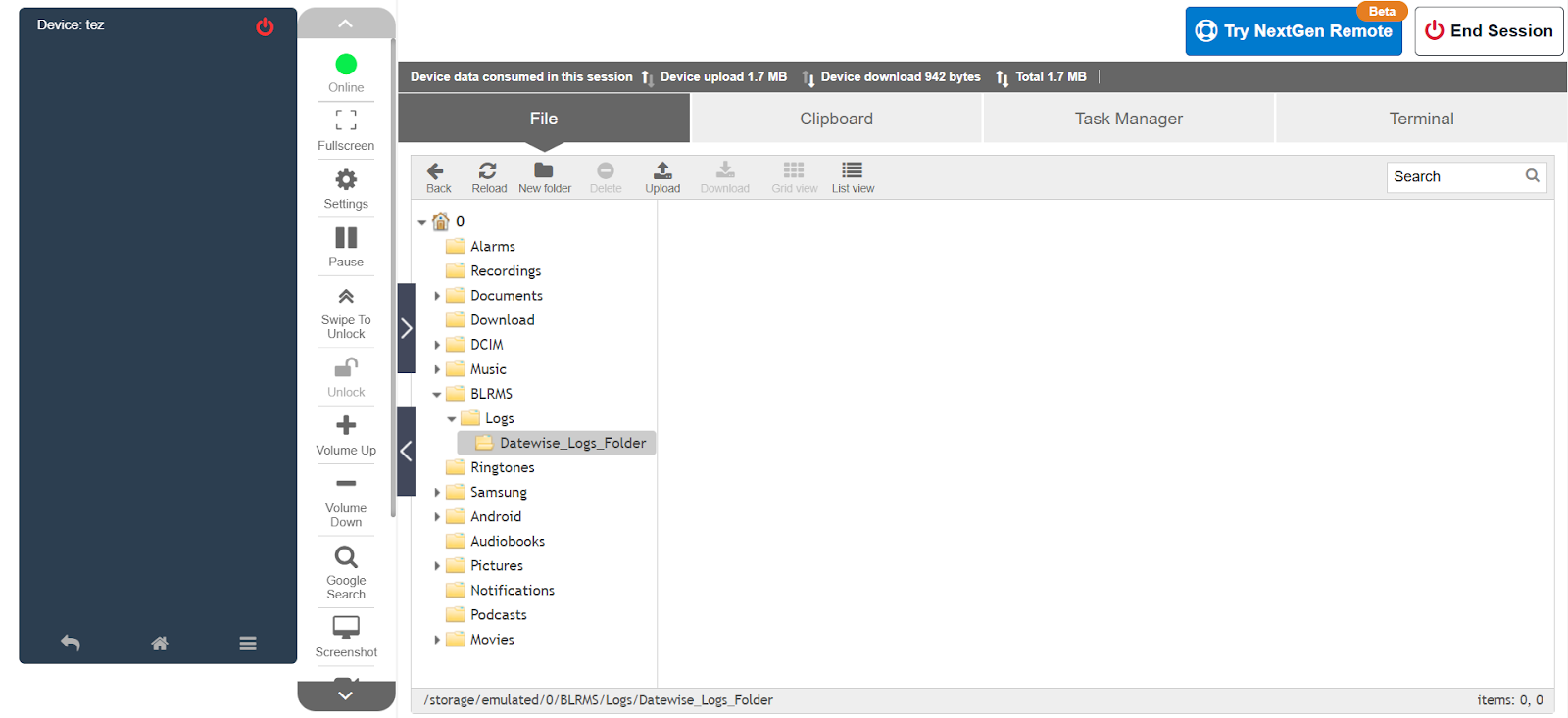
The sequence $(seq -w 1 15) in the script controls the range of days for folder creation or deletion.
- 1 is the starting day.
- 15 is the ending day.
Change the starting and ending values to match your specific needs before deploying the script.
7. Save and deploy the Job on the device/group.
Conclusion
Using SureMDM’s Run Script functionality, IT administrators can efficiently automate the creation or deletion of structured folders on multiple Android devices, such as date wise log directories, project archives, or daily report folders.
This approach is highly scalable, making it ideal for bulk operations, ensuring consistency across devices, and significantly reducing manual effort in managing repetitive folder structures.
Need help?
CONTACT US