
Purpose
Administrator can remove the policies deployed via the profile and the configuration of custom payload on tvOS devices
Steps
- Login to: SureMDM Web Console Navigate > Jobs > New Job > tvOS > Remove Profile.
- Enter a Job name.
- Enable Remove Currently Installed Profile to remove the existing profile deployed on the device.
Enable Remove Custom Payload to remove the custom payload by specifying the identifier.
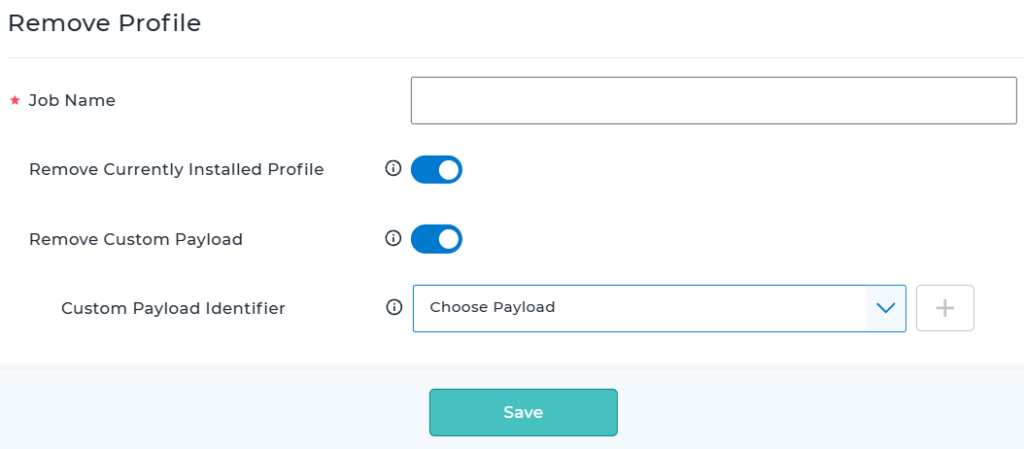
- Save and Apply the job.
Conclusion
The Remove Profile job in SureMDM provides administrators with a simple and efficient way to remove deployed configuration profiles and custom payloads from tvOS devices. This feature helps streamline policy management, supports configuration updates, and ensures devices remain aligned with current organizational requirements by removing outdated or unnecessary settings.
Need more help? Here’s how to get help from our experts.
CONTACT US
Was this helpful?
YesNo