
This feature enables users to reset only the mobile network settings on Android devices running Android 12 and above, without impacting other configurations. Restoring the default mobile network parameters helps resolve connectivity issues, eliminate incorrect carrier configurations, and improve cellular performance. Unlike a full network reset, this targeted reset preserves Wi-Fi connections, Bluetooth pairings, and saved data, ensuring minimal disruption to the user experience while maintaining reliable mobile communication.
Purpose
This feature allows users to reset only the mobile network settings on Android devices running Android 12 and above. It helps resolve network connectivity issues, clear misconfigured carrier settings, and restore default mobile network configurations without affecting Wi-Fi, Bluetooth, or other data.
Prerequisites
This feature is supported only on Android devices that are platform-signed.
Steps
The following steps outline the process for deploying the job on Android devices
Step 1: Go to the Jobs section from the top navigation bar.
Step 2: Select the option to create a new job to set up the new job.
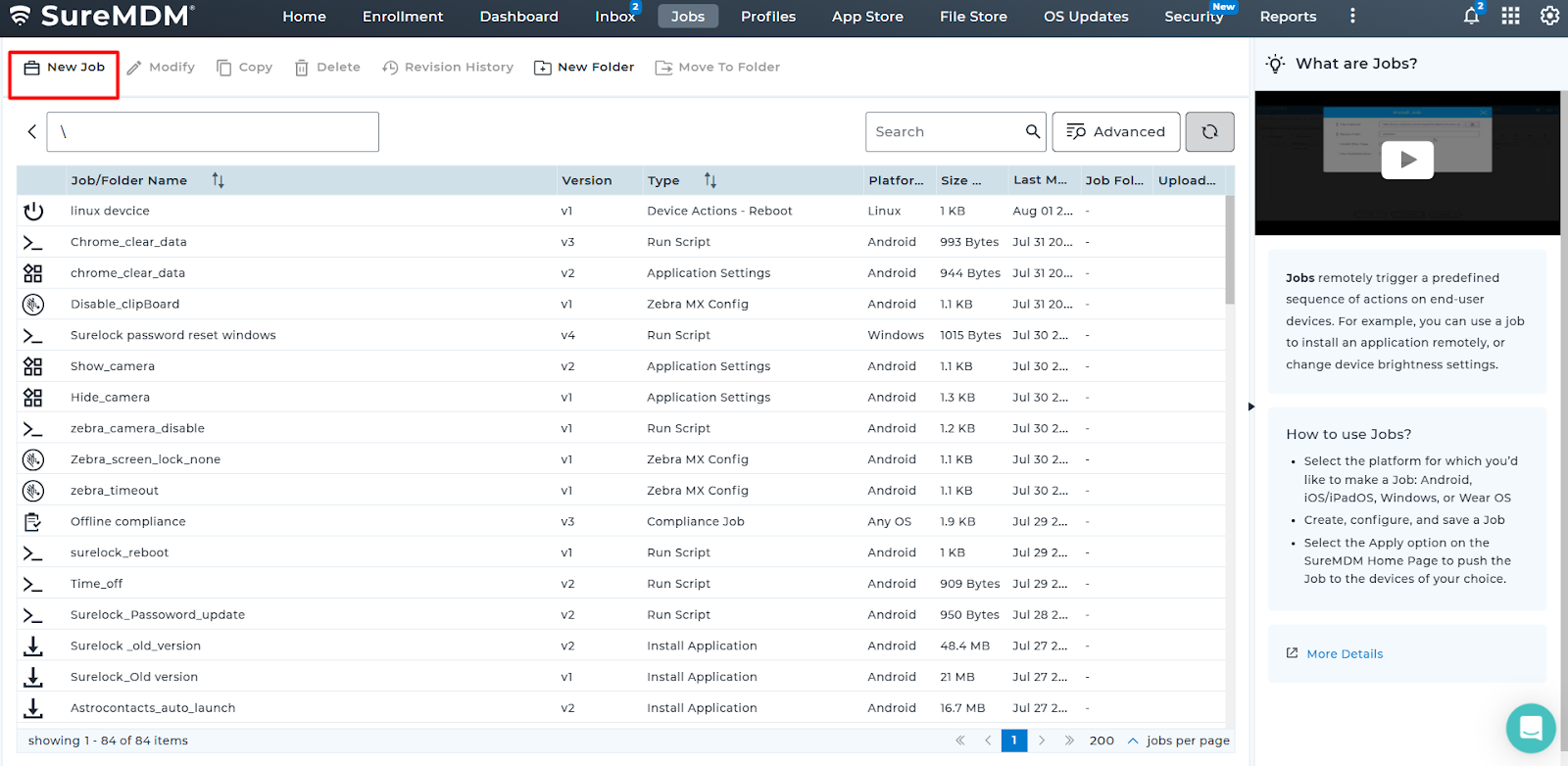
Step 3: Select the appropriate OS platform [Android]
Step 4: Locate the job named [Run Script] from the list.
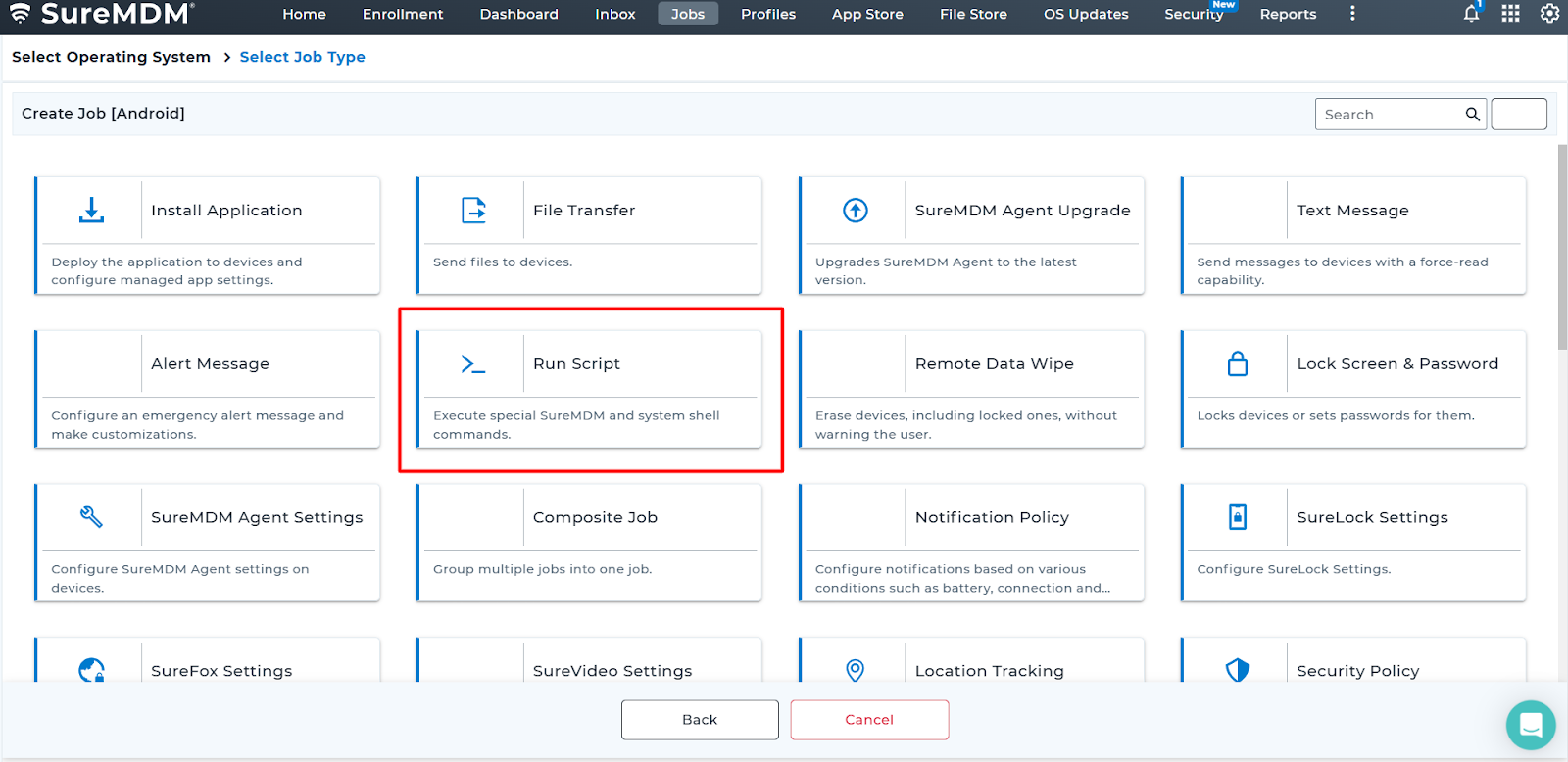
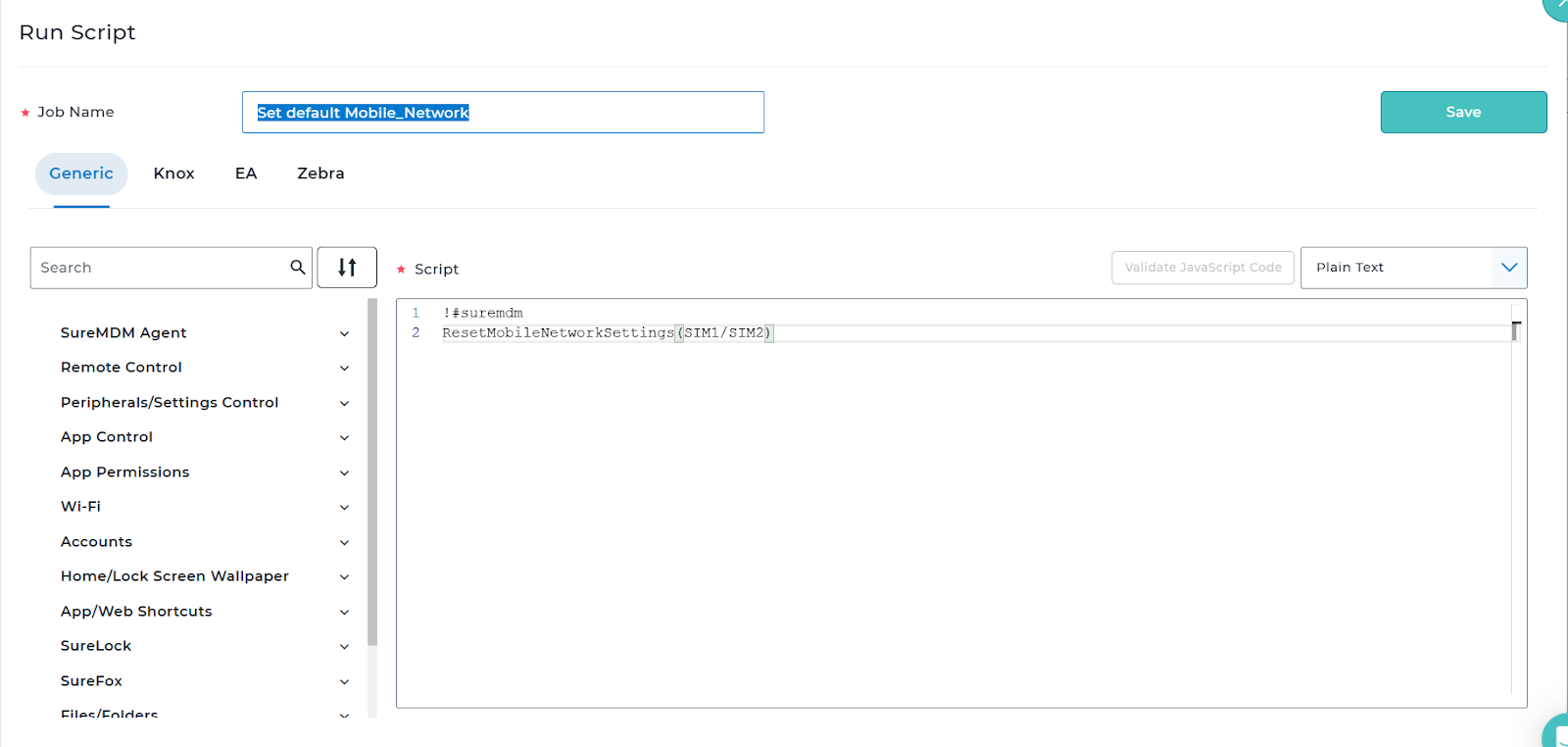
Step 5: Enter the runscript in the correct format, which is displayed in the images below:
- Below is the runscript to reset mobile network settings on Android 14 devices
!#suremdm
ResetMobileNetworkSettings(SIM1/SIM2)
- Below is the run script for Resetting Bluetooth, Wifi, and Mobile settings altogether for Android OS 12 and 13 devices
!#suremdm
ResetBluetoothMobileWiFiSettings(SIM1/SIM2/Default)
- To reset Bluetooth and Wifi settings on Android 14 devices
!#suremdm
ResetBluetoothWiFiSettings
Step 6: Save and apply to the device.
Need more help? Here’s how to get help from our experts.