
Purpose
In certain scenarios, SureMDM administrators may keep devices in storage for days or even months. When devices remain powered off for extended periods, their internal clocks may become outdated. This can occur even if Auto Network Time and Time Zone are enabled or the device is configured to use an NTP server for time synchronization.
As a result, SureMDM jobs may fail to deploy when the device’s date and time are incorrect or out of sync. This article provides guidance on synchronizing device date and time using a dedicated SureMDM Run Script.
Prerequisites
Before proceeding, ensure the following requirements are met:
- This feature is supported only on EA, Knox, and Android Device Owner (DO)–managed devices.
- Supported from SureMDM Agent version 27.28.06 and above.
Steps
- Log in to the SureMDM Console.
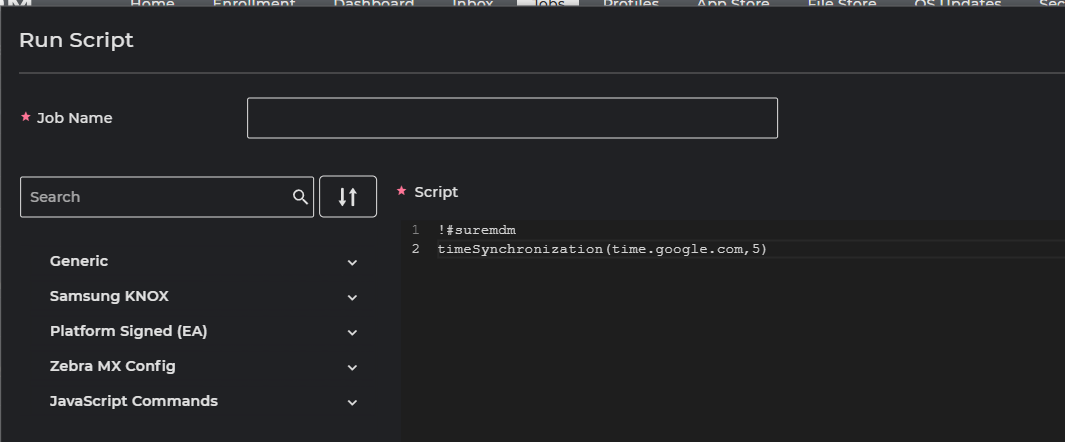
- Navigate to Jobs → New Job → Android → Run Script.
- Enter a suitable Job Name.
- Add the following script:
!#suremdm
timeSynchronization(time.google.com,5)
NOTE:
- Replace the NTP server address with an IP or hostname that is reachable from the device network.
- The value 5 represents the time interval (in minutes) used for network time synchronization.
- Click Save to create the job.
- Then push the job to the targeted devices.
NOTE:
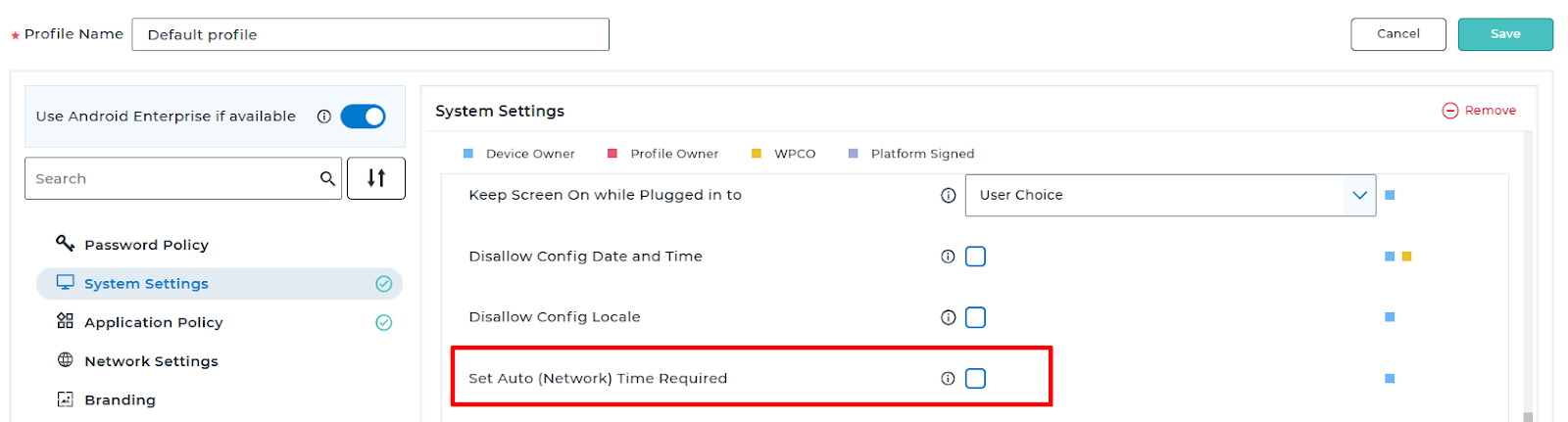
In case the script deployment directly is not helping, make sure to disable the NTP related settings (Network provided date/time settings) are disabled manually and then try to deploy the script job to the device.
OR if you have a SureMDM profile created make sure to modify the highlighted settings to disable > Deploy the modified Profile to the device > And then deploy the RunScript job.
Expected Results
After successful execution of the job, the SureMDM Agent will automatically synchronize the device’s date and time based on the specified NTP server.
Conclusion
Ensuring accurate date and time synchronization is critical for successful SureMDM job deployments. By using the dedicated SureMDM Run Script, administrators can automatically correct time discrepancies on devices that have been inactive for extended periods. This approach helps prevent job deployment failures and ensures smooth device management operations.
Need more help? Here’s how to get help from our experts.