
Purpose
This feature lets you prevent selected apps from using the mobile data while running in the background and this will reduce the mobile data consumption along with the battery drainage l achieved adding the package name and enabling Restrict Mobile Data Usage in Background
Prerequisites
This procedure will be performed on lenovo devices with Android 14 and above.
Steps
1. Login to the SureMDM console > Profiles > Android > New Profile >
Select Profile Type as Primary Profile.
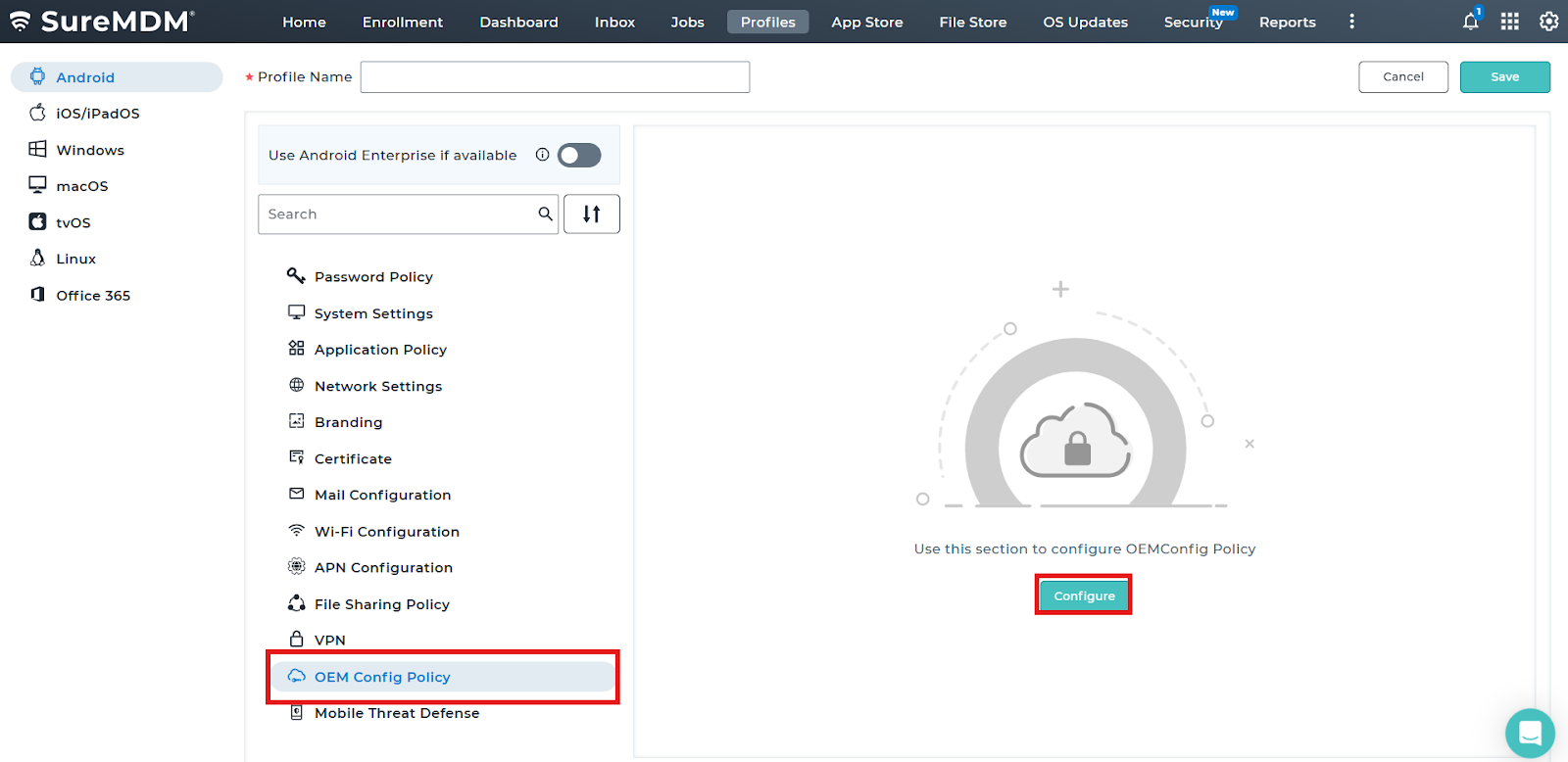
2: Search and select the OEM Config Policy and click on configure.
3: Click and select the Lenovo OEMConfig (LenovoOEM).
4: Click on expand and search for “Restrict Mobile Data Usage in Background” and configure it by adding Package Name and enabling the feature..
Save the profile and deploy it to the device. With this setting enabled the application will not be using Mobile Data while running in the background.
Need help?
CONTACT US