
Purpose
This article outlines the step-by-step configuration process required to prevent end users from accessing Recovery Mode on macOS devices.
Prerequisites
- Should have a SureMDM Account.
- MacOS devices to be enrolled to SureMDM Console.
- Make sure to securely store the Recovery Lock password. After unenrollment, the Recovery Lock will not be disabled, and you will still need the current password to access macOS Recovery. If the device record is deleted, the Recovery Lock information in SureMDM will also be removed.
- Applicable only to Apple silicon–based (M series) macOS devices running macOS 11.5 or later.
Steps
- Login to your SureMDM Account.
- Navigate to Jobs > New Job > macOS > Device Actions > Choose Recovery Lock as the action type from the list:
- Once the action type is chosen, you will be prompted to configure the Recovery Lock password. Screenshot below:
- Configure the password based on your requirement and save the Job.
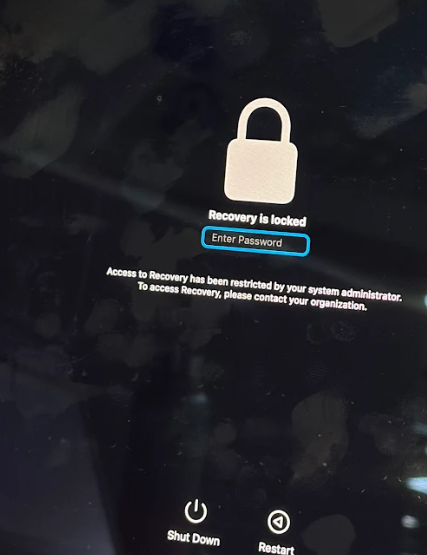
- After the job is saved and deployed to the device, any attempt by the end user to access macOS Recovery Mode will prompt them to enter the password configured by the administrator.
Conclusion
By implementing the appropriate restrictions through SureMDM, administrators can effectively prevent end users from accessing Recovery Mode on macOS devices
Need more help? Here’s how to get help from our experts.
Was this helpful?
YesNo