
The purpose of this guide is for SureMDM administrators to share the created QR code in the SureMDM console under the Enrollment section.
Prerequisites
N/A
Steps
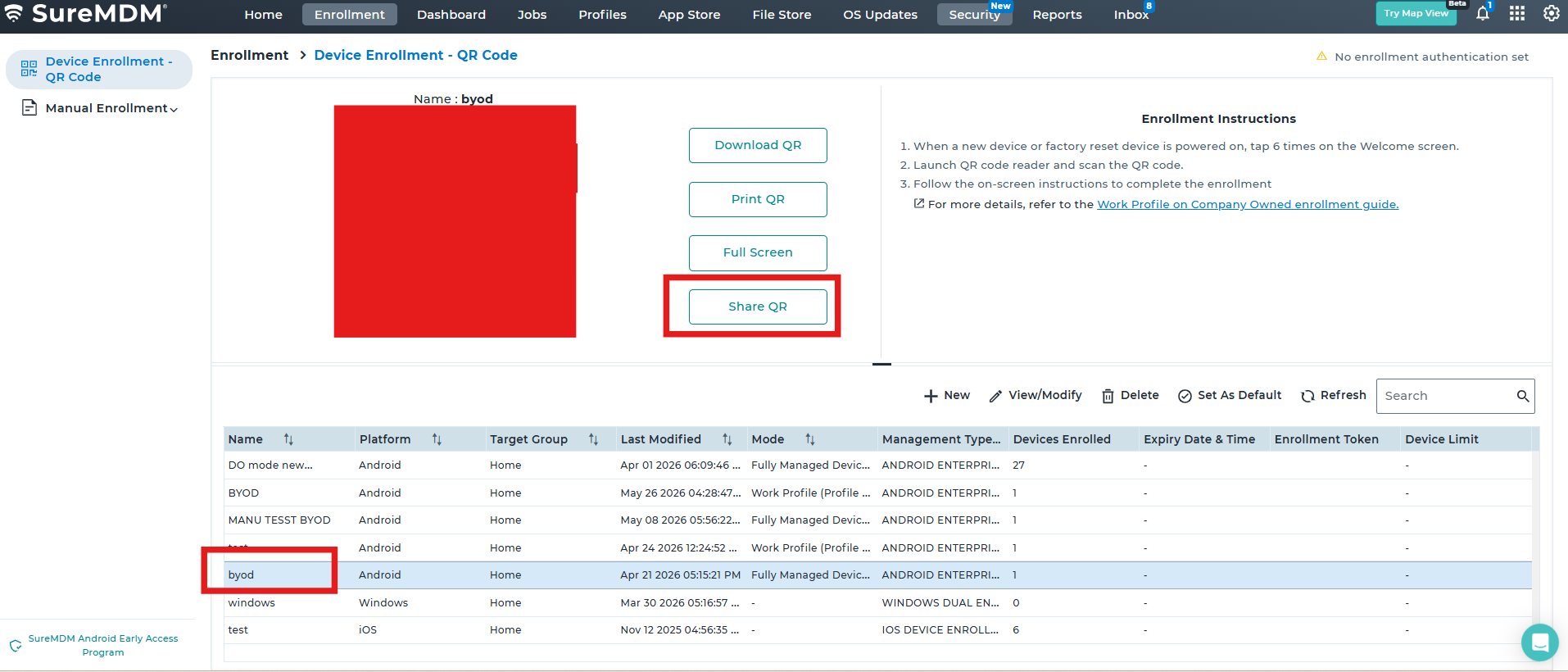
Please log in to the SureMDM Console -> Click on Enrollments-> Select the QR code -> Click
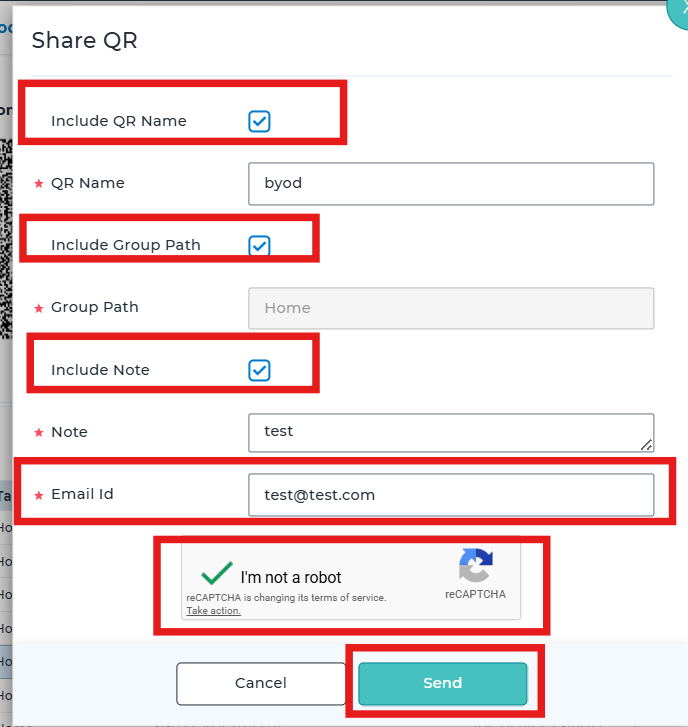
Please select the Include QR Name-> Include Group Path-> Include Note -> Click on Email address and add the required Email address -> Confirm you are not a robot -> Confirm to share the QR code.
Conclusion
The respective Email address point of contact should receive an email triggered with the QR code attached.
Need more help? Here’s how to get help from our experts.
Was this helpful?
YesNo