
SureLock is widely used to lock down Android devices into a secure kiosk or restricted mode environment. While this helps maintain control and compliance, certain configuration settings can unintentionally block or mute system notifications. One common issue reported by users is the notification sound not being received when SureLock is active. This can impact timely alerts, app usability, and operational efficiency.
Purpose
This Article provides a step-by-step guide on how to resolve notification sound issues in SureLock (Kiosk Mode) on Android devices.
Prerequists
NA
Steps
- Tap on the SureLock on the Home screen
- Enter the password to navigate to the SureLock Admin settings
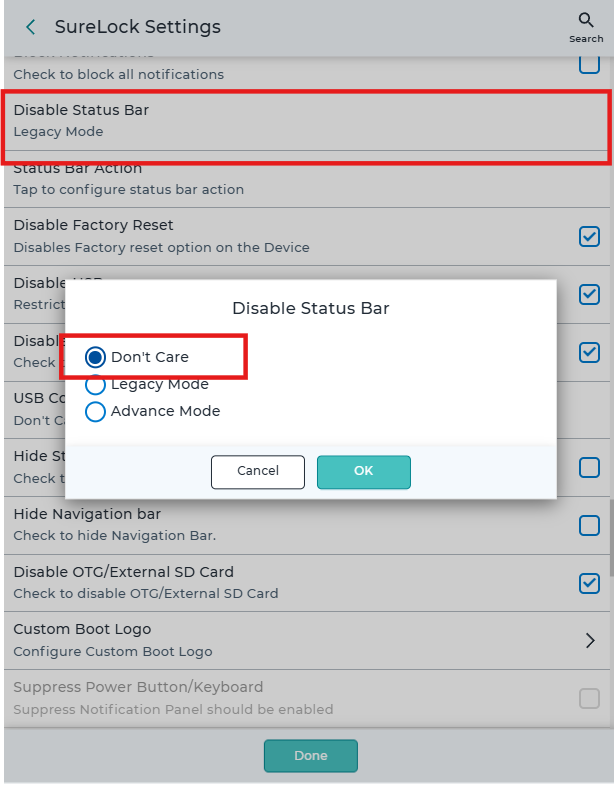
- Navigate to the SureLock settings, search for Disable Status Bar, and set the Status bar to None/Don’t care, and click Done.
- Make sure the Block Notification is unchecked and the Sound settings are not set to silent or vibrate mode from the SureLock settings.
Need more help? Here’s how to get help from our experts.
Was this helpful?
YesNo