
Purpose
Unlocking SureMDM Agent settings may be required when access is restricted due to Settings Access Protection on Android devices. This article outlines how administrators can use a Run Script job with the remoteUnlockNixSettings() command to remotely restore access. The procedure helps recover from lockouts caused by repeated incorrect attempts without disabling security features. It ensures continued protection of the device while allowing controlled administrative access. This applies to Android devices enrolled in SureMDM with the necessary permissions.
Prerequisites
- Android devices enrolled in SureMDM and with Settings Access Protection enabled
- Required permissions to deploy Run Script jobs.
Steps
- Log in to the SureMDM Console.
- Navigate to Jobs -> New Job -> Android -> Run Script
- Enter the Job Name and Enter the below Script
!#suremdm
remoteUnlockNixSettings()
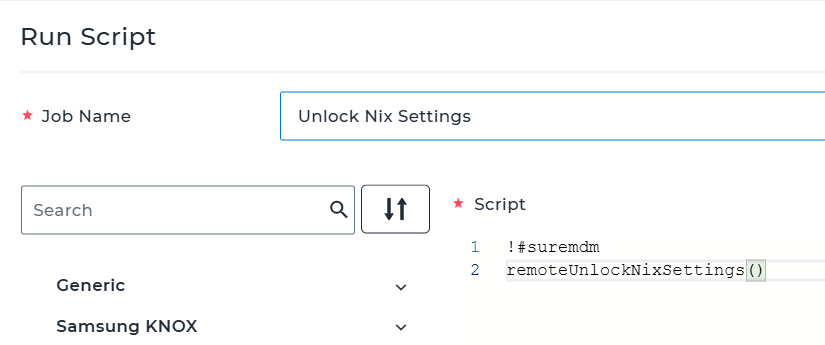
4. Click on Save to create the job.
Expected Results
- The SureMDM Agent settings are unlocked immediately on the target device.
- Device security remains intact while allowing controlled administrative access.
Conclusion
Settings Access Protection adds an additional security layer to prevent unauthorized changes to SureMDM Agent settings. When access is blocked due to repeated incorrect attempts, administrators can use the remoteUnlockNixSettings() run script to quickly restore access, ensuring minimal disruption while maintaining security controls.
Need more help? Here’s how to get help from our experts.