
The REST API Logs feature provides administrators with a centralized view of API activities executed using SureMDM REST API keys. It enables quick troubleshooting, auditing, and monitoring of API operations. Additionally, the Export option allows administrators to download the log history in CSV format for reporting, analysis, and long-term record maintenance.
This Article provides a step-by-step guide on viewing and exporting the SureMDM REST API logs.
Prerequists
REST API logs are generated only for actions performed using a SureMDM REST API key. Actions performed directly through the SureMDM Console are not recorded in the REST API logs.
Steps
- Log in to the SureMDM Console.
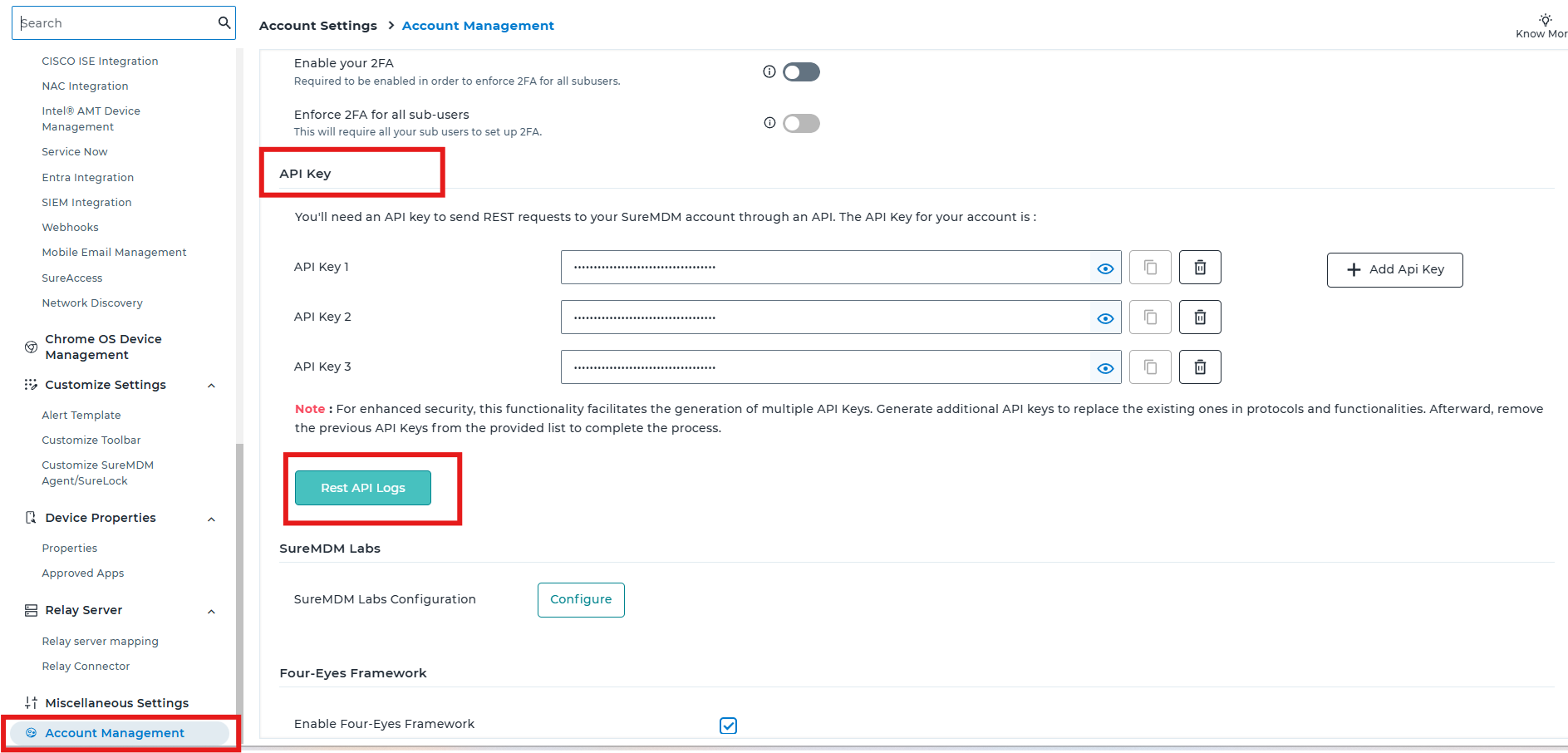
- Navigate to Settings > Account Settings > Account Management.
- Under the API Key section, click REST API Logs.
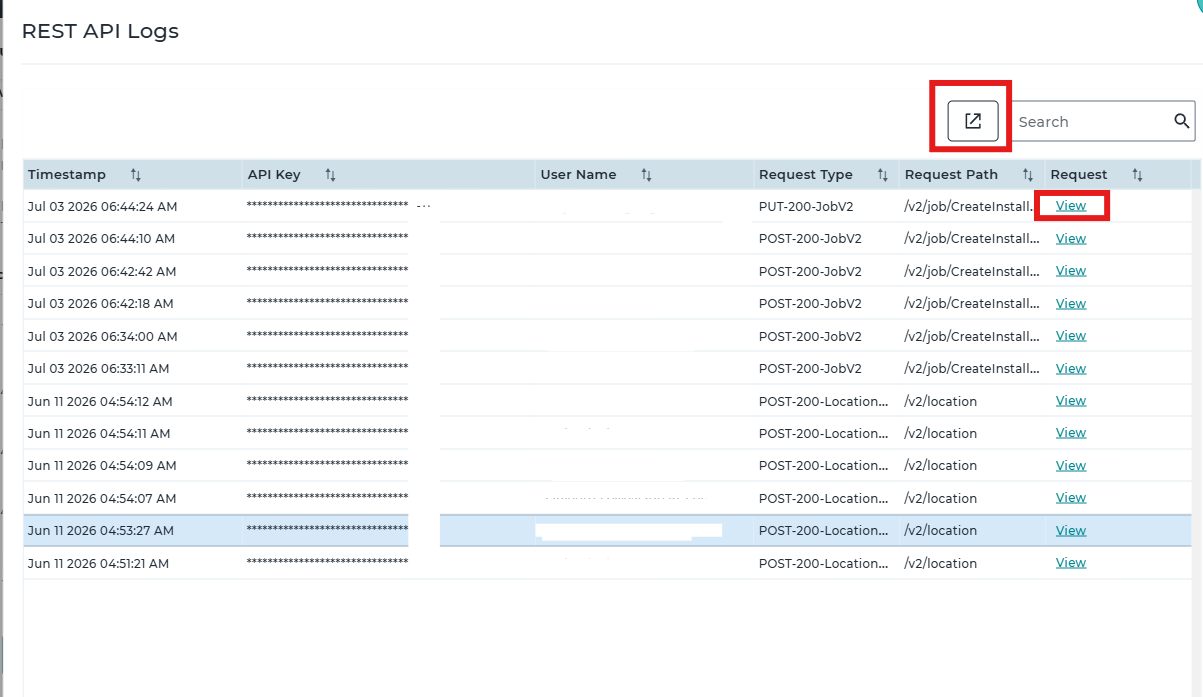
- A REST API Logs window will open, displaying the latest API activities performed using the configured API keys.
The log entries include the following information:
| Field | Description |
| Timestamp | Date and time when the API request was executed. |
| Username | The user associated with the API action. |
| API Key | The API key used to execute the request(The APi Key will be Masked and will display only the last four characters) |
| Request Type | The type of REST API request (for example, GET, POST, PUT, or DELETE). |
| View | Displays the complete request payload and other request details. |
Note: SureMDM retains a maximum of the 100 most recent REST API log entries. Older entries are automatically removed as new API requests are logged.
The user can click on the Export option available, which generates and downloads the log data as a CSV (.csv) file.
Need more help? Here’s how to get help from our experts.